• Skip to primary navigation
  • Skip to main content
  • Skip to primary sidebar
  • Skip to footer

Digital Grog — Australia’s Tech, Gadgets & Digital Life Unfiltered

Digital Grog is Australia’s go‑to tech blog for sharp reviews, digital trends, AI tools, gadgets, cybersecurity updates, and practical how‑tos covering the latest in Aussie technology

  • About Us
  • Contact Us
  • Block Examples
  • Landing Page

Electronics

Top tips to choosing a Good NBN modem router

March 2, 2020 by admin 6 Comments

[et_pb_section fb_built=”1″ _builder_version=”3.22″ custom_padding=”||0px|” z_index_tablet=”500″][et_pb_row _builder_version=”3.25″ background_size=”initial” background_position=”top_left” background_repeat=”repeat”][et_pb_column type=”4_4″ _builder_version=”3.25″ custom_padding=”|||” custom_padding__hover=”|||”][et_pb_post_title title=”off” meta=”off” featured_placement=”above” admin_label=”Post Title” _builder_version=”4.3.4″ z_index_tablet=”500″][/et_pb_post_title][et_pb_text admin_label=”intro” _builder_version=”3.27.4″ background_color=”rgba(237,240,0,0.55)” custom_margin=”0px|5px|5px|5px” custom_padding=”0px|10px|10px|10px” z_index_tablet=”500″ border_radii=”on|10px|10px|10px|10px” border_width_all=”2px” border_color_all=”rgba(12,113,195,0.75)” border_style_all=”groove”]

Your signing for the NBN which will inmost cases give you much faster speeds that you currently have and so having a good modem to distribute that fast internet speed around your house is a good idea.  You will need an NBN compatible modem if you were on the old ADSL connection with an older modem.

Read about –> NBN internet providers and plans in my last blog post, in this one  we look at the best picks for a good modem router for your NBN connection

The good thing is most NBN internet providers give you a free NBN modem if you sign up with them for an 18 month or longer internet plan. Some of them don’t and so you might have to purchase your NBN modem from the shop or pay extra to the provider for the modem.

[/et_pb_text][et_pb_text _builder_version=”4.3.4″ custom_margin=”5px|5px|5px|5px” custom_padding=”10px|10px|10px|10px” z_index_tablet=”500″]

Which is the best modem for NBN ?

Popular good modem brands in Australia are Netgear, Dlink, Netcomm, Tplink, ASUS, Draytek and Billion among others.

To keep it short, a good NBN modem should be a modem plus router – so that I can recive internet and can also distribute WIFI around the house. It should have at least three minimum ethernet points, one USB storage and a backup USB wifi dongle or 3g/4g/5g sim/dongle would be wishful.

Prices for modems routers In Australia
Generally a good nbn compatible modem can start from $120 onwards , but expect to get a decent one anywhere between $150 to $400 . The $400 are normally top of the range ones in looks and speeds too. Most of them are modem  plus routers.

I have made many lists before (for eg myhosting list for starting a website/blog ) .. Below I will give a list of some good modems for the NBN on the market before we get into the nitty gritty of what is the good features to look out for in selecting a modem

[/et_pb_text][/et_pb_column][/et_pb_row][et_pb_row _builder_version=”3.25″ background_size=”initial” background_position=”top_left” background_repeat=”repeat”][et_pb_column type=”4_4″ _builder_version=”3.25″ custom_padding=”|||” custom_padding__hover=”|||”][et_pb_divider _builder_version=”3.21.4″ z_index_tablet=”500″][/et_pb_divider][et_pb_toggle title=”Good routers for the NBN” open=”on” _builder_version=”3.21.4″ title_level=”h2″ title_font=”|700||on|||||” background_color=”rgba(13,210,224,0.63)” z_index_tablet=”500″]

  1. TP Link TD-VG5612
  2. TP-Link Archer VR2800
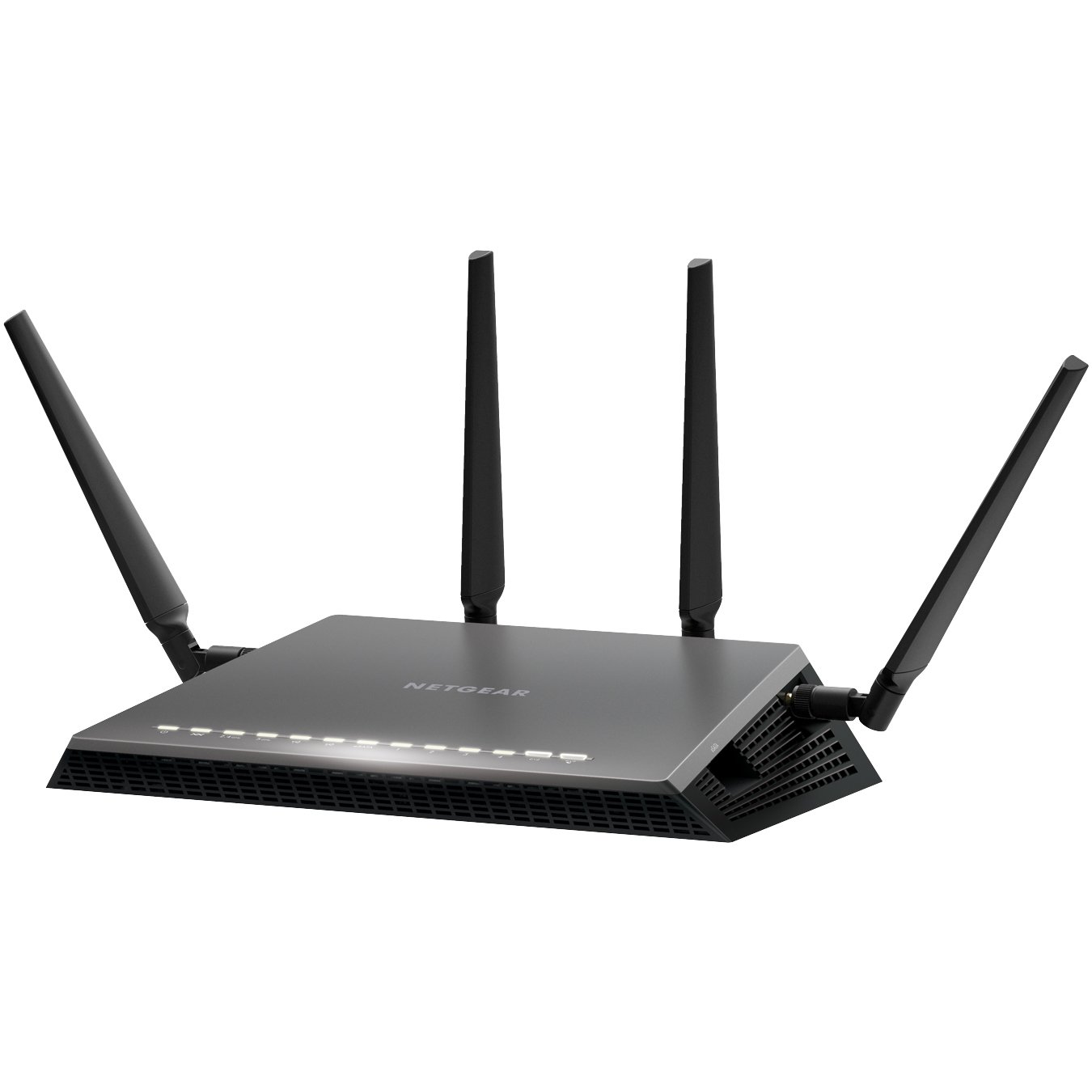
  3. Netgear Nighthawk X4S D7800
  4. Netgear D6400
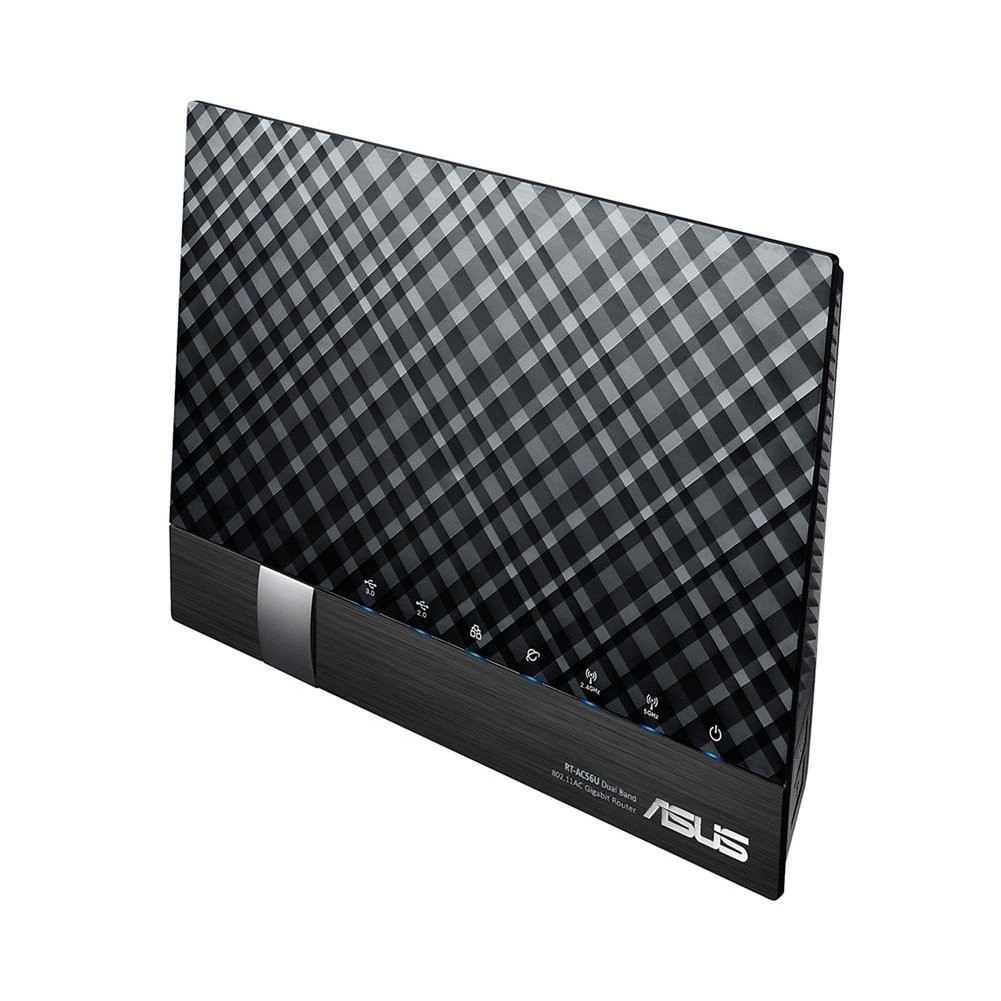
  5. ASUS DSL-AC56U
  6. ASUS DSL-AC68U
  7. D Link DSL-2877AL
  8. D Link DSL-2885A
  9. Draytek 2860n/n+/Vn/ac/Vac
  10. Draytek 2760
  11. Netcomm NF4V
  12. Netcomm NF17ACV
  13. Asus ROG GT-AX 11000

[/et_pb_toggle][et_pb_tabs active_tab_background_color=”rgba(166,216,119,0.4)” admin_label=”Modem Desc Tabs” _builder_version=”3.21.4″ custom_padding=”10px|10px|10px|10px” z_index_tablet=”500″ border_color_top=”#e01106″][et_pb_tab title=”TP Link TD-VG5612″ _builder_version=”3.21.4″ tab_text_color=”rgba(224,51,42,0.58)” tab_text_shadow_style=”preset2″]

tp link modem router

TP-Link TD-VG5612 Wireless router – 4-port switch

Brand: TP-Link
Connectivity: Wireless
Wireless standard: Wireless-N, Wireless-G
Encryption type: WEP, WPA, WPA2
Modem type: DSL Modem
Aerial: Internal
 
Features
  • Firewall protection
  • DMZ port + NAT support
  • Auto-negotiation, IGMP snooping, traffic shaping
  • Print server, MAC address filtering, VPN passthrough
  • URL filtering, parental control, IP address filtering
  • File sharing, Access Control List (ACL) support, Quality of Service (QoS)
  • Virtual server support, Wi-Fi Protected Setup (WPS), IPSec pass through
  • Samba support, FTP server, port forwarding, UPnP Media Server
  • Bandwidth control, DHCP relay, Stateful Packet Inspection Firewall (SPIF)
  • DNS relay, static routing, Multicast filtering function

Software / System Requirements

Software Included Drivers & Utilities
OS Required Apple Mac OS, Linux, Microsoft Windows Vista / XP / 7 / 8
 
Included Accessories
ADSL splitter
Cables Included 1 x modem cable 1 x network cable

[/et_pb_tab][et_pb_tab title=”TP-Link Archer VR2800″ _builder_version=”3.21.4″]

TP-Link Archer VR2800 Wireless router – 4-port switch The Archer VR2800 DSL modem router supports super fast VDSL or ADSL broadband of up to 100 Mbps and other connections.

Additional features

  • Cable Modem or Fiber Modem compatible
  • Two USB 3.0 ports supporting 3G/4G dongle connections
  • Dedicated processor for each band to manage Wi-Fi traffic
  • 1GHz dual-core CPU.

[/et_pb_tab][et_pb_tab title=”Netgear Nighthawk X4S D7800″ _builder_version=”3.21.4″]

The Netgear’s Nighthawk X4S boasts a dual-core 1.4GHz processor to handle the activity passing through it and a chipset capable of working in the 802.11ac network technology, which is also backwards compatible with the 802.11a/b/g/n networks.

Additional features

  • Quad Stream AC2600 WiFi for speeds up to 2.53Gbps (800+1733Mbps)
  • Next generation Wave2 WiFi
  • Dual Core 1.4GHz processor boosts performance for gaming and streaming
  • Built in high speed modem compatible with VDSL, VDSL2, ADSL, ADSL2, ADSL2+
  • Gigabit Ethernet WAN port for universal Internet service compatibility

Price range: From $315 to $350

[/et_pb_tab][et_pb_tab title=”Netgear D6400″ _builder_version=”3.21.4″]

The Netgear AC1600 DSL modem router provides a fast VDSL modem for fibre broadband and also works with ADSL connections.

It is a integrated modem and router as most models and you won’t need separate hardware from your service provider. It can handle homes with up to 10 devices.

Additional Features

  • It supports transfer speeds of up to 1300 Mbps.
  • It uses Beamforming technology to provide a large, reliable wireless range.
  • There are 2 USB 2.0 ports built-in to this router so you can connect a printer or a portable hard drive then access it wirelessly across your network.
  • You can use the Netgear Genie app to control and maintain your network.
  • This router supports parental controls so you can set up restrictions to your web access.

Price Range: From $197 to $243
https://www.youtube.com/watch?v=7jtYN9RP0SQ

[/et_pb_tab][et_pb_tab title=”ASUS DSL-AC56U” _builder_version=”3.21.4″]

The ASUS DSL-AC56U supports  as slew of features and technologies making this versatile modem router future proof. it supports  high speeds and  a detailed graphical interface to adjust  all your settings to your needs.

Additional Features

  • Concurrent Dual Band: 867Mbps on 5GHz and 300Mbps on 2.4GHz
  • Two WAN ports for DSL and Ethernet
  • Gigabit Ethernet ports 
  • Dual multi-purpose USB ports support file sharing, printer sharing, media streaming and 3G/4G support
  • VDSL/ADSL WAN multi service for IPTV support
  • PPTP VPN server and VPN client support
  • Download Master and enhanced media server let you download and stream anywhere
  • Enhanced signal range and stability with ASUS AiRadar using ASUS RF fine-tuning giving you extended coverage, dynamic data speed increases, and enhanced stability.
  • Ability for DSL, Ethernet or 3G/4G LTE Internet connections
  • Gigabit Internet browsing with hardware NAT
  • Ability to add external storage, printers, and other devices directly to your network
  • DSL ASUSWRT allows you to setup, monitor, and control network applications all in one intuitive area. 
  • Online multitasking at up to 300,000 sessions,gives you 20 times the capacity of mainstream routers. More data sessions translate into quicker and buffer-less HD streaming plus lag-free online gaming.
  • VPN server and VPN client support

Price Range: From $165 to $269

[/et_pb_tab][et_pb_tab title=”ASUS DSL-AC68U” _builder_version=”3.21.4″]


The ASUS DSL-AC68U is fast with combined dual-band data rates of up to 1900 Mbps. It is compatible with ADSL2/2+, ADSL, VDSL2, fiber and cable services. The easy-to-use ASUSWRT graphical user interface unlocks the power of the DSL-AC68U giving robust control to optimize your network for you. 30-second set-up and easy traffic management means even network newbies can enjoy its sophisticated features, while power users will love its IPv6 support, multiple wireless SSIDs and secure VPN access.

Additional Features

  • Compatible with ADSL2/2+, ADSL, VDSL2, fiber and cable services
  • 150% wider Wi-Fi coverage* Three external high-gain antennas 
  • Intuitive ASUS Router app -Manage your network anywhere
  • Enterprise-grade security for your home network -ASUS AiProtection with Trend Micro™ 
  • VPN server and client support
  • Dual WAN ports
  • Multi-purpose USB 3.0 port

Price Range: From $225 to $269

[/et_pb_tab][et_pb_tab title=”D Link DSL-2885A” _builder_version=”3.21.4″]

D-Link DSL-2885A Wireless Modem Router – 4-port switch
Dlink DSL-2885A Dual Band AC1200 Wireless Modem Router
 
The Dual Band Wireless AC1200 Gigabit ADSL2+/VDSL2 Modem Router helps with multiple connection options for sharing your high speed internet connection with a multitude of both wireless and wired devices. Dual band, NBN compatible, and capable of speeds up to 1200Mbps makes it a internet ready device for your home.
 
Details
Brand: D-Link
Connectivity: Wireless
Wireless standard: Wireless-AC, Wireless-N, Wireless-G
Feature: Dual Band, Gigabit Ethernet
Encryption type: WPA, WPA2
Modem type: DSL Modem
 
Additional Features:
  • Dual Band Wireless AC1200 Technology
  • Integrated ADSL2+ / VDSL2 Modem
  • NBN/UFB Ready (Dedicated Gigabit WAN port)
  • 4 x Gigabit Ethernet LAN Ports
  • Two USB 2.0 Ports for Storage, File Sharing or 4G USB modem
  • Supports AutoZoning technology

Price range: From $149 to $175

Visit official website

[/et_pb_tab][et_pb_tab title=”Draytek Vigor 2862 Vac” _builder_version=”3.21.4″]

Draytek has a  range of xDSL routers series which include VDSL2, ADSL2/2+ and G.SHDSL models to meet different infrastructure. WAN failover/load-balancing Bandwidth Management/Firewall/VPN features are available in most models to ensure a secure & reliable network.

They have discontinued quite a few models, list available below.

Draytek Vigor 2862 Vac

Vigor2862 Series features comprehensive firewall and content security management (CSM) to secure the local network. Vigor2862 Series is a VDSL2/ADSL2+ Security Firewall router which is compatible with variants of ADSL and VDSL. All the models have an RJ-11 DSL port, and a Gigabit Ethernet WAN port which can be used with a cable-modem to connect to a second line for load balancing or failover, there are also two USB ports which can work with 3G/4G/LTE USB modems to add wireless connectivity.

Additional Features

VDSL2 or ADSL2/2+  
Gigabit WAN  
3G / 4G LTE USB
Gigabit LAN 4
VPN Tunnels 32
WLAN (AC2000) 11ac
Concurrent Dual Band  
VoIP (2xFXS, 1xPSTN)


Current Selling models in the Vigor 2862 Series are

  • Vigor 2862
  • Vigor 2862n
  • Vigor 2862 AC
  • Vigor 2862 VAC

There are also four models in the Vigor 2762 Series and one in Vigor 2832 Series and one in Vigor 2710 e Series.

Discontinued Draytek Vigor model numbers

  • Vigor2860n
  • Vigor 2860 Ln
  • Vigor 2860 L
  • Vigor 2860 Vac (AC1600)
  • Vigor 2860 ac (AC1600)
  • Vigor2860Vn-Plus
  • Vigor2860

[/et_pb_tab][et_pb_tab title=”Netcomm NF17ACV” _builder_version=”3.21.4″]

Netcomm NF17 ACV VDSL/ADSL Dual Band Router

NF17ACV Side Angle

If you end up signing with Aussie Broadband for a NBN connection and paying for a modem,  this can  be the Modem Router you get. It looks pretty similar in design to the  TP Link model  TPG bundles free with their NBN connection.

Aussie Broadband Set up guide for this model –> Setup Guide

The NF17ACV is a smart residential VDSL2/ADSL2+ gateway designed to connect to VDSL and ADSL networks as well as nbn and UFB fibre services to deliver the fastest available broadband speeds and performance at home. You can connect up to 2 USB devices, access, and share even more A/V media files and content in real time.

Product details
Connectivity: Wireless
Wireless standard: Wireless-AC, Wireless-N, Wireless-G
Feature: Dual Band, Gigabit Ethernet
Modem type: DSL Modem
 
 
Additional Features
  • Fully featured VDSL2 / ADSL2+ gateway
  • 4 x Gigabit Ethernet 10/100/1000 LAN ports
  • nbn and UFB ready ultra-fast connection to nbn and UFB fibre network
  • 1 x 10/100/1000 Gigabit Ethernet WAN port
  • VoIP feature for HD quality voice calls – connect up to 2 telephones
  • Next generation WiFi 802.11 AC1600, dual band
  • 2x WPS push buttons for 2.4GHz and 5GHz bands
  • Access and share media and file content across the wireless home network
  • Device performance monitoring and management through TR-069
 
Price Range: From $90 to $199

[/et_pb_tab][et_pb_tab title=”Asus ROG GT-AX11000 ” _builder_version=”3.21.4″]

Its a Modem router built for gaming.

rog rapture

Its the first 10 Gigabit Wi-Fi router with a quad-core processor and 2.5G gaming port

AX routers are the emerging technology in modem routers. The Asus ROG Rapture GT-AX 11000 ($450) is the first of the new Wi-Fi 6 class of router. The ROG Rapture GT-AX11000 brings in the new 802.11 ax routers in style and speed.

It is built and designed with gamers in mind. The range and speeds are what this is good for and the throughput rises with the distance, making it the ideal modem router to fill a large house with Wi-Fi.

Product details
Brand: ASUS
Connectivity: Wireless
Feature: Dual Band, Gigabit Ethernet

Additional Features

  • Next-Gen WiFi Standard – 802.11ax WiFi standard for better efficiency, throughput and range.
  • Ultrafast WiFi Speed – 11000Mbps WiFi speed to handle even the busiest network with ease.
  • Triple-level Game Acceleration – Accelerate game traffic every step of the way – from device to game server.
  • Battle-ready-hardware – 1.8GHz quad-core CPU and 2.5GBase -T port for ultimate performance.
  • Front-line Network Security – Neutralize internet threats before they hit your network.

Price Range: From $701 to $804

https://www.asus.com/au/Networking/ROG-Rapture-GT-AX11000/

[/et_pb_tab][/et_pb_tabs][/et_pb_column][/et_pb_row][/et_pb_section][et_pb_section fb_built=”1″ _builder_version=”3.22″ custom_margin=”0px||0px|” custom_padding=”0px||0px|” z_index_tablet=”500″][et_pb_row _builder_version=”3.25″ custom_margin=”0px||0px|” custom_padding=”0px||0px|” z_index_tablet=”500″][et_pb_column type=”4_4″ _builder_version=”3.25″ custom_padding=”|||” custom_padding__hover=”|||”][et_pb_divider _builder_version=”3.21.4″ z_index_tablet=”500″][/et_pb_divider][/et_pb_column][/et_pb_row][/et_pb_section][et_pb_section fb_built=”1″ _builder_version=”3.22″][et_pb_row _builder_version=”3.25″ custom_margin=”0px|||” custom_padding=”0px|||” z_index_tablet=”500″][et_pb_column type=”4_4″ _builder_version=”3.25″ custom_padding=”5px|5px|5px|5px” custom_padding__hover=”|||”][et_pb_text _builder_version=”3.27.4″ background_color=”rgba(151,216,91,0.49)” custom_margin=”0px||0px|” custom_padding=”5px|5px|5px|5px” z_index_tablet=”500″ border_radii=”on|5px|5px|5px|5px” border_color_bottom=”rgba(12,113,195,0.61)”]

Price ranges for modems
Generally a good nbn compatible modem can start from $60 onwards, but expect to get a decent one anywhere between $120 to $1000+. The $400+ price range modems are normally top of the range ones in looks and speeds too. Most of them are modem + routers.

[/et_pb_text][/et_pb_column][/et_pb_row][/et_pb_section][et_pb_section fb_built="1" specialty="on" padding_top_1="0px" padding_top_2="0px" padding_bottom_1="0px" padding_bottom_2="0px" _builder_version="3.22" custom_margin="0px||0px|" custom_padding="0px||0px|" z_index_tablet="500"][et_pb_column type="1_2" _builder_version="3.25" custom_padding="|||" custom_padding__hover="|||"][et_pb_image src="https://www.digitalgrog.com.au/wp-content/uploads/2019/02/5g-wifi-in-australia.png" align_tablet="center" align_phone="" align_last_edited="on|desktop" _builder_version="3.23" z_index_tablet="500"][/et_pb_image][/et_pb_column][et_pb_column type="1_2" specialty_columns="3" _builder_version="3.25" custom_padding="|||" custom_padding__hover="|||"][et_pb_row_inner admin_label="Row" _builder_version="3.25"][et_pb_column_inner saved_specialty_column_type="1_2" _builder_version="3.25" custom_padding="|||" custom_padding__hover="|||"][et_pb_text _builder_version="3.27.4" z_index_tablet="500"]

How do I know if I need a New Modem for my NBN connection?

If you have had your modem for more than 3 years its likely that you will have to get a new modem for your NBN connection.

Check online or on the Modem box/paperwork if they mention that your modem is VDSL and VDSL2 compatible. If it is then there is a good chance your modem will work with your new NBN connection.

It is best to check with your new provider if your current modem will work with their internet connection before signing up with them.

[/et_pb_text][/et_pb_column_inner][/et_pb_row_inner][/et_pb_column][/et_pb_section][et_pb_section fb_built=”1″ _builder_version=”3.22″ custom_margin=”0px||0px|” custom_padding=”0px||0px|” z_index_tablet=”500″][et_pb_row _builder_version=”3.25″ background_size=”initial” background_position=”top_left” background_repeat=”repeat”][et_pb_column type=”4_4″ _builder_version=”3.25″ custom_padding=”|||” custom_padding__hover=”|||”][et_pb_divider _builder_version=”3.21.4″ z_index_tablet=”500″][/et_pb_divider][/et_pb_column][/et_pb_row][/et_pb_section][et_pb_section fb_built=”1″ _builder_version=”3.22″ custom_margin=”0px||0px|” custom_padding=”0px||0px|” z_index_tablet=”500″][et_pb_row column_structure=”1_2,1_2″ _builder_version=”3.25″ background_size=”initial” background_position=”top_left” background_repeat=”repeat”][et_pb_column type=”1_2″ _builder_version=”3.25″ custom_padding=”|||” custom_padding__hover=”|||”][et_pb_blurb title=”What is the difference between modem and router?” use_icon=”on” font_icon=”%%176%%” _builder_version=”3.21.4″ z_index_tablet=”500″]

A modem is the device that takes your telephone/internet line and makes it ready to use for internet purposes.

The router is the device that takes the telephone line converted to internet and enables it to be distributed via wires and wifi all over the house/designated area to different devices.

[/et_pb_blurb][et_pb_text _builder_version=”3.27.4″ z_index_tablet=”500″]

Works with Google Home /Alexa

While most modems and routers will connect to your google home and Alexa this router allows you to control your networking commands as well.

If you want a Wifi router that works with google Home and alexa to control your home using voice commands for home networking then the NIGHTHAWK SMART WIFI ROUTER-   R7000 model is your router of choice. Its not a modem.

https://www.netgear.com.au/home/products/networking/wifi-routers/R7000.aspx

[/et_pb_text][/et_pb_column][et_pb_column type=”1_2″ _builder_version=”3.25″ custom_padding=”|||” custom_padding__hover=”|||”][et_pb_blurb title=”Do I need both a modem and router?” use_icon=”on” font_icon=”%%272%%” _builder_version=”3.21.4″ z_index_tablet=”500″]

Today many companies just provide a combined modem + router so you have them both in one device.

The higher priced modem routers enable higher speeds for wired as well as wifi between multiple devices and have better coverage area.

To give you an idea of how people started using modems/routers. Initially when people started using modems/internet, they just had one small modem hooked up to one pc in the house. Most people used that one pc to browse the internet.

Then people started hooking up that modem to a separate device called router, so that they could distribute that internet to multiple computers in the home. Then soon the internet was also distributed via wifi through routers to different devices in your home.

Today you can get a modem + router bundled in one device, doing all these jobs and still called a modem 😉

[/et_pb_blurb][et_pb_blurb title=”ADSL VS VDSL ?” use_icon=”on” font_icon=”%%136%%” _builder_version=”3.21.4″ z_index_tablet=”500″]

With nbn already here you need a modem router that will do your NBN speeds justice and a VDSL (Very-high-bit-rate digital subscriber line ) or VDSL2 ready modem does just that.

Most new NBN ready modems cater to all kinds of internet connections  including a VDSL connection or a fibre to the premises box.

In short ADSL (Asymmetric digital subscriber line) gives slower speeds than VDSL and that’s why most nbn connections deliver internet via VDSL.

A VDSL or VDSL2 Modem will cover all kinds of nbn connections if you got fibre to the node or fibre to your home the VDSL modem will distribute that internet with optimum speed in your house.

[/et_pb_blurb][/et_pb_column][/et_pb_row][/et_pb_section][et_pb_section fb_built="1" _builder_version="3.22" custom_margin="0px||0px|" custom_padding="0px||0px|" z_index_tablet="500"][et_pb_row _builder_version="3.25" background_size="initial" background_position="top_left" background_repeat="repeat"][et_pb_column type="4_4" _builder_version="3.25" custom_padding="|||" custom_padding__hover="|||"][et_pb_divider _builder_version="3.21.4" z_index_tablet="500"][/et_pb_divider][/et_pb_column][/et_pb_row][/et_pb_section][et_pb_section fb_built="1" _builder_version="3.22"][et_pb_row _builder_version="3.25" background_size="initial" background_position="top_left" background_repeat="repeat"][et_pb_column type="4_4" _builder_version="3.25" custom_padding="|||" custom_padding__hover="|||"][et_pb_testimonial portrait_url="https://www.digitalgrog.com.au/wp-content/uploads/2018/09/toys-are-us.png" _builder_version="3.21.4" z_index_tablet="500" border_color_top="#e02b20" border_width_all_portrait="2px" border_color_all_portrait="#e02b20"]

More Modems 

Some more awesome modems reviewed including new AX  featured modems and mesh systems and nodes. Click to show.

[/et_pb_testimonial][et_pb_toggle title=”14. TP-Link Archer AX6000 review” admin_label=”Toggle TP-Link Archer AX6000 review” _builder_version=”3.21.4″ z_index_tablet=”500″]

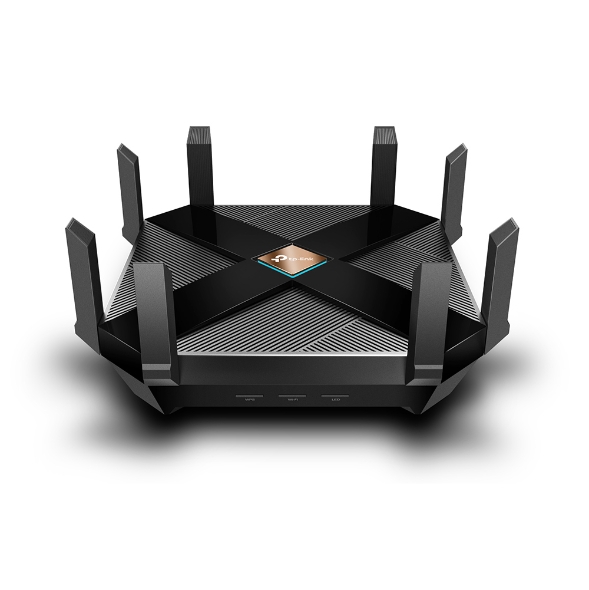
TP-Link Archer AX6000


What is 802.11ax Wi-Fi

Fast. High Efficiency.

Gaming, 4K/8K streaming, smart home devices, and AR/VR all compete for network resources, creating lag and crowding your network. To solve this problem,

802.11ax (also known as Wi-Fi 6), a next-genhigh-efficiency Wi-Fi standard, was created. Now, you can simultaneously connect more devices and enjoy the optimum speed for each of them.

AX Wi-Fi  aims to enhance wireless network performance by boosting speed and responsiveness better than MU-MIMO . The key improvement is called orthogonal frequency division multiple access (OFDMA) which increases connection capability in a single 20MHz channel from 52 (AC wireless) to 234 and also uses band steering to automatically ensure that less-crowded bands are used. The new Samsung Galaxy S10 smartphones are currently fully compatible to use this service. 

This system gives good speeds while playing online PC games and watching YouTube on two old Android tablets, however its expected that performance will drop off with Mesh systems and Wi-Fi extenders.  TP-Link’s Archer AX6000 achieves good speeds and will surely compete with mesh networks modem setups.

Its got a  1.8GHz quad-core processor on-board for its serious computing needs. The AX6000 has eight Gigabit Ethernet ports. and the WAN port supports 2.4 Gbps connections. It supports  two USB 3.0 ports: Type-A and Type-C. 

It also features built-in Trend Micro Security features, which offer antivirus and family filtering options including the ability to set usage limits and bed times for different users across multiple devices.

At $499 it’s not cheap, but it’s got all the important features, looks good and performs so well that you likely won’t need to buy other networking equipment for a long time to come.

Price Range: $499 | WWW.TP-LINK.COM/AU/


[/et_pb_toggle][et_pb_toggle title=”15. TP-Link Deco M4 mesh” admin_label=”Toggle TP-Link Deco M4 mesh” _builder_version=”3.21.4″ z_index_tablet=”500″]

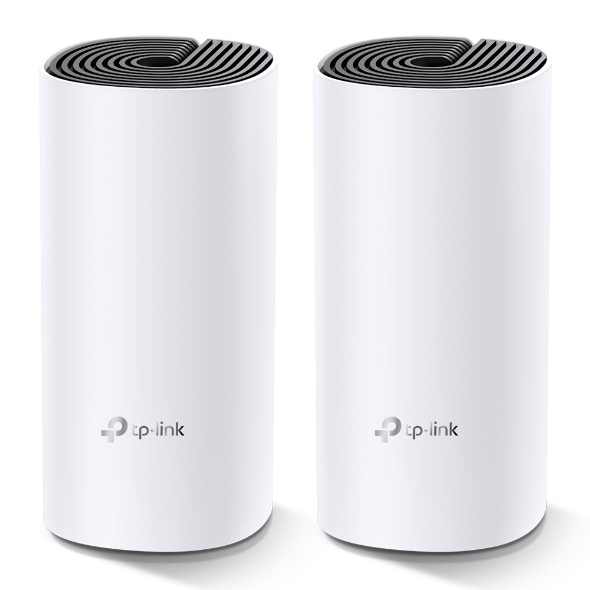
TP-Link Deco M4 mesh (Double Kit)

Deco uses a system of units to achieve seamless whole-home Wi-Fi coverage — eliminate weak signal areas once and for all. TP-Link has launched the new mesh WiFi system, called Deco M4 or Deco M4R. Devices automatically switch between Decos as you move through your home for the fastest possible speeds

Additional Features:

Setting up is simple via the Deco app for this mesh system, it walks your through setting up the network, setting the password, updating the firmware and adding the second node. The app is slick, responsive and intuitive to use. 

  • A Deco M4 two-pack delivers Wi-Fi to an area of up to 260 square metres. 
  • Deco M4 provides fast and stable connections with speeds of up to 1167 Mbps and works with the major internet service provider (ISP) and modem.
  • Deco can handle traffic from even the busiest of networks, providing lag-free connections for up to 100 devices.
  • Parental Controls limits online time and block inappropriate websites according to unique profiles created for each family member.

This can be handy, you can switch the LED lights off and turn nodes into access points.  It’s also has Amazon Alexa and IFTTT smart device compatibility which is a bit future proof. 

The AC1200 Wi-Fi moniker refers to the maximum theoretical throughput of 867Mbps on the 5GHz band plus 300Mbps on 2.4GHz. TP-Link says it can manage 100 different devices but not at the same time. 

Cons for this mesh system 

  • It does not offer a web-based interface for administration
  • It has fewer features than other Deco systems, to make up for the price difference
  • It is not able to fully utilize 1 Gbps internet connections

In summary, this is about as good as an AC mesh system gets. The advanced features will definitely  attract some but the price can be a deterrent. At $230 for a double-pack it’s the cheapest mesh on the market. 

Price Range: $230 | WWW.TP-LINK.COM/AU/

[/et_pb_toggle][et_pb_toggle title=”16. ASUS RT-AX88U” admin_label=”Toggle ASUS RT-AX88U” _builder_version=”3.21.4″ z_index_tablet=”500″]

ASUS RT-AX88U

Asus’ new RTAX88U design makes it look like a racer car just about to kick into gear and leave the rest behind and that is not far from the truth with its specs and features we will look at below. Its got a angular black chassis, four large antennae and gold detailing that makes its presence known.
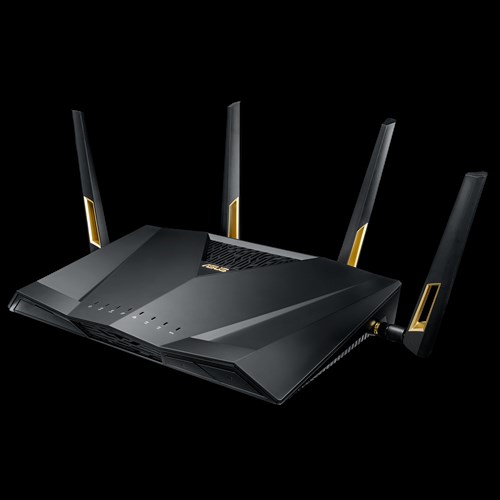
RT-AX88U

This device has got a impressive feature list with eight gigabit Ethernet plus two USB 3.1 ports and integrated malware and family protection tools that are provided by Trend Micro. 

Additional Features:

  • Next-Gen WiFi Standard – 802.11ax WiFi standard for better efficiency and throughput.
  • Ultrafast WiFi Speed – 6000Mbps WiFi speed to handle even the busiest network with ease.
  • Wider Usage and More Convenience – 4 antennas + 8 LAN ports to support more clients at the same time.
  • Commercial-grade Security – AiProtection Pro, powered by Trend Micro™, blocks internet security threats for all your connected smart devices.
  • Better Partner with Mesh System – Compatible with ASUS AiMesh WiFi system for seamless whole-home coverage.

Gamers should be happy with this one. Its got detailed QoS settings which allow you to set the priority of different types of apps (gaming, VoIP, streaming etc). It also boasts more-specific ‘Game Boost’ QoS integrations including WTFast for maximising MMO game stability and LAN Boost which (also) promises to prioritise game traffic performance. 

Future proofing includes web savvy features like VPNs, Alexa plus IFTTT integration with other smart devices.

 At $569 it’s not cheap and at the higher end of price spectrum for  what it provides.

Price Range: From $569 | WWW.ASUS.COM/AU

[/et_pb_toggle][/et_pb_column][/et_pb_row][/et_pb_section][et_pb_section fb_built=”1″ _builder_version=”3.22″][et_pb_row _builder_version=”3.25″ background_size=”initial” background_position=”top_left” background_repeat=”repeat”][et_pb_column type=”4_4″ _builder_version=”3.25″ custom_padding=”|||” custom_padding__hover=”|||”][et_pb_text admin_label=”Speed of your internet” _builder_version=”3.27.4″ z_index_tablet=”500″]

Speed of your internet and WIFI

The speed of your internet to your house connection and within your house will depend on a few different factors as given below.


Your internet connection

Is your connection directly fibre to your house or does it convert to copper line before it reaches your house? Is your internet delivered via cable wires? There are different types of connections FTTN, FTTB, FTTP, FTTC and HFC. Generally, if you have fibre right up to your home or via cable you will get good fast speeds.

Copper line connection

If you have the last bit of your internet connection to your home via copper lines, then where is the nearest Fibre box located where it converts to copper and where is the nearest telephone exchange will also determine your internet speeds.

Your modem/router Wi-Fi speeds

Once the internet reaches your house you should also have a good modem router to distribute the internet via good Wi-Fi speeds. If you got a good speed plan your modem should have good Wi-Fi distribution speeds for around the house. Typically, most modems can distribute Wi-Fi on older 2.4 ghz and 5.0 ghz (faster) channels. Check the speeds 300 Mbps will do for your house as starting speeds.

Normally most providers offer a 8 Mbps, 25 Mbps, 50 Mbps and 100 Mbps plans. I would suggest stick with the 50 Mbps plan for decent speeds. If you got fibre connection right to your house and the nearest exchange is near to your house, you will benefit from a 100 Mbps plan.

[/et_pb_text][et_pb_toggle title=”Coverage of your Wi-Fi signal” open=”on” admin_label=”Coverage of your Wi-Fi signal” _builder_version=”3.21.4″ background_color=”rgba(224,60,51,0.52)” custom_padding=”5px|5px|5px|5px” z_index_tablet=”500″ border_radii=”on|5px|5px|5px|5px”]

Coverage if the Wi-Fi signal used to be a problems with most traditional old modems. The signal got patchy around the front yard or backyard. The new modems do a good job of getting that WIFI signal out there.

[/et_pb_toggle][et_pb_toggle title=”Wifi & Speed – 2.4 ghz vs 5 ghz ” open=”on” admin_label=”Wifi & Speed – 2.4 ghz vs 5 ghz ” _builder_version=”3.21.4″ background_color=”rgba(237,239,88,0.52)” custom_padding=”5px|5px|5px|5px” z_index_tablet=”500″ border_radii=”on|5px|5px|5px|5px”]

Most modem routers or routers have two different channels through which they distribute your Wi-Fi across the house. The 2.4 GHZ channel and the 5GHZ channel, typically the 2.4 GHZ can deliver slower speeds than the 5 GHZ channel.

[/et_pb_toggle][et_pb_toggle title=”Australian standards” open=”on” admin_label=”Australian standards” _builder_version=”4.3.4″ background_color=”rgba(67,137,193,0.52)” custom_padding=”5px|5px|5px|5px” z_index_tablet=”500″ border_radii=”on|5px|5px|5px|5px”]

Make sure you get a modem made by a local known company and you should be right. It will cover all Australian standards. Some well-known local brands are Netgear, Netcomm, Billion, Tplink.

[/et_pb_toggle][et_pb_toggle title=”Speed measuring tools” open=”on” admin_label=”Speed measuring tools” _builder_version=”3.21.4″ background_color=”rgba(224,183,96,0.52)” custom_padding=”5px|5px|5px|5px” z_index_tablet=”500″ border_radii=”on|5px|5px|5px|5px”]

Those crafty little buggers advertise speeds like they are taking you on a free trip to the moon, but do they deliver?

Well you can surely find out. These speed measuring tools below will measure how fast your internet is.

  1.   ooklahttps://www.speedtest.net/ – Speedtest by Ookla is one of the popular speed testing websites  whihc has been around for a while now. Just click the button and it will test your speed. You can also change the server locations to test speeds from different locations.
  2. oz broadbandhttps://www.ozspeedtest.com/ – This website  does  what its intended to do and tests both download speed and upload speed of your Internet connection, whether it be NBN, ADSL, ADSL2, ADSL2+, Cable, 3G, 4G, Wireless or Satellite.
  3. telstrahttps://speedtest.telstra.com/ – This was built for measuring  your telstra internet speed, but can measure pretty much any internet connection for speed.


Its worth noting with speeds for internet ,  The Netflix ISP Speed Index is a measure of prime time Netflix performance on particular ISPs (internet service providers) around the globe, and not a measure of overall performance for other services/data that may travel across the specific ISP network.

This  Asia-pacific Australia netflix  page here shows some of the fastest internet speeds for Australia according to netflix servers and for March 2019, it ranks Telstra , Optus and Iinet  on no#1 , 2 and 3 positions for best speeds.

[/et_pb_toggle][/et_pb_column][/et_pb_row][/et_pb_section][et_pb_section fb_built="1" _builder_version="3.22" custom_margin="0px||0px|" custom_padding="0px||0px|" z_index_tablet="500"][et_pb_row _builder_version="3.25" background_size="initial" background_position="top_left" background_repeat="repeat"][et_pb_column type="4_4" _builder_version="3.25" custom_padding="|||" custom_padding__hover="|||"][et_pb_divider _builder_version="3.21.4" z_index_tablet="500"][/et_pb_divider][/et_pb_column][/et_pb_row][/et_pb_section][et_pb_section fb_built="1" _builder_version="3.22"][et_pb_row _builder_version="3.25" background_size="initial" background_position="top_left" background_repeat="repeat"][et_pb_column type="4_4" _builder_version="3.25" custom_padding="|||" custom_padding__hover="|||"][et_pb_testimonial portrait_url="https://www.digitalgrog.com.au/wp-content/uploads/2019/04/coverage.png" quote_icon_color="rgba(0,0,0,0.65)" _builder_version="3.21.4" use_background_color_gradient="on" background_color_gradient_direction="165deg" background_color_gradient_start_position="40%" background_color_gradient_end_position="88%" z_index_tablet="500" border_color_all="#f76700" border_width_top="2px" border_color_top="#f42800" border_color_all_portrait="#20a31a"]

Gadgets For 

Below are gadgets that can extend your wifi within your home or distribute your internet via existing electrical power-points so that  you can used a wired connection rather than wifi.

[/et_pb_testimonial][et_pb_text admin_label=”Wifi extender to inverter” _builder_version=”3.27.4″ background_color=”rgba(205,176,232,0.27)” custom_margin=”0px|5px|5px|5px” custom_padding=”0px|5px|5px|5px” z_index_tablet=”500″ border_radii=”on|5px|5px|5px|5px”]

Wifi extender

Then Wi-Fi or internet coverage within your house is important. Most new modems have good coverage and will mention this on the box if they can cover a multi storied house. If your existing modem router does not sufficient coverage then you can add a WIFI extender. A Wi-Fi extender can also enable  you to get coverage to your front yard and backyard  so that you can connect to an outdoor tv or Wi-Fi music streaming

The Wi-Fi extender which will pick up your router’s Wi-Fi signal, amplify it, and rebroadcast it. They come in both desktop and plug-in variations, and are relatively easy to install. It is recommended to get a extender of the same company brand of your modem or router to get a better seamless experience.

Power line inverter
We all agree that Wi-Fi coverage is getting better with new technology, but you still cant beat a wired connection stability. If you don’t know about powerline inverters, then this is a good way to get wired internet to your tv or Foxtel box/internet device via a ethernet cable. You don’t need any extra wiring.

How powerline inverter works?

You will get two powerline plugs. You plug one ethernet cable from your modem to your powerline adapter plugged into a power point. What this does is distribute your internet into all the power sockets in your home. You just need to plug in the second powerline adapter into any other power socket in your home and you can connect to the 8nternet.

[/et_pb_text][et_pb_blurb title=”How to set up your router” use_icon=”on” font_icon=”%%222%%” admin_label=”Blurb how to set up” _builder_version=”3.21.4″ background_color=”rgba(224,200,148,0.29)” z_index_tablet=”500″]

The NBN Co states that your router can be one of the most important factors that can make or break your NBN plan, saying a decent router can “transform your experience into something spectacular”.

  • iiNet advises that routers should be equipped with at least 802.11n or 802.11ac Wi-Fi for an NBN service.
  • Devices manufactured before 2009 – potentially only featuring the older 802.11g or b signals – are incapable of supporting the NBN speed capability.


  • Optus: Optus has stated in its Critical Information Summary that it will provide a Wi-Fi modem at no extra cost, while a fee of $40 will apply if you upgrade to an AC modem – one that’s likely capable of gigabit speeds.
  • Telstra: Telstra includes a Gateway modem on 24 month plans. The Gateway modem comes with 4G connectivity, which can be used as a backup in case your NBN connection falters or for instant internet connectivity.
  • iiNet: An iiNet-branded WiFi modem is included on 24 month contracts, while you will need to pay extra for one if opting for a month-to-month contract.

[/et_pb_blurb][/et_pb_column][/et_pb_row][/et_pb_section][et_pb_section fb_built="1" _builder_version="3.22"][et_pb_row _builder_version="3.25" background_size="initial" background_position="top_left" background_repeat="repeat"][et_pb_column type="4_4" _builder_version="3.25" custom_padding="|||" custom_padding__hover="|||"][et_pb_testimonial portrait_url="https://www.digitalgrog.com.au/wp-content/uploads/2019/03/100-Mbps-50-reduced_thumb.jpg" _builder_version="3.21.4" z_index_tablet="500"]

Getting Technical

Below are some Questions and answers (Q &A)  regarding modem, NBN and connection related questions

[/et_pb_testimonial][/et_pb_column][/et_pb_row][et_pb_row column_structure=”1_4,1_4,1_2″ _builder_version=”3.25″ background_size=”initial” background_position=”top_left” background_repeat=”repeat”][et_pb_column type=”1_4″ _builder_version=”3.25″ custom_padding=”|||” custom_padding__hover=”|||”][et_pb_blurb title=”HFC connection modem” use_icon=”on” font_icon=”%%98%%” _builder_version=”3.21.4″ z_index_tablet=”500″]

For a HFC connection you can use the Arris cable modem to connect to your internet. Other modems that you can get are TP-Link C3150, Asus RT-AC68U , $229 or the Netgear Nighthawk R7000 for $220.

If you got a FTTP connection all you will need is a router, don’t need a modem. Above routers for HFC should work for FTTP connection too.

[/et_pb_blurb][/et_pb_column][et_pb_column type=”1_4″ _builder_version=”3.25″ custom_padding=”|||” custom_padding__hover=”|||”][et_pb_blurb title=”FTTC vs FTTN for Modems” use_icon=”on” font_icon=”%%121%%” _builder_version=”3.21.4″ z_index_tablet=”500″]

If you got a FTTC connection or a FTTN connection the modem can be the same as they both use your existing copper wire and phone point. You will need a vdsl modem for both these connections.

However, a FTTC connection will have a NTD box directly outside of your place by the kerb instead of having a node down the street somewhere.

[/et_pb_blurb][/et_pb_column][et_pb_column type=”1_2″ _builder_version=”3.25″ custom_padding=”|||” custom_padding__hover=”|||”][et_pb_blurb title=”Cant connect to Samsung or LG tv over 5GHz” use_icon=”on” font_icon=”%%331%%” _builder_version=”3.21.4″ z_index_tablet=”500″]

Well you got a brand-new modem boasting 5GHz transfer, but find out that your Samsung or LG Tv or device can’t receive your 5GHZ signal.

It’s Quite common!

Your TV and smart devices came with only 2.4GHz band built in compatibility so it won’t be able to connect over 5GHz band in spite of updating your tv to the latest firmware update. The good thing is the 2.4GHZ will work as good as a 5GHZ band.

[/et_pb_blurb][/et_pb_column][/et_pb_row][et_pb_row column_structure=”1_2,1_4,1_4″ _builder_version=”3.25″ background_size=”initial” background_position=”top_left” background_repeat=”repeat”][et_pb_column type=”1_2″ _builder_version=”3.25″ custom_padding=”|||” custom_padding__hover=”|||”][et_pb_blurb title=”How to set up 5GHZ in your house?” use_icon=”on” font_icon=”%%102%%” _builder_version=”3.21.4″ z_index_tablet=”500″]

You need to set up 5GHZ in your modem or router. Your modem device will need to be 5GHZ capable to set it up.  You will need your modem or router login/pass to go to the modem admin settings and turn 5GHZ on.

Refer to your modem brand website or provided setup instructions in box to login to your modem admin settings. Once you set it up properly, if your tv or smart device is 5GHZ capable then you should be able to connect via 5GHZ Wi-Fi SSID. Tip: name the 5GHZ SSID connection starting with letters 5G to find it on your Wi-Fi list.

The old 802 b/g/n vs 802.11ac VS the new 802.11/a/c/n – What’s the difference between the Wi-Fi standards?

The WIFI distribution bands and frequencies b, g, n, ac… wireless standards haven’t had the most logical of alphabetical progressions

Amon the newer announcements first 802.11n was launched then the Wi-Fi Alliance certified the ‘802.11ac’ standard, paving the way for the mass roll-out of ‘wireless ac’ devices. Like past Wi-Fi standards – 802.11ac is backwards compatible with 802.11b, g and n.

As time passes this standard will be built into routers, laptops, tablets, smartphones, televisions and much more.

[/et_pb_blurb][/et_pb_column][et_pb_column type=”1_4″ _builder_version=”3.25″ custom_padding=”|||” custom_padding__hover=”|||”][et_pb_blurb title=”What is the range of the Wifi in 5Ghz and 2.4GHZc channels?” use_icon=”on” font_icon=”%%104%%” _builder_version=”3.21.4″ z_index_tablet=”500″]

To differentiate between these two frequencies, you will need to take the range (coverage) and bandwidth (speed) that both bands provide.

The 2.4 GHz band provides a longer-range coverage(20–30Ft) but transmits data (WIFI) at slower speeds. The 5 GHz band provides less range coverage but transmits data at faster speeds.

The range is lower in the 5 GHz band (10–15 ft) because higher frequencies cannot penetrate solid objects, such as walls and floors. However, higher frequencies allow data to be transmitted faster than lower frequencies, so the 5 GHz band allows you to upload and download files faster.

[/et_pb_blurb][/et_pb_column][et_pb_column type=”1_4″ _builder_version=”3.25″ custom_padding=”|||” custom_padding__hover=”|||”][et_pb_blurb title=”Is 5GHZ band better for distributing Video via WIFI than the 2.4GHZ?” use_icon=”on” font_icon=”%%175%%” _builder_version=”3.21.4″ z_index_tablet=”500″]

With streaming via wifi, the size of the file doesn’t matter, only the data rate matters as you are not trying to transfer the whole thing as fast as possible, you are only to keeping up with the demand.

In the above statement makes senses, if you got a 4KTV it would make more sense for your TV to have 5GHZ band compatibility. The 5GHz spectrum is normally used with the 802.11ac standard on your router modem.

[/et_pb_blurb][/et_pb_column][/et_pb_row][/et_pb_section][et_pb_section fb_built="1" _builder_version="3.22"][et_pb_row _builder_version="3.25" background_size="initial" background_position="top_left" background_repeat="repeat"][et_pb_column type="4_4" _builder_version="3.25" custom_padding="|||" custom_padding__hover="|||"][et_pb_testimonial portrait_url="https://www.digitalgrog.com.au/wp-content/uploads/2019/04/modem.png" quote_icon="off" _builder_version="3.21.4" background_image="https://www.digitalgrog.com.au/wp-content/uploads/2012/08/wifi-signal-wireless.jpg" background_size="contain" background_blend="darken" z_index_tablet="500"]

802.11ac Speed & Range

Learn more below  about Wifi speeds, ranges and  internet distribution technology

[/et_pb_testimonial][et_pb_toggle title=”WIFI SPEED” open=”on” admin_label=”WIFI SPEED” _builder_version=”3.21.4″ background_color=”rgba(224,60,51,0.52)” custom_padding=”5px|5px|5px|5px” z_index_tablet=”500″ border_radii=”on|5px|5px|5px|5px”]

SPEED: 1.3 gigabits per second (Gbps) is the speed most commonly reported with the 802.11ac standard. This translates to 166 megabytes per second and it is much quicker than the 450Mbit per second (0.45Gbps) speeds quoted on the highest performing 802.11n when it was rolled out.

[/et_pb_toggle][et_pb_toggle title=”Modem Router Range” open=”on” admin_label=”Modem Router Range” _builder_version=”3.21.4″ background_color=”rgba(237,239,88,0.52)” custom_padding=”5px|5px|5px|5px” z_index_tablet=”500″ border_radii=”on|5px|5px|5px|5px”]

RANGE: The 802.11ac standard lives entirely in the 5GHz spectrum. They are some rare modem/routers that broadcast 802.11n in 5GHz as well as 2.4GHz.

The 5GHz signals do not actually broadcast as far as 2.4GHz signals. The 5GHz is also good to support the faster speeds of wireless ac.

[/et_pb_toggle][et_pb_toggle title=”Distribution Standard” open=”on” admin_label=”Beamforming” _builder_version=”3.21.4″ background_color=”rgba(67,137,193,0.52)” custom_padding=”5px|5px|5px|5px” z_index_tablet=”500″ border_radii=”on|5px|5px|5px|5px”]

Beamforming: The other factor is that the 802.11ac makes ‘beamforming’ a core part of its spec. Rather than throw out wireless signal equally in all directions like standard frequencies do, WIFI with beamforming detects where devices are and intensifies the signal in their direction(s) which can be good for WIFI distribution.

[/et_pb_toggle][et_pb_toggle title=”Mesh technology for Modems” open=”on” admin_label=” mesh” _builder_version=”3.21.4″ background_color=”rgba(224,60,51,0.52)” custom_padding=”5px|5px|5px|5px” z_index_tablet=”500″ border_radii=”on|5px|5px|5px|5px”]

Mesh: Wirelessmesh networks often consist of mesh clients, mesh routers and gateways. Mesh networking is a type of network in which a device (node) transmits its own data as well as serves as a relay for other nodes. Mesh WiFi or Whole Home WiFi systems consists of a main router that connects directly to your modem, and a series of satellite modules, or nodes, placed around your house for full WiFi coverage. They are all part of a single wireless network and share the same SSID and password, unlike traditional WiFi routers

[/et_pb_toggle][/et_pb_column][/et_pb_row][et_pb_row _builder_version=”3.25″ background_size=”initial” background_position=”top_left” background_repeat=”repeat”][et_pb_column type=”4_4″ _builder_version=”3.25″ custom_padding=”|||” custom_padding__hover=”|||”][et_pb_text _builder_version=”3.27.4″ text_font=”Abhaya Libre|500|||||||” custom_margin=”5px|5px|0px|5px” custom_padding=”15px|15px|15px|15px” z_index_tablet=”500″]

Acronyms

    1. NBN – National Broadband Network
    2. VDSL – Very High Bitrate Digital Subscriber Line
    3. ADSL – Asymmetric Digital Subscriber line
    4. Mbps – Megabits per second (1,000 kilobits of data per second)
    5. LAN – Local Area Network
    6. WAN – Wide Area Network
    7. Gbps – Gigabits per second
    8. HFC – Hybrid Fibre Co-ax
    9. SSID – Service Set identifier
    10. Beamforming – Signal processing Technique
    11. 4k – Ultra HD covers 4K (also called 2160p)
    12. MIMO – Multiple Input Multiple Output
    13. NAS – Network Attached Storage
    14. WPS –  Wi-Fi Protected Setup

[/et_pb_text][et_pb_cta title="Ref links " button_text="Reference Website Links" _builder_version="3.21.4" background_color="#e02b20" z_index_tablet="500"][/et_pb_cta][et_pb_testimonial portrait_url="https://www.digitalgrog.com.au/wp-content/uploads/2019/03/nbn-logo_thumb.png" _builder_version="3.21.4" background_color="rgba(237,240,0,0.44)" z_index_tablet="500"]

Australian standards NBN – https://www.legislation.gov.au/Details/F2018L00814

[/et_pb_testimonial][et_pb_testimonial portrait_url="https://www.digitalgrog.com.au/wp-content/uploads/2019/02/fast-wireless-five-g-internet-au.png" _builder_version="4.3.4" background_color="rgba(237,240,0,0.44)" hover_enabled="0" z_index_tablet="500"]

NBN co Builder guidelines – https://www.nbnco.com.au/develop-or-plan-with-the-nbn/new-developments/design-build-install/cabling

Post originally published in April 2019

[/et_pb_testimonial][/et_pb_column][/et_pb_row][/et_pb_section]

Filed Under: Australia, Gadgets, Internet, Review Tagged With: Broadband, Electronics, ISP

This awesome headphone customises sound and music for your ears

September 5, 2018 by admin 1 Comment

Headphones that go over your ears can also damage your hearing if you use them too long or play music too loudly. However saying that they are not as much of a risk as earbuds are, as the sound in your ear canal can increase a sound’s volume by 6 to 9 decibels — enough to cause some serious problems.

audeara girl

Enter Audeara sound engineered headphones made by doctors(Dr. James Fielding) and engineers. Not since Wi-Fi being invented in Australia, has a headphone created such excitement.  If you are looking for a wireless headphone that is customised specifically for your hearing with high quality sound then this is what  your need. It minimises any damage  to ears with the sound and volume tailored to your specific hearing capability.


Just looking at it the headset, it looks  like any other over the ear – high end  headphones like Bose, Sennheiser or JBL with good sound for listening to songs, comfortable around the ears cushion and a wireless as well as wired mode available, however Audeara delivers much more than that. Check out our quick review below.

Not just anybody can review a pair of headphones. You don’t need superhuman hearing to tell what’s good, but you do need to know what to listen out for and do comparisons with competitors in your own gadget niche. So below is my honest review of this pair of headphones that I have tested and used.

featured on channel 7 news ABC and forbes


Not every high quality headphone comes with a good case and add-on’s that you didn’t think about, but Audeara ticks the box for this.

The inclusion of aeroplanes double socket audio adapter for when flying, shows they gave a thought about the small little things as well. They have the other usual add-on’s like charging wires, clip, and a pouch to hold them all which fits snugly within the case (pic a bit below).

audeara hearing assist headphones

The A-01 Headphones featured above is priced at $499.00

logo-audeara

With active noise cancelling, Bluetooth connectivity, and up to 65 hours battery life, the Audeara A-01 headphones give you everything a headphone should – plus more.

Website: https://audeara.com/


I like the way they have just a neat small sliding button to start the headset on which makes  turning it one simple, with some other brand headphones this is a bit fidgety to do.

You still need to keep the small push button – pushed for a couple of seconds though to get the Bluetooth blue n red light started  so that you can connect via Bluetooth. I wish they made this Bluetooth push button a bit bigger.

The Bluetooth connection works flawlessly with awesome sound flowing through and you really would not think it’s not a wired connection. Bluetooth and wireless sounds has come a long way and this headset is surely put it to good use.


So, What is special about Audeara Headphones ?

Have you ever gone to a hearing clinic ?

Nope? Yes?

Well if you have done a test, you would know they have a series of beeps to test your hearing in each ear. The Audeara app takes advantage of this hearing testing software to customise the sound exactly how you need it for your ears.

Did I say a hearing test is included ?

Their headphone app does some quick beep testing and then calibrates the sound on the headphone to your hearing in each left and right ear. 

Each of us has a unique hearing profile. And what’s good for one ear might not be for the other.

As the hearing is customised the each left and right ear hearing capacity , you can hear sounds and music without even actually having to put the volume on loud.  This is an added bonus as it prevents damage to your hear from loud sounds.

MULTIPLE PROFILES

set your hearing profile

You can store multiple profiles and share with your friends – no two pairs of calibrated headphones will sound the same.

HANDS FREE CALLING

call handsfree to talk

The built in microphone and clear voice capture technology lets you make crystal clear calls on the go.

EXTENDED LISTENING TIME

how long battery charge lasts

The inbuilt 1000mAh battery offers up to 35 hours of listening time with Bluetooth audio.


While it does all these sound calibration for you, you can sill adjust volume, bass from your own device if you like to listen to music loud.

I have used other top quality wireless headphones like the Sennheiser HD 800 and the Bose Quiet Comfort 35 II but Audeara stands out for the customised sound just for your ears with top notch sound quality even in normal mode.

The case and packaging:

Pic below


the case for headphone


Good news for Australian users:

Audeara is a Registered NDIS Provider  If you are an NDIS participant, you should be able to use your funding to purchase Audeara A-01 Headphones.

They are registered under NDIS under assistive technology as hearing equipment, and assistive products for personal care and safety. Read more about that here

Assistive Listening Systems (ALSs) are sometimes called Assistive Listening Devices (ALDs). Essentially they are amplifiers that bring sound directly into the ear. They separate the sounds, particularly speech, that a person wants to hear from background noise. They improve what is known as the “speech to noise ratio.

Noise Cancelling Headphones

noise reduction headphone

I tried the noise cancelling capability of this headphone and it is on par and even better than some other noise cancelling headphones, so it is a good gadget to take along on those long flights. The cup on your ears fits snugly and  comfortably without any problems.


Audeara A-01 headphones

2018 Headphones HQ hearing sound

Pros:

  • Customised sound  calibrated to your hearing in both ears
  • Minimises damage to hearing with calibrated sound

Cons:

  • Very small Bluetooth start button

Price $499 AUD (Audeara.com)

Price $399 in USD (Amazon)

As they said in their kick-starter funding campaign not long ago – It is the world’s first full fidelity headphones. Designed by doctors and engineers to give you an experience like never before.

Their Facebook page is >> here. They offer free worldwide shipping and a 60 day guarantee.

The Feature Set Audeara Video:


Calibrating Your Audeara Headphones:

My quick Calibration setup guide Pictorial to help you out below:

setting up your wireless headphones

This pair of headphones are not only good for normal hearing, but can be also used as an assistive learning headphones or headphones for hearing impaired. The other headphones directly in this niche are the “Even H1” and the “Nura Headphone”, I might cover this  on our blog later.

[table “9” not found /]

Do let me know if you end up picking a Audeara Headphone, would love to hear how it works for you.

Filed Under: Australia, Gadgets Tagged With: Electronics, Phone, Reviews

7 New Cool gadgets at CES Technology show 2017

February 7, 2017 by admin 4 Comments

Yes 2017 is here and there is a lot of innovation happening in the technology space.  If you have not heard of the new car with no steering wheel and the machine that automatically  does the ironing and folding of clothes for you,  then you are not up to scratch with your tech news.

Here are some more interesting innovating gadgets unveiled at the CES show this year.

The automated ironing machine that can do the dull and drab work of ironing and folding your clothes right is called fondimate and is available for USD $850 dollars.

It just got unveiled at the  CES show in Las Vegas, Nevada USA….  It not only steams and presses your shirt but also folds it neatly.

This lady who won the million dollar lotto and said the first thing she would do is hire somebody to do the ironing would surely be interested in this. Here it is:

FoldiMate laundry robot

clip_image001

Above: FoldiMate folds your laundry. Image Credit: FoldiMate

FoldiMate is the womens and mens ultimate dream gadget. It has created a robot that will fold your laundry. Foldi Mate’s machine does this all when you clip your clothes onto a slot on the machine (this is just the bit that takes some work). The robot then pulls the clothing over a board and steams it, then folds it. Thats it done. Too easy.

You need this now! It takes the robot about just about 10 seconds to fold one item, and it has a capacity of about 15 to 20 items which is quite good and will save you quite some time. Once this smart little robot machine is finished with the whole load of clothes, it neatly delivers out the folded clothes for you to remove and stack or use. The machine is said to cost around $850 or so.

Next : 

The Car with no steering wheel

The company that is so confident about its auto driving car that they haven’t put in a steering wheel is the auto giant  ford. ITS not launched yet, but its not too far away with current technology advances and will be released in 2021.

Ford plans to build a fully autonomous vehicle without a steering wheel or pedals by 2021, the company announced. The vehicle will be aimed at ride-hailing and ride-sharing fleets.

Ford CEO Mark Fields  and  no sterring wheel

The motor vehicle  wont have steering wheel, brake or gas pedals, offering full Level 4 self-driving features which don’t require a human driver at all

Well ironing automated gadgets and cars that have no steering wheels is not the only breakthroughs of 2017. 

This new retro kind of cool gadget just released will definitely make the romantics happy.  It’s called the love box (don’t ask) , what it does – ok then i will tell you…

Love box:

The LoveBox was invented by a French guy who missed his wife. She wasn’t as tech minded as him and didn’t like Skype or WhatsApp calling methods, and so he thought about a more convenient and romantic alternative to send messages between the two of them.

The sender using love box can type a small message for the receiver to see on a mirrored surface. The box heart spins when there’s a new message and the message is delivered. It will cost $120, with shipping starting in June 2017.

I love cars and this 2017  release from Toyota sure caught my fancy :

Toyota Concept-i

clip_image002

The future of cars is self-driving cars, but Toyota wants to give you more than that. The Concept-i vehicle shown at CES 2017 show would be capable of driving autonomously, with its biggest draw is the smart artificial intelligence that powers it.

Toyota claims the car learns to be smarter with this smart car being able to learn more about the drivers’ preferences and needs over time as you interact with it more just like a human being. By learning more it can start to suggest destinations after a driver chats with it and more features are going to be added as this unfolds and updates. This vehicle’s virtual assistant also got a name – not siri 2 – its called “Yui.”

Gadgets I crave and  I could not , not feature this amazing drone  from  parrot.They make amazing drones and this ones a bit special.

clip_image002[6]

BEST OF INNOVATIONS: DRONES AND UNMANNED SYSTEMS

The POWERUP FPV – Paper Airplane VR Drone from parrot

This was released by parrot as part of their POWERUP TOYS release

They had a stall at Booth #50801

The gadget PowerUp FPV lets you experience flight as if you were sitting in the cockpit of your very own paper airplane creation. This takes the virtual reality to another level with its ingenuity. The airplane generates a live video stream to the included VR cardboard Viewer.

You can see what your plane sees, and also control your paper drone with intuitive movements of your head making it soar higher that you expected. You need to get this!

What not to love about this laptop ?

I still am in search for the perfect laptop, i got a DELL laptop last year – but im due for an upgrade and change and  this one makes me takeout my wallet!!

Razer Project Valerie – The gamers/hackers laptop

clip_image002[8]

This will turn out to be many peoples dream laptop. It’s got the power and also the screens to go with it.

When you’re using a laptop for doing work, playing video games, Hacking code or streaming Netflix , one screen isn’t just enough. So why settle with two and instead have three?

Razer’s Project Valerie concept new dream computer laptop does just that by adding two screens to your laptop. These screens are foldable and have displays that expand out from the main screen in the centre. The screens are 17 inches diagonally and supports the newest 4K resolution

The good thing is that the company says the screens can be used independently or together as one giant display. Theta all to pro – the only con is – It weighs 12 pounds, which is more than the average notebook but more closer to top end gaming laptops.

Dont Be cruel to your family Jewels

There is something for everyone at the CES technology and gadgets  show  an this one is amazing and Men Only . Nah Not CES release seriously,  but indiegogogo

Spartan: the anti-radiation boxer shorts

clip_image002[10]

INDIEGOGO

Smartphones have become popular beyond belief and its takes over the phone world so much so, that we can’t do without one in everyday life. The thing that is on everyone’s corner of the mind, but not many people talk about is radiation from phones.

People have started to put their smart phones in their back pockets or front pockets at the risk of it slipping off and falling or getting lost, but he radiation fear still persists in the corner of your mind.

Spartan has developed a undergarment that looks to shield any man’s family jewels from this modern dilemma. It’s called the Spartan Boxer Briefs and these special undergarments feature anti-radiation tech that aim to protect men’s health and fertility. It does this by creating an electromagnetic shield that blocks wireless radiation from cellphone and WiFi signals.

This technology in the garment works on the same principle as a microwave but keeping the radiation out instead of inside. The technology definitely teaches you not to be cruel to your family jewels

USB DRIVES JUST GOT SUPER UPGRADED

One of the other gadgets that is close to my heart and got  released recently is a gadget by Kingston. I collect USB drives! I think that company is a south korean company, they have quality stuff and I have bought from them before. They just released a 2 terabyte USB drive , daymm !  I mean 2 TERABYTE in a small little USB that’s amazing.

The company has created a 2kingston 2 terbyte drive  1 terbyte small picTB pocket flash drive (also available in 1TB), called DataTraveler Ultimate GT (Generation Terabyte). This is now the world’s largest capacity USB flash drive. Data Traveler Ultimate GT offers superior quality being made of a zinc-alloy metal casing for shock resistance.

Specs of Kingston Drive

  • Capacities1: 1TB, 2TB
  • Speed: USB 3.1 Gen. 1 (USB 3.0)
  • Dimensions: 72mm x 26.94mm x 21mm
  • Operating Temperature: -25°C to 60°C
  • Storage Temperature: -40°C to 85°C
  • Warranty: 5-year warranty with free technical support
  • Compatible with: Windows 10, Windows 8.1, Windows 8, Windows 7 (SP1), Mac OS v.10.9.x+, Linux v.2.6.x+, Chrome OS

But then its Korea, they had 1 terabyte pcs.. when we were still selling pcs with 200 gb in the shops 10 years ago (my Korean flatmate 10 years ago said so and had one)

The CES show is one of the biggest technology shows in the world and most big companies worth their money  showcase their new breakthrough products in this show.  Look out for the 2018 show next year! This year among other things, there was  a lot of focus on self driving cars and  home robots as well.

You can check out the CES official website link below to go check all the new technology that was released in 2017

Australia Technology Shows 2017

CEBIT 2017

CeBIT Australia is celebrating its 16th year in 2017. The event attracts thousands of technology professionals from Government, enterprise, SMEs and start-upsand is held in Sydney this year. Website : http://www.cebit.com.au/

CeBIT Australia 2017, 23-25 May 2017,
International Convention Centre Sydney, Darling Harbour

MAR.11

RUN THE WORLD TECH-FORMATION | Female Entrepreneurs Tech Conference | Melbourne

by The FBOMB Show  More details : https://www.eventbrite.com.au/e/run-the-world-tech-formation-female-entrepreneurs-tech-conference-melbourne-2017-tickets-30215239595?aff=es2

Connect Expo

ConnectExpo

Melbourne Convention and Exhibition Centre

Registration: Door 7 & 8, Exhibition Hall
Address: 2 Clarendon Street, South Wharf VIC

Connect Expo is a major trade show – combined with multiple Industry & Technology tracks – focused on how to stimulate innovation, increase collaboration and drive growth and productivity through investment in technology.

Expo Opening Hours

Entrance: Door 8, Exhibition Hall

29 March 2017 l 10:00am – 5:00pm
30 March 2017 l 10:00am – 4:30pm

If you did attend  the show and found anything interesting there, do leave us a comment  of what you liked  and what interested you. Until the next CES 2018. Adios/jeff

Filed Under: Featured, Gadgets, Top 10 Tagged With: Electronics, Event, Technology education

Car Audio Electronics – Why it pays to Buy Online

March 12, 2015 by admin Leave a Comment

clip_image002

Music, in one form or another, is loved by pretty much everyone. As technology has boomed over the years, so has our love for high-quality sound and audio electronics – enabling us to listen to our favourite beats anytime, anywhere.

Thanks to the beauty of technology, those that truly love music have been able to put their tunes in versatile music gadgetry offering a new enjoyment outlook regardless of where they are. For those that own their car, it’s really no different. In fact, high-quality car audio electronics these days is almost a necessity – especially if you’re a lover of road trips or frequently drive long distances.

So where do you go to buy the best audio equipment for your wheels? Do you drop into your local store and tackle the salesmen to browse the big brands? As technology increases the need for high-quality sounds, it also drives consumers to use the Internet as the ultimate shopping tool. And really, why wouldn’t you – the benefits are definitely up there! Here’s why it pays to shop online.

1. Added Convenience

Possible the number one reason why people benefit from shopping online, is the added convenience that comes with it. It doesn’t matter if you’re sitting on the couch complete with those daggy pyjamas and a glass of wine, you can still purchase what you want – when you want.

Better yet, you don’t have to avoid eye contact with the pushy salesmen at the shops, push through any crowds or spend a good 15 minutes trying to find parking. Who has time for those things these days anyway? Shopping online is convenient. It’s perfect for those that work irregular hours or thinks of something they need after hours, and it’s great for those that just can’t find the time to tackle the shops.

The boom of technology over the years has made online shopping one of the best options – regardless of your situation. Whilst there’s definitely caution encouraged for the sites you buy off, the convenience that comes with online is significantly valuable.

2. A Better and Bigger Variety of Options

Think of the biggest audio electronic store you can and there’s still only so much it can offer you. When it comes to online shopping, the possibilities are endless. And although this can be distracting for many shopaholics, it gives you the opportunity to browse through every brand, franchise and website.

Unfortunately, as technology only seems to advance, most physical stores have a limited amount of stock. If they have to order something in for you, wouldn’t it just cut down the time by doing it yourself in the first place? Shopping online opens the doors to other brands and products that you may not have noticed or come across in the physical stores.

3. Online Reviews

These days word of mouth is everything. Social media has become the go-to-place for recommending (or completely dissing) a company, brand and product. Regardless of whether the reviews are positive or negative – they give you some valuable insight into what you’re buying.

Physical stores don’t have this. Whilst you get to go in, see the physical product and make up your mind from that, most salesmen or store workers aren’t going to give you the honest review – they are just going to sell what the most expensive brand is. Of course, all this doesn’t matter if you’ve already got a recommendation for reliable car audio electronics, but how much easier is it to browse through a variety of reviews?

Reputable companies that are selling online car audio electronics will almost always have customer reviews – both good and bad. And if you’re spending a good amount of money on something, doesn’t it pay to have all the facts?

4. Save on Expenses

For many, the online savings is the real kicker for customers. Majority of the online stores offer consumers prices that are much lower that what you find in the store. Sure, the delivery costs can sometimes add up so before you make your decision you want to check out their delivery rates too.

Most local companies will offer free delivery, and if you’re buying overseas the price tag can definitely vary. But all in all, the expenses tend to generally be a lot less. Be aware too, that if you’re after a few products from the same site, you’ll probably get a cheaper or free delivery rate – always check the shipping costs and details first.

Most people browse the Internet in order to find the best (and cheapest) deal, and because online business owners understand this, they alter the prices to cater for it.

5. Easy Brand and Price Comparisons

Even if the site you’re on doesn’t offer the best price for your electronic needs and budget, you can always shop around online more right? Instead of changing your favourite shopping centre because you can’t find exactly what you’re after, or wasting a good part of the day walking in and out of shops to compare prices and better brands; online shopping definitely cuts a lot of this out.

Take advantage of the easier brand and price comparisons and look for the audio equipment that best suits your music needs and budget. Reviewing a variety of options and features will help clarify the quality and necessary characteristics you want in your chosen product.

6. Fewer Traps

Physical stores can be notorious for pushy salesmen and distracting traps that can prevent you from buying what you want. It’s easier to be lured into expensive purchases and persuasions that don’t always meet your needs. In some ways, online shopping is no different. Sites can still be loaded with ads and distractions, but it’s definitely less than what you find in the actual shops. This article provides some good information about traps and security issues to be aware of when shopping online.

Online stores are usually very easy to navigate. Browse the store options offer all the categories of various products, making it much easier to find what you want when you want – without too many distractions and traps to change your mind.

Author Bio

This article is written by Jayde Ferguson, who writes for Skeeters Online – Australia’s online warehouse. Skeeters Online is home to the highest quality of car audio electronics. You can catch Jayde on Google+.

Filed Under: Australian, Gadgets Tagged With: Car Technology, Electronics

Best home pc to tv gadget wifi USB media drives

August 27, 2012 by admin 5 Comments

This post was originally written in 2010 but a lot has happened since then, tv’s have become smarter and so a lot of these gadgets  reviewed  below have become obsolete now in 2018 and beyond. The eye-fi pro still stands out as a gadget that can stand the test of time for its unique capabilities. Do check out our latest Google home gadget  & tech reviews too.

Share Your PC media to your TV wirelessly

The IUM has built in WiFi and pairs to the WiFi Interface of your laptop.The IUM is paired with one Host PC/Laptop then can be used in any USB Equipped Device that accepts USB Flash Drives

3 Great wireless USB  Memory  Media sharing drives

Infinite IUM USB Media drive

Open for orders from 01 august 2010

The device has built-in wireless and uses the wireless interface of your laptop on the end. The connection is point to point and not via other access point or internet.

PC to PC works fine. The shared files are visible on the IUM like a normal flash drive so the PC will read them as if they are actually on the device.

IUM wireless usb drive media drive

It’s very nice and handy, but as you said, $129 is a bit much for something like this.

“instead of storing data inside the stick it uses any thing that has a USB port as the storage space, enabling “infinite” data sharing ( videos, photos, doc..etc) using WIFI network meaning the device act as wireless connector between a personal computer and anything that is USB-enabled.”

More features for this drive at the vendor website at http://www.infinitec.com/ium_drive/features.php

HSTI Wireless Media Stick™ @ $99 Only

THE Option similar to this which is already available in the market is the “HSTI Wireless Media Stick™”.

hsti_wireless_media_stick

Simply share your files from any computer within your home/work wireless network, plug the Wireless Media Stick™ into the USB port of your playback device and stream your media instantly. The Wireless Media Stick™ references shared media files from any networked computers and NAS devices and presents them to the playback device it’s mounted to as if the files were stored locally.

Once a file is selected for playback, the Wireless Media Stick™ then streams the file via a wireless router from any PC, Laptop and NAS device.

MSRP: $99.99 – Introductory Price!


wifi stick in usbThe Wireless Media Stick™ is a patented technology (Patent Pending and World P.C.T) that streams media files from any computer connected to a home/office wireless network to any USB enabled media playback device.

Files are not copied or moved from the original location. The capacity of the stick varies according to how many files are shared and can grow in relation to the file systems that are shared. – Ref ( More info @ HSTI Media Stick )

Features of the HSTI Media stick

  • Wireless USB Dongle
  • Wireless Media Streaming
  • 720p Resolution Limit
  • Windows Compatibility
  • 2.4GHz Wireless Technology
  • Preloaded Software

SPECS

  • Wireless: IEEE 802.11a/b/g/n (2.4GHz)
  • Host Interface: USB 2.0
  • Frequency Range: 2.412 ~ 2.4835GHz
  • Security: WEP 64/128, WPA, WPA2, TKIP, AES
  • Data Range (802.11a/g): Up to 54Mbps
  • Data Range (802.11b): Up to 11Mbps
  • Data Range (802.11n): Up to 300Mbps

“Eye-Fi Pro”  Wireless memory card

The cost for this convenience is $129, which seems rather steep to me, although (for what it’s worth) it’s generally equivalent to the Eye-Fi Pro, which offers the same kind of wireless ad-hoc network functionality.

eye wifi memory card

Also released recently “Eye-Fi card”, the “Eye-Fi Pro”. It costs $150, and is able to handle RAW files, as well as connect to a computer via an ad-hoc wireless network, i.e. no router necessary. These are certainly nice features, although RAW support at least seems more like a firmware upgrade, and it would be cool if Eye-Fi would push that option out to their other cards

Get your eye-fi pro from amazon here –> Eye-Fi Pro X2 8 GB Class 6 SDHC Wireless Flash Memory Card EYE-FI-8PC

Overview:

The Eye-Fi Pro X2 Features:

  • Fast wireless transfers of photos and videos from your camera to computer or favourite online site.
  • Instant photo and video sharing while on the go.
  • Loads of storage space with 8GB of high performance Class 6 memory capacity.
  • Location information that is captured and stored in each photo.
  • RAW file wireless uploads so you can edit photos like a pro.
  • Wirelessly uploads your photos (RAW and JPEG) and videos via Wi-Fi or via an ad hoc connection
  • Wirelessly uploads only the photos and videos you select to your computer

Filed Under: 2010, Gadgets, Software, Solution Tagged With: Electronics, Featured, Gadgets, Software

ipad or die pad – The optus , vodafone , telstra Ipad plans for australia

May 9, 2010 by admin 2 Comments


Ipad launch in Australia – May28th

The date is Friday May 28th , when the iPad will also launch in Australia along with Canada, France, Germany, Italy, Japan, Spain, Switzerland and the UK. Pre-orders can be placed at Apple.com.au from Monday, 10 May, with the device available from Apple’s online store and retail stores plus selected Apple resellers.

In Australia pricing starts at $629 for the 16GB Wi-Fi model, with the 32GB version at $759 and the 64GB model at $879. The entry-level 3G iPad (which also includes GPS and 16GB of storage) will land at $799; the 32GB model comes in at $929, with the flagship 64GB 3G iPad at $1,049.

ipad australia ipad plans optus telstra vodafone

Ipad Internet and Data plans

The competition between telecommunication carrier’s for a piece of Apple’s iPad action has begun, with Optus putting flat month-by-month 3G plans as well as prepaid plans on its iPad menu.

Optus plans for I-pad

Optus has confirmed to APC that it will offer a ‘made for iPad’ microSIM bundle with three month-by-month plans: $20 for 2GB, $30 for 3GB and $60 for 8GB. "Optus will also have prepaid as well as month-to-month data plans suitable for use with the iPad 3G" Optus spokeswoman Liz Greene told APC, with the promise that "we will provide further details of our iPad plans soon."

Telstra Plans for Ipad

Earlier today Telstra revealed its prepaid iPad Next G plans which cost $20 for 1GB, $30 for 3GB and $60 for 6GB on top of the initial $30 ‘Pre-Paid SIM for Apple iPad’ start kit which comes with 1GB (and a bonus 2GB if activated before June 30th). Telstra has not yet revealed if it will also offer month-by-month plans

The entry-level $20 pack comes with 1GB; $30 gets you a 3GB top-up; the mid-range $60 recharge comes with 6GB; $80 lands you 9GB, while the $100 top-up comes with 12GB (although we’re open to suggestions as how any iPad user could gobble up 12GB, or even 6GB, in just 30 days).

The pre-paid iPad microSIM starter pack will be sold at Telstra Stores and "selected partners". Recharges are available via Bpay or through purchasing vouchers at outlets including Telstra stores and dealers, Australia Post, Target, Big W, Dick Smith, Woolworths, Safeway, Coles Fone Zone, K Mart, Retravision and Newslink newsagencies.


Vodafone plans for apple Ipad

VHA partner networks Vodafone and 3 have revealed they will offer a range of mobile broadband plans for the 3G iPad.

The new Month by Month plans offer the value of a contract with complete flexibility of not being locked into a long term commitment.

Available on both Vodafone and 3, mobile broadband can be purchased for as little as $15 per month. This low monthly cost allows the download of 1GB of data. The Month by Month plans are also available at $29 (3GB), $39 (6GB) and $49 (8GB). Customers also have the option to either ‘BYO’ their own broadband modem or purchase a stylish USB modem internet stick for the low one-off cost of $79.

Filed Under: Australian, Gadgets, Software Tagged With: Apple, Electronics, Gadgets

Primary Sidebar

Recent Posts

  • Underwater Drones for Recording Video and Taking Pictures
  • Why I chose hostgator for blog hosting
  • Top 10 Software Programs For Your Windows PC
  • What you should know before investing in Cryptocurrency and bitcoin
  • The Best Social Media Platforms for Marketing a Gaming App

Recent Comments

  1. Patrick McCormick on How to secure your desktop and laptop with antivirus software
  2. JJ on 20 Top brands with affilate programs to make you money in 2019
  3. JJ on This WPengine Genesis Pro Deal Will Give You 35 Studiopress themes
  4. Lisa Gomes on 16 Ways to Make Money Online Working From Home
  5. KatVine on This WPengine Genesis Pro Deal Will Give You 35 Studiopress themes

Archives

  • June 2022
  • February 2022
  • July 2021
  • May 2021
  • April 2021
  • March 2021
  • November 2020
  • September 2020
  • August 2020
  • July 2020
  • June 2020
  • May 2020
  • April 2020
  • March 2020
  • February 2020
  • January 2020
  • December 2019
  • September 2019
  • August 2019
  • July 2019
  • June 2019
  • April 2019
  • March 2019
  • February 2019
  • January 2019
  • December 2018
  • November 2018
  • October 2018
  • September 2018
  • July 2018
  • June 2018
  • April 2018
  • February 2018
  • January 2018
  • December 2017
  • October 2017
  • September 2017
  • July 2017
  • June 2017
  • May 2017
  • April 2017
  • March 2017
  • February 2017
  • January 2017
  • December 2016
  • November 2016
  • October 2016
  • September 2016
  • August 2016
  • July 2016
  • May 2016
  • April 2016
  • March 2016
  • February 2016
  • January 2016
  • December 2015
  • November 2015
  • October 2015
  • September 2015
  • August 2015
  • July 2015
  • June 2015
  • May 2015
  • March 2015
  • February 2015
  • January 2015
  • December 2014
  • November 2014
  • October 2014
  • September 2014
  • August 2014
  • July 2014
  • June 2014
  • May 2014
  • April 2014
  • March 2014
  • February 2014
  • January 2014
  • November 2013
  • October 2013
  • September 2013
  • August 2013
  • July 2013
  • June 2013
  • May 2013
  • April 2013
  • March 2013
  • February 2013
  • January 2013
  • December 2012
  • November 2012
  • October 2012
  • September 2012
  • August 2012
  • July 2012
  • June 2012
  • May 2012
  • April 2012
  • March 2012
  • February 2012
  • January 2012
  • December 2011
  • November 2011
  • September 2011
  • August 2011
  • July 2011
  • June 2011
  • May 2011
  • April 2011
  • March 2011
  • February 2011
  • January 2011
  • December 2010
  • November 2010
  • October 2010
  • September 2010
  • August 2010
  • July 2010
  • June 2010
  • May 2010

Categories

  • $heldon $ingh
  • 2010
  • 2011
  • 2012
  • 2013
  • 2015
  • 2017
  • 2018
  • 2019
  • 2020
  • 2021
  • 2022
  • Accounting
  • Adsense
  • Affiliate
  • Amazon
  • Anti Virus
  • Apple
  • Apps
  • Asus
  • Aussie
  • Australia
  • Australian
  • Australian Bloggers
  • Australian wordpress hosting
  • Banks
  • Blog-Hosting
  • Blogger
  • Blogger Tool
  • Blogger Tools
  • BloggerTools
  • BuddyPress
  • CARS
  • CDN
  • Celebrity
  • Clickbank
  • Compare
  • Computer
  • Domains
  • Done Deals
  • Ebook
  • Email
  • Facebook
  • Featured
  • Finance
  • Free
  • Gadgets
  • Google
  • Gpost
  • Guide
  • Hackers
  • Hosting
  • India
  • Internet
  • Ipad
  • Kindle
  • Laptop
  • Make money blogging
  • Makemoney online
  • Marketing
  • Melbourne Cup
  • Movies
  • Netbook
  • Network
  • News
  • Online betting account
  • PC
  • Review
  • Search
  • SEO
  • sheldon singh
  • Software
  • Solution
  • Sports
  • Subscribers
  • Taxes
  • Technology News
  • Themes
  • Top 10
  • Tutorial
  • Video
  • Wacky
  • web hosting
  • Website Review
  • Wierd
  • Windows
  • wordpress
  • Wordpress 3.0
  • Wordpress 3.1
  • wordpress themes
  • World cup
  • Wp Answers
  • WP Turbo
  • WPMU

Footer

Design

With an emphasis on typography, white space, and mobile-optimized design, your website will look absolutely breathtaking.

Learn more about design.

Content

Our team will teach you the art of writing audience-focused content that will help you achieve the success you truly deserve.

Learn more about content.

Strategy

We help creative entrepreneurs build their digital business by focusing on three key elements of a successful online platform.

Learn more about strategy.

Copyright © 2026 · Genesis Sample on Genesis Framework · WordPress · Log in