
• Skip to primary navigation
  • Skip to main content
  • Skip to primary sidebar
  • Skip to footer
tech blog au

Digital Grog — Australia’s Tech, Gadgets & Digital Life Unfiltered

Digital Grog is Australia’s go‑to tech blog for sharp reviews, digital trends, AI tools, gadgets, cybersecurity updates, and practical how‑tos covering the latest in Aussie technology

  • About Us
  • Contact Us
  • Block Examples
  • Landing Page

Accounting

How technology is changing the property rental market

January 28, 2020 by admin Leave a Comment

property markets australia Reit

Technology has had a huge impact on the rental market over the past few decades. This has had a mostly positive impact on landlords, real estate agents and tenants alike. Here are some of the ways the whole rental market has changed.

Apps, Apps and More Apps

There’s an app for everything and the rental market is no exception. Mobile users use apps for their property rental search. All of the major real estate portals have their own free apps on iOS and Android. Some of these apps have better features than the desktop version of their website, giving renters a better experience.

But it doesn’t end there. Tech-savvy rental agencies have their own apps that allow faster than ever communication between the agent, landlord and tenant via text. It also allows for 24/7 communication, rather than having a tenant call up the agency and someone manning the phones. Cutting out the middleman allows for lower rental property management fees to the owner.

Better Data

With the numerous data sources that both the public and agents can now access, people can make better decisions. This includes comparing the rental prices of nearby similar properties, as well as historical rental data in the area. This helps price properties appropriately and fairly, but well enough so that it will fill quickly, reducing vacancy rates.

Digital Photography

There are a lot of uses for digital photography for rental properties. The obvious being in the initial property listing, but where it gets really convenient is for capturing any issues with the property. For example, digital photos are used for property condition reports, where any existing damage to the property can be documented, recorded and easily shared. The same goes for any new damage or issues that the tenant needs to share with the property manager. This allows for any repairs to be organised more quickly.

The Application Process

When you are applying for rental properties, different digital platforms make it easier for you to apply for properties quickly. For property managers, you can also sort applicants easily and have access to tenancy databases to check if they have a bad history.

New Types of Renting

Whilst short-term holiday rentals have always been around, there is no denying how much Airbnb has influenced this type of property investment. The main difference is that now any property owner can rent out their own home or an investment property themselves. It’s now so easy to advertise your property whenever you want to on various websites. Advertising across as many as possible is great as it helps you reduce your vacancy rate.

Home Security

In terms of locks for rental houses, there are a lot of options that don’t involve keys. Fingerprint locks might be good for long-term rentals. Keypad locks for Airbnb and short-term rentals. Security alarms and security cameras can be a good deterrent to property damage from intruders. Better security also makes your insurance cheaper for both renters and landlords.

Better energy efficiency

Many household items have become more energy efficient. Fitting out any property with energy-saving light bulbs, solar panels, solar hot water and modern kitchen appliances can keep bills down. This is important to some people and also good for the planet.

Remote Viewing

For high-end properties, 3D tours and video tours are becoming increasingly popular for rentals, not just premium for property sales. Augmented reality is also possible and trendy for promoting properties online. These all make it easier for people to make a decision if they are moving from interstate or overseas.

Online Payments

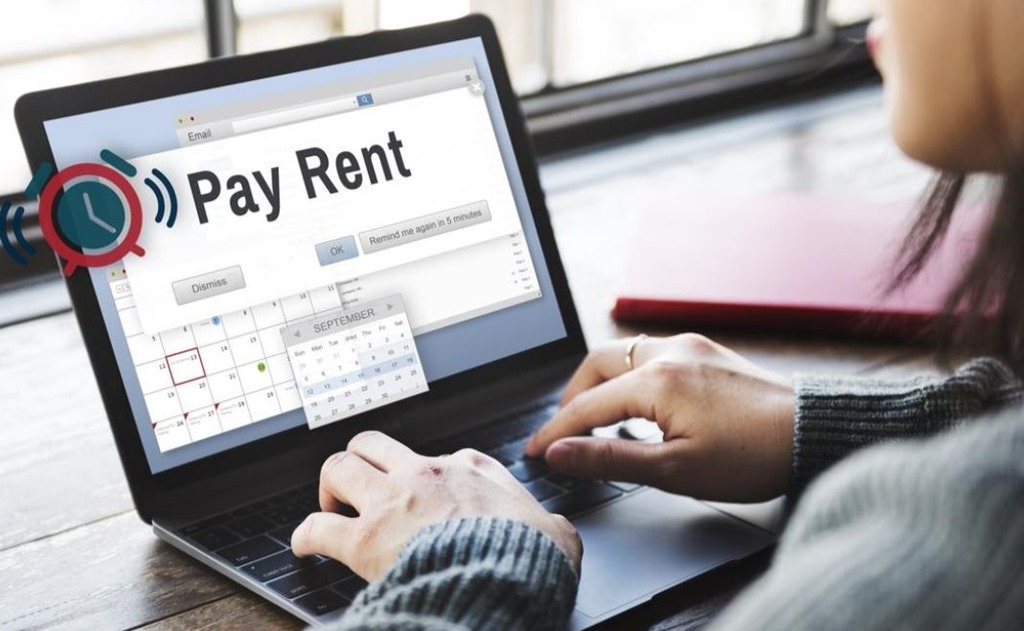
Internet banking and direct debits have made it easier than ever to pay your rent on time, bills and transfer money for rental repairs. It’s much easier than the old days of having to manually pay your rent every time it was due.

Overall, renting has become easier and more streamlined than ever before, but be warned – your behaviour as a renter is now more important than ever before. Records of bad tenancy can haunt you forever.

Filed Under: 2020, Accounting, Australia, Finance Tagged With: apps, Digitech, Software

Is xero online accounting suitable for small business

January 21, 2017 by admin 2 Comments

The Accounting software for business  niche has been transformed in 2016 -2017.  If you are looking for book keeping services, there are many online providers now that make it easy for you to do it yourself. Xero online accounting is one of them.

2017 sole trader business bookkeeping

Australia’s economy has been improving year by year thanks to growing small business, entrepreneurs and overseas investment. Yet for years there has been no specific technology built from the ground up for sole traders and small business to handle their accounts themselves – now Xero has made that easy.

Step by step registration guide for  Xero Accounting Software( Screenshot Guide)


Traditional book keeping software companies like MYOB has made their software compatible for online accounting but only to compete with newer fresh entrants like Xerosoftware and that is where they lack the ease of use which Xero gives you.

Australia has a lot of small businesses and many people that operate as sole traders or contractors . Keeping proper accounts and books  can be time consuming and hard for the  tradie’s and small business. Xero was launched as an innovative cloud accounting  platform, so that you can login from anywhere and enter your transactions.

The good thing about this software is if you don’t  have the  time to do it yourself, you can just give access to the data/account you collected  to your accountant to do the books. This online software is accessible from most smart devices of today  and  it handles  bank transactions, bills , invoicing and much more.

The platform is built in such a way that you can start with a affordable starter package and when your business grows  you can just  upgrade to add more bells and whistles.

They online accounting packages work  on  a  monthly  subscription based package, you just choose the package subscription according to your needs.

Lets have a look at how you can register for this software and get started.

They have a 30 day free trial  offer (below)

First go to the Xero page to sign up  – https://www.xero.com/au/signup/

join for free trail 1

It will ask you  for  name , email, phone number and country

Fill that in, then tick mark the “I’m not a robot” and “terms and conditions “ boxes

Xero was founded by Rod Drury and his personal accountant when they felt that traditional desktop accounting software had become outdated and decided to create a modern cloud-based product

dont forget recaptcha 2

When you click submit , immediately it will tell you an email was send  to your email address

am email is on its way 3 from zero

if you have any problems with that –> [ Problems? Contact us and we’ll get things sorted for you.]

confime your email address 5 step by step

Email received !

step 4 lets get started

Go to your email inbox and confirm your registration with XERO , by clicking the blue box

create password for account 6


Xero’s products are used in over 180 different countries and it has  has offices in New Zealand, Australia, the United Kingdom, the United States and Singapore.

This will take you to create a password screen ( It’ll need to contain at least 8 characters, including one or more numbers)

Fill in form and start trial of xero accounting for free 7 step

Next screen it will ask you for  your business name  like in the screen (as above) , if you got data with myob or reckon you can move your data for free  by clicking on that link  shown. Tickmark if you  have registered with GST.

welcome to xero screen 8 step registered

Now you can either start your trial or buy package upfront ( the welcome to xero screen)

Some more screen shots of stuff you can do  in the accounting software frontend/backend

Create reports, aged receivables in a glance, aged payables, cash summary  etc

aged recievables screen entry step 9

Screenshot – add claim, expenses, receipts

add reciept claim expenses step 10

Once you are signed up apart from basic tasks like making invoices and entering accounts details, here are some more things you can do.

  • Connect your bank feeds
    You will need to add your organisation details to keep in touch with your customers
    You can get paid by your customers instantly by setting up payment services
    Invite your adviser/accountant, or find one in the directory
    Edit or import your Chart of Accounts into your software
    Import the customers and suppliers you regularly transact with into software

If you want  you can also Try the Demo Company (AU)  and have a play, try out new features and get familiar with Xero, before actually buying – but i would suggest just  getting the free trial first is better which can be done in a few steps (takes 5 minutes) as shown above and giving it a go.

Added bonus for signing up is – If you have any questions  there will be a rep calling you (I got called by them) after signup and you can surely ask them more questions during your trial period.

Filed Under: Accounting Tagged With: Free, Software, Trial

Compare the Top Business Accounting and Bookkeeping Software for Australia

August 21, 2016 by admin 26 Comments

In Australia, before there were really only two players in the small business accounting software market, MYOB and QuickBooks with their traditional software.

However now, there are many more providers entering the market. I have prepared a  comparison of  some of the top accounting  providers below.

Today there is new accounts software providers like Xero and  Reckon and now even Quickbooks online and MYOB have  come on-board with fresh new products for managing your business accounts  and books.

These  providers now provide bookkeeping online and offline for sole traders, including preparation for business activity statements (BAS) lodgements for small business and invoicing software. This books software are also scalable for bigger companies, so if you grow quickly you already have more options.

Compare accounting and book keeping software for australia

Quite often , this new software’s are hosted in the cloud and do many tasks including maintaining your invoices, reconciling with your bank account and recording book keeping for you.

Many of these more traditional providers mentioned above have been doing books for a while, but now have upgraded their software to make it more flexible. Now, you can make use of  the new accounts software or apps  anywhere on the go with your ipad, smartphone or desktop at home.

If you are looking for software online for book keeping or accounting to do it yourself or with help from your accountant, then there are some good options available for you today.

New technology has made these book keeping programs and tools easier to use.

If your book keeper or accountant does not have access to the same software that you use, you could always export  the books and  then take it to him for any more technical or advanced  accounting that you need for him to look at.

I have this year purchased a few online book keeping + accounting software memberships for my own use and also trialled few of them to write this review so that you can benefit from my review.

This review is not in-depth, but covers and compares mainly the basic features  needed for sole traders and small business accounting and also price comparisons for membership/subscription.

I will be updating with a more in-depth reviews at a later stage

Should I do Book keeping myself or with an accountant

accounting software reviews australia

Thankfully most of the new packages for these accounting programs allow you to do your book keeping yourself or even share the program access of your books, so that your accountant can also access/check and submit it.

There are two ways you could use most new bookkeeping/accounting tools, if you’re a small business or sole trader, you can either buy the software in your name and share access with your accountant or then you can let your accountant buy the software or create a account for you via their accounting portal.

From online discussion on forums, they have been instances where some accountants have refused to release access to their clients books, as the accountant is the main registrant for the book keeping  software, so if you think this could be a problem then make sure you register your accounting software in your name (register as a subscriber with xero) and then give access to your accountant.

This way you will always have full access to your books without anybody being able to block you from it.


Small business accounting

If you’re a small business then you will probably need to do invoicing, bookkeeping, billing, expense recording. The choice you need to make is do I hire an accountant or do i do it myself.

With today’s new advanced software, you could easily give it a go yourself and if it doesn’t work out, you could always hire an accountant or bookkeeper.

The first thing you need to figure out is, If your accounting needs simple or more advanced features.  If you needed software to just produce invoices, record expenses, and do book keeping tasks then you can do it yourself with this online accounts software. If you need to do much more than that like claim deductions, depreciation calculations etc , you can still use this software, but check with your accountant if they will accept the data from your accounting software or be able to access it to complete the more complex bits for you.

We will list the prices and cancellation fees for these services so you can make an informed decision before taking the plunge.


With so many new software’s and so many different features in these accounting programs, how do you choose the right one?

Choosing the right software for you will depend on three main factors

1. Price

2. Features

3. Flexibility

small business accounting software comparison

Feature and price comparison of software is given below.


Price or Cost of Online accounting software

Most of the accounting programs featured below has different price options based on the package ore membership that you purchase.

Reckon Accounting Software

[RECOMMENDED] 

reckon australian online accounting software

The reason why I like and recommend this software is because it has a flexible system in its pricing and features for its accounting online package. You can start as low as $5 a month with their basic package and then upgrade with needed features as you go.

What you get for $5

  • · Unlimited bank reconciliation
  • · Budgeting, GST & BAS reports
  • · Free 24/7 support
  • · Multi-layered data security, SSL encryption
  • · Share with accountant or bookkeeper
  • · Free mobile app for Android or Iphone(IOS)
  • · Invite unlimited team members
  • · Data stored in Australia

reckon price online accounting softwareThey have add ons that you can add to your basic service if you need them.

Add on’s like invoicing ($3) and bank connection ($3) are cheap, so even if you add one these two to your basic $5 charge, you will end up with just $11 a month for the service.

That’s not a bad deal at all to start with and what I alfree software trial 2016so like is with reckon software you can try it for free before buying – click here to try for free before you buy


Xero Accounting Software

[RECOMMENDED] 

xero bookkeeping from home services

Xero has a starter plan in Australia which is $25 a month and this allows you to have access to these features below

  • · Send 5 invoices and quotes
  • · Enter 5 bills
  • · Reconcile 20 bank transactions
  • · Payroll for 1 person
  • · iPhone & Android apps
  • · 24/7 support included
  • · Invite your team members and accounting professionals any time you like.

accounting software for small business ato basTheir standard plan is $50 a month and Premium plan is $60 a month. Get more details here while Xero is good accounts software for small business and sole traders, but I hate the fact that their pricing between US and Australia differs so much. Xero has a starter plan FOR USA which is currently priced as low as $6.30 a month (normally $9 for a month). If you are registering with XERO it is recommended that you register as a subscriber to have full access to your account.

You can try Xero for free over here, before you decide to buy


MYOB Accounting Software

myob accounts program online

MYOB Australia’s Most popular small business accounting software is “MYOB essentials” for $35 a month (payroll for one) and “MYOB AccountRight Plus” for $85 a month. This Essentials online software can run on your desktop pc or mobile smartphone or tablet and features are given below.

  • · Produce instant reports on PAYG, GST and BAS.
  • · Invite your accountant or bookkeeper into your accounts to check your numbers.
  • · Always up-to-date, and securely backed up online
  • · Payroll for one
  • · MYOB BankFeeds
  • · Unlimited invoices
  • · Link your bank account
  • · Send invoices and manage your contacts on the go

Great for small businesses and sole tradersMYOB has been in the game for long with their traditional offline desktop software, which now they also have this online version, which is cloud accounting for most small business and accessible from most devices anywhere.

They also  have a starter plan for $25 a month.

You can try their software for free for 30 days – Click here


QUICKBOOKS Online

intuit quickbooks bookeeper

Intuit’s flagship accounting product is QuickBooks Online is built for small and startup businesses and can be used by sole traders as well.

Quickbooks most popular online book keeping plans are the Simple Start Plan $13.50 a month now (normally $15) and the Essentials Plan for $20 a month now (normally $25)

The features on the starter plan is as below

  • · Track your income, expenses & profits
  • · Manage BAS & GST obligations
  • · Download bank transactions
  • · Works on PC, Mac, tablet & mobile
  • · FREE payroll — up to 10 employees(with online account)


pricing for 2016 online book keeping and BAS toolsNew technology in these accounting packages allows you to be connected and issue invoices on the go.  They allow you to also record your expenses on the go to claim tax deductions and lodge your returns.

Click here to try out  Quickbooks online.

Training for use of accounting XERO, Reckon and MYOB software

Some of these providers provide some basic tutorials videos to use their software. You could always search on youtube for more training material. Learning platforms like Lynda.com also provide training in use of software with video training on their website You can also join or register with the  providers website support or Q and A  channel.

Reckon has their online support community site where  members help each other out  as well as the official reckon support staff.  You could also join other accounting and finance online forums or community boards.


Some links for Training/Tips

review of australian accounts software

  • Training videos from Xero website https://www.xero.com/au/training/
  • Learning tutorials from Lynda https://www.lynda.com/AccountRight-Live-tutorials/Paying-bills/135420/144978-4.html
  • Quickbooks Tutorial https://www.lynda.com/QuickBooks-tutorials/QuickBooks-Pro-2014-Essential-Training/146231-2.html
  • Good online community where you can join in and ask for help from others and reckon members and also contribute to beginners once you learn stuff. https://community.reckon.com/reckon
  • Xeros Online YouTube channel with some learning videos and advertisement videos https://www.youtube.com/user/XeroOnlineAccounting/videos


BAS Reporting

online book keeping in perth sydney victoria nsw

Most online providers  have packages that have a ‘BAS report’  that can be generated with a few clicks of the mouse and this report mimics the layout of the BAS form so you can even do away with paper  if you like and file it electronically via a feature called SBR (Standard Business Reporting), the Australian standard for business-to-government reporting).


Cons or limitations

Access limitations can present itself when an accountant refuses to give access to your books for any payment or other reasons, but this can be avoided as I mentioned before by registering the membership in your name and then giving him access , rather than doing this the other way around ( accountant registering it in his name and giving you access)

You don’t get all features with a membership and have to pay more for extra features. With some software it is still recommended to check your bank reconciliations the first couple of times just to make sure its all good, when you import your business transactions from bank account into software.

Not all MYOB packages can be used with Mac computers, so please check if your package is compatible with a mac computer or device before purchasing from any service provider.


Conclusion:

Most of these software’s, today are hosted on the cloud – which means you can login into your software from your smartphone, Ipad or desktop at home and update details anytime and anywhere and this makes it super convenient.


How can I cancel my account & terms and policy

Cancellation by service provider can be done if you violate their terms of service, but this normally happens only if you have done something seriously wrong to their software or website.

Users are also allowed to cancel their membership or registration according to the service provider terms and rules, which is different for each service provider and so we can’t cover this in details. Most of these service providers (Some links: QuickBooks , Reckon , MYOB , XERO ) provide a cancellation button from within their admin area when you login This can be had from the service provider on registration or from their website.

It is recommended that you export all of your data before cancelling your subscription with any of the accounts service provider.


Reckon cancellation policy:

*Accounts Hosted can be purchased on an annual or monthly subscription. New customers can sign up for one month use only and you pay on a month by month basis. Annual licence holders who wish to move to monthly pricing must cancel no later than 30 days before their expiry date.


Xero cancellation policy

Xero will send you a final bill after you’ve cancelled their subscription trial is free. You could always email them to see what your charges could be before cancellation. Instead of cancelling, you can reduce your monthly Xero subscription fee by downgrading your pricing plan. You can change back to a bigger plan at any time.


MYOB Cancelation

For cancellations, you can contact their customer service team on 1300 555 151. You can get more details about terms and conditions from the myob site over here


SINGLE TOUCH PAYROLL SOFTWARE 

STP accredited software australia

Single Touch Payroll (STP) is a government initiative to streamline business reporting obligations. STP has already started for employers with 20 or more employees (1 July 2018 being the mandated date).

It will be expanded to include employers with 19 or less employees from 1 July 2019, subject to the legislation being passed in parliament.

Small and large businesses with will need to seek and get accredited software providers in place or seek deferrals. Payroll software providers who have the intention of delivering Single Touch Payroll enabled solutions will be rolling out soon with some large accounting software providers already having products in the market.Below are some single touch payroll products.

  • MYOB (https://www.myob.com/au/support/single-touch-payroll)
  • HR3 payroll
  • Xero Business and Payroll
  • Sage (http://www.sage.com/au/resources/insights-and-trends/2017/single-touch-payroll)
  • MYOB Exo Employer Services
  • CloudPayroll
  • ADP® Payline®
  • Reckon Accounts Hosted ( https://www.reckon.com/au/single-touch-payroll/)
  • https://www.sybiz.com/STP

See a full list of software developers related to STP  over here


This is not an in-depth review , but I hope to write one soon. Hope I have covered enough in this article for you, to get a brief over view of features and price comparison for popular Australian accounts software service companies.

If you have tried  any of these software  or I have left something out that is worth mentioning please leave a comment below or get in touch with me via the contact page < Over here.

Filed Under: Accounting, Australian, Software, Solution Tagged With: Australia, Books, Budget, Solutions

Sole trader and Small business Free and Paid accounting software

July 3, 2010 by admin 12 Comments

If you are in Australia and doing business,  you will need a book keeper or an accountant to keep things tidy and in order.  It doesn’t matter if your a sole trader , running a partnership or a  company you will need a accountant or a Online accouting software.

Online or cloud accounting has come a long way  and now there are so many  more options to do your accounting easily and on the go  via your smartphone/tablet or computer at home.

book keeping software for 2015 and 2016

As  the end of  the financial  year arrives, many will be searching to sort out and finalise  their accounts and books  for the previous year or then just for the recent quarter if you do activity statements regularly.

Sole traders and small businesses will be looking for  accountants or then trying to sort out their books by themselves. Luckily there are much more options for the small business and sole trader via clever software that makes the book keeping job easy.

These options include clever online cloud software that is easy to use and you can give your accountant access to it for more complex jobs.It could reduce visits  to your accountant  whihc could normally cost you an arm and a leg.

Some of these “smart accounting software” can also be used  by giving your accountant access  to supervise it , while you do all the easy work of inputting the data or numbers. These software make it much easier than before  for you to do the job yourself as well.

B-free Accounting software free for small business

Luckily for  many of you who are looking for some free Australian Accounting software for your sole trader or small business B-free has come to the rescue with some  free software to take care of this. Save yourself  a lot of paperwork and simplify things

B-free intuitively reads transaction information from bank statements and automatically files this information into categories, calculates GST, prepares accounts, BAS returns, budgets, invoices and produces reports.

B-free-Box accounting for small business sole traders australia

Normally this software retails for $299 ,But you can grab it here for free this month ( with a full annual license).

The login form will give you the license Key but you  will need to get the APC Magazine ( Australian Personal Computer ) $9.95 July edition  to get the free software disc

Free accounting software for Australian Sole traders and small business


Software Benefits:
• Reduce BAS preparation time from days to minutes
• Significantly reduce errors in reporting
• Eliminates data entry each month by up to 2 days per month, through automating classification of income and expenses
• Provide reports in real time such as Profit & Loss, Balance Sheet and Debtors Listing
• Reduce book keeping costs
• Reduce costs of compliance to government legislation

For an online tutorial which contains further information about the software, including software installation and registration, see here.

quickbooks vs xero


Installation, Activation and Registration
Firstly, visit this link  or this link and complete the form there. Be sure to complete all the fields. When you do, you will be emailed your serial number, which will be activated within 24 hours.

Once you’ve received your serial number by email, click on the install button (see below). You will need to be connected to the internet to download additional components.

Note: Internet Explorer needs to be set as your default browser in order to complete this. Follow the prompts as necessary to install the software.

You will need to register with your serial number before you can log in. Hit the Register Here button and paste in your serial number, then enter your Account Details.

Follow the prompts and instructions as they are given. Finally, log in to start the program.

For further information, see here for the Installation and Registration Guide, and here for the Quick Start Guide.

Finally, you can take advantage of B-free’s support line by calling 1300 783 873 (Monday to Friday, 9am to 5pm).

Works on computers with : O/S: Windows 98 / 2000 / Me / Windows NT 4 (SP6) / XP / Vista

*Post has now been updated below  to include  Paid software options as below, due to the free software being available only with the magazine bundled option. Please refer Free trial and discount offersbelow.

Discounted Australian Small Business Software

QuickBooks Organizes your Files and Makes Tax Time Easy – Save up to 20% Now + Free Shipping


This offer is brought to you courtesy  APC magazine and B-Free software

More Australian Accounting/Book keeping  software compatible with mobile/smart phones 

Website: www.reckon.com
aussie accounting software
Software For Bookkeepers, Business Owners & Accountants. [ Free Trial available]
  • 600000 Customers
  • 6000 Used by Accountants
  • No Lock In Contracts
For Types: Small & Medium Business, Accountants, Bookkeepers
Start from $5 p/month
 “The most intuitive full featured accounting software I have ever used and I have used them all.”– Ken Morrison, The Celtic Bakery
 reckon vs xero cloud accounting online
Reckon – products are currently being used in education sector throughout Australia in Secondary Schools, TAFE Colleges, Universities, Adult Community Education Centres and Registered Training Organisations. More info.
Resources including free tutorials, are available on this site, in both QuickBooks and Quicken. These tutorials have been developed for classroom use.
XERO Accounting – https://www.xero.com


 online accounting software
 Get 24/7 access from any internet connection on any device you wish to use. No need to worry about software upgrades or hardware issues.
With xero you can run your business and access your accounts from your Mac, PC, tablet or phone.
Australian businesses cannot be wrong
What Xero accounting can handle:
  • Monthly Financial Statements And Management Reports
  • Business Activity Statements
  • Payroll And Superannuation
  • Accounts Payable And Paperless Payables
  • Accounts Receivable And Debt Collection
  • Xero Bookkeeping
210,000 + businesses across Australia have moved their accounts to the Xero platform and that number is growing every single day.
With XERO  You can also invite your accountant or book keeper to  view your accounts and provide valuable real-time advice and  support.Security is important  and your data is completely secure even if your computer is lost or stolen.
You can check out our more recent  in depth comparison over here
Compare accounting and book keeping software for australia–  accounting software feature and price review for 2017.
LIKE WHAT YOU’VE READ?
Please join over 1,000 people who receive exclusive notification every time I publish a new article on Digitalgrog.com.au. Click on the red button below!
Check it out

Filed Under: Accounting, Done Deals, Free Tagged With: 2010, Australian, Offers

Primary Sidebar

Recent Posts

  • 2026 – Step-by-Step Guide to Building Your Site With AI
  • Underwater Drones for Recording Video and Taking Pictures
  • Why I chose hostgator for blog hosting
  • Top 10 Software Programs For Your Windows PC
  • What you should know before investing in Cryptocurrency and bitcoin

Recent Comments

  1. google on Wacky new underwear invention 2b released by Durex
  2. Patrick McCormick on How to secure your desktop and laptop with antivirus software
  3. JJ on 20 Top brands with affilate programs to make you money in 2019
  4. JJ on This WPengine Genesis Pro Deal Will Give You 35 Studiopress themes
  5. Lisa Gomes on 16 Ways to Make Money Online Working From Home

Archives

  • September 2026
  • June 2022
  • February 2022
  • July 2021
  • May 2021
  • April 2021
  • March 2021
  • November 2020
  • September 2020
  • August 2020
  • July 2020
  • June 2020
  • May 2020
  • April 2020
  • March 2020
  • February 2020
  • January 2020
  • December 2019
  • September 2019
  • August 2019
  • July 2019
  • June 2019
  • April 2019
  • March 2019
  • February 2019
  • January 2019
  • December 2018
  • November 2018
  • October 2018
  • September 2018
  • July 2018
  • June 2018
  • April 2018
  • February 2018
  • January 2018
  • December 2017
  • October 2017
  • September 2017
  • July 2017
  • June 2017
  • May 2017
  • April 2017
  • March 2017
  • February 2017
  • January 2017
  • December 2016
  • November 2016
  • October 2016
  • September 2016
  • August 2016
  • July 2016
  • May 2016
  • April 2016
  • March 2016
  • February 2016
  • January 2016
  • December 2015
  • November 2015
  • October 2015
  • September 2015
  • August 2015
  • July 2015
  • June 2015
  • May 2015
  • March 2015
  • February 2015
  • January 2015
  • December 2014
  • November 2014
  • October 2014
  • September 2014
  • August 2014
  • July 2014
  • June 2014
  • May 2014
  • April 2014
  • March 2014
  • February 2014
  • January 2014
  • November 2013
  • October 2013
  • September 2013
  • August 2013
  • July 2013
  • June 2013
  • May 2013
  • April 2013
  • March 2013
  • February 2013
  • January 2013
  • December 2012
  • November 2012
  • October 2012
  • September 2012
  • August 2012
  • July 2012
  • June 2012
  • May 2012
  • April 2012
  • March 2012
  • February 2012
  • January 2012
  • December 2011
  • November 2011
  • September 2011
  • August 2011
  • July 2011
  • June 2011
  • May 2011
  • April 2011
  • March 2011
  • February 2011
  • January 2011
  • December 2010
  • November 2010
  • October 2010
  • September 2010
  • August 2010
  • July 2010
  • June 2010
  • May 2010

Categories

  • $heldon $ingh
  • 2010
  • 2011
  • 2012
  • 2013
  • 2015
  • 2017
  • 2018
  • 2019
  • 2020
  • 2021
  • 2022
  • Accounting
  • Adsense
  • Affiliate
  • Amazon
  • Anti Virus
  • Apple
  • Apps
  • Asus
  • Aussie
  • Australia
  • Australian
  • Australian Bloggers
  • Australian wordpress hosting
  • Banks
  • Blog-Hosting
  • Blogger
  • Blogger Tool
  • Blogger Tools
  • BloggerTools
  • BuddyPress
  • CARS
  • CDN
  • Celebrity
  • Clickbank
  • Compare
  • Computer
  • Domains
  • Done Deals
  • Ebook
  • Email
  • Facebook
  • Featured
  • Finance
  • Free
  • Gadgets
  • Google
  • Gpost
  • Guide
  • Hackers
  • Hosting
  • India
  • Internet
  • Ipad
  • Kindle
  • Laptop
  • Make money blogging
  • Makemoney online
  • Marketing
  • Melbourne Cup
  • Movies
  • Netbook
  • Network
  • News
  • Online betting account
  • PC
  • Review
  • Search
  • SEO
  • sheldon singh
  • Software
  • Solution
  • Sports
  • Subscribers
  • Taxes
  • Technology News
  • Themes
  • Top 10
  • Tutorial
  • Uncategorized
  • Video
  • Wacky
  • web hosting
  • Website Review
  • Wierd
  • Windows
  • wordpress
  • Wordpress 3.0
  • Wordpress 3.1
  • wordpress themes
  • World cup
  • Wp Answers
  • WP Turbo
  • WPMU

Footer

Design

With an emphasis on typography, white space, and mobile-optimized design, your website will look absolutely breathtaking.

Learn more about design.

Content

Our team will teach you the art of writing audience-focused content that will help you achieve the success you truly deserve.

Learn more about content.

Strategy

We help creative entrepreneurs build their digital business by focusing on three key elements of a successful online platform.

Learn more about strategy.

Copyright © 2026 · Genesis Sample on Genesis Framework · WordPress · Log in