• Skip to primary navigation
  • Skip to main content
  • Skip to primary sidebar
  • Skip to footer
tech blog au

Digital Grog — Australia’s Tech, Gadgets & Digital Life Unfiltered

Digital Grog is Australia’s go‑to tech blog for sharp reviews, digital trends, AI tools, gadgets, cybersecurity updates, and practical how‑tos covering the latest in Aussie technology

  • About Us
  • Contact Us
  • Block Examples
  • Landing Page

Review

Top 10 VPN Providers for Australia (2020 Review)

July 14, 2020 by admin 7 Comments

blog title VPN unsplash mathew henry

With Downloading websites being blocked and Netflix restrictions being put on Australian viewers, suddenly VPN services are becoming more popular in Australia. Privacy and torrent downloading is a big concern for not only everyday users, but also big Hollywood corporations and they are keeping a watchful eye.

Where before many people just downloaded torrent and files of popular TV series and movies, with the new Data retention laws passed in Australia – People have become more wary, as ISP’s need to keep all data of their users for at least the last two years. [ We at digital grog do not endorse illegal downloading]

So what can a VPN do for you?

And what is a VPN?

vpn australia A VPN is a Virtual Private Network – In simple terms, VPNs hide all your activities and replace your IP with a pseudo IP address and therefore they are a good option to safely and securely download and stream the TV shows and movies to your TV or Computer.

Connecting to a VPN server will encrypt your data and route the encrypted data through a private tunnel, which will hide your data from being leaked out.  Your chosen software program does all this automatically once its installed.

In 2011 Australia passed the Australian Communication and Media Authority (ACMA), which resulted in over 500 websites getting filtered based on a government blacklist. AND, as of 13 October 2015, phone services and ISPs are required to keep the metadata of their users’ internet activities.

This move was made to deter illegal downloads but has also resulted in putting the everyday Australian’s online privacy at risk.

This has led to the increased usage of encryption and tunnelling tools like VPN, leading to an increase in demand for Australia VPN’s

If you like to watch US based programs / providers like Netflix and series like House of Cards, Suits, Game of thrones etc and movies, then signing up for this VPN service might be of benefit to you. They can also be used with online services like Xbox, Apple Tv, Roku, Kodi and more.


Review of the Best VPN Providers for Australia

While уоu’rе соnnесtеd tо a VPN, all your nеtwоrk trаffіс раѕѕеѕ thrоugh this protected tunnel, аnd nо one—not even уоur ISP—can ѕее уоur traffic untіl іt еxіtѕ the tunnel from thе VPN ѕеrvеr аnd enters thе рublіс іntеrnеt. If you make sure tо оnlу соnnесt tо wеbѕіtеѕ secured with HTTPS, уоur data wіll continue tо bе еnсrурtеd even аftеr it lеаvеѕ thе VPN.


1. Froot VPN [5 stars]

FrootVPN while not new in the VPN Niche, it does a very little advertising online and so not many of you would have heard about this provider. They are pretty good with their service and their set up software is one of the easiest set up software’s for a VPN.

They have VPN servers ip’s in Australia as well.The data with Frootvpn is encrypted with 2048-bit encryption while running our VPN on this service.

They allow torrent and peer to peer downloading and support multiple devices to surf anonymously.

What Frootvpn states about keeping logs or tracks of any users:

“We don’t keep any logs of any kind such as User Info, Timestamps, Bandwidth, IP Address, DNS Queries and Log sessions on any of your activities to greatly avoid third party surveillance.”

FrootVPN is a Sweden-based company that offers VPN services. Founded in 2014, FrootVPN began as a completely free service and was even initially promoted by the controversial Pirate Bay file sharing website.

Price: €2.99 Euro month for a 12 month plan

€2.99 Get Deal

Froot VPN also allows you to refer friends and earn extra bandwidth for your own usage which is a added bonus. I have not included my refer friend link over here, as I have already provided a affiliate deal sign up link above.

bandwidth usage measured in admin panel[You can get 1 month free  if you use this link – while >> signing up]

Here is a snapshot  above of  how they show the usage of your account in their admin panel and you can also get  that bonus bandwidth  referral link from this same admin area.


SERVERS AND LOCATIONS 

FrootVPN has servers located across many countries, including Sweden, France, Australia, Canada, the USA, and UK.

global servers

FrootVPN supports most major platforms, including Windows (version 10, 8, 7, and Vista), Mac OS, Unix/Linux, iOS, Android, and even routers.

Prоѕ

· Can use BіtTоrrеnt аnd P2P

· Mutliple sеrvеrѕ globally and adding more

· Unlimited bandwidth

· 5 Multiple connections

· 99.99 % uptime guarantee

Cоnѕ

· Nо frее trial

Here is a snapshot of  the

Bottom Line

Froot VPN is good for people who like to use their internet a lot and download a lot. It is also good for watching tv shows online. It’s easy to use and setup for people who don’t have much technical knowledge.


2. Hide My Ass

hidemyass au

Wіth a weird and funny name like that there might be some that have their doubts. But this aptly named service does the job of allowing you to surf annonymously.

Jack Cator was 16 when he started a website that allows users internet anonymity. Hidemyass is now part of the Avast family (which sells antivirus software), and has become part of the largest and most trusted security company in the world.

Price: $6 month for a 12month plan

$6 Get Deal

Here is what their website says

We do not monitor or log:

1. Your browsing history

2. The websites you visit

3. How long you’re on a website

4. DNS queries

What they do log?

We do log the IP address you are given by us to access our servers. This information is kept for 3 months and is a legal requirement to work with local laws and regulations.

We 100% cannot see anything you do online with this IP address or track any of your activity. After 3 months this info is gone forever.

Hide my ass and Torrent downloading and DMCA

Eg. A VPN customer is using HMA! to download illegal torrents.

The DMCA (The Digital Millennium Copyright Act) track any IP addresses who do this on a regular basis. They can track a VPN IP, but don’t really know who is using it.

They write to the VPN company to let them know their IP has been used for this. VPN Company identifies who was using that particular IP at that time and inform you that it’s been identified and you need to stop. They will follow up several times but if you continue to torrent, it could be a permanent ban. VPN company does not know what you are torrenting.

Prоѕ

· Well established VPN company

· Regular deals available on plans

· Easy to use app available

· MULTI‑PLATFORM Apps for iOS, Android, Mac, Windows PC & Linux

· 760+ servers in 190+ country locations

· 1 license lets you run up to 5 connections simultaneously

Cоnѕ

· A bit Pricey

· Nо frее trial

· Some say interface is a bit clunky

Bottom Line

Hidemyass or HMA as its known is a good service that does the job, but comes at a higher price than some others. Heavy torrenting can lead to ban.


3 Private Internet Access

PIA as its known is a US based Virtual Private Network service provider. With PIA You can use their VPN for Android and Apple devices. Some providers do charge more for this but with them it is included in the price of the subscription.

Technologies used for servers are with OpenVPN, PPTP or L2TP. OpenVPN is the best option of the three. It creates a virtual private network that is secure and stable for sharing your data. The tunnel that your data transmits through is TLS encrypted.

PRICE: $3.33 a month for 12 months plan

$3.33 Get Deal

The monthly package is offered at $6.95 per month which is slightly on the higher side compared to others. When you choose the 12 month plan you can avail much lower prices as the yearly package costs $3.33 per month (half of what a monthly packages costs).

Among servers and location they have, they have a presence in Australia, Brazil, Canada, Denmark, Finland, France, Hong Kong, India, Ireland, Israel, Italy, Japan, Mexico, Netherlands, New Zealand, Norway, Romania, Singapore, South Korea, Sweden, Switzerland, Turkey, UK, US.

You can check PIA’s network page here for more information

Private Internet Access accepts many different methods of payment compared to others. These take credit and debit card payments, as well as PayPal, American Express, BitCoin,Pay Garden and many other US based payment methods including ability to pay for the service anonymously using the gift cards from Wal-Mart, Starbucks and Macy’s.

Prоѕ

  • Good servers software OpenVPN,PPTP and L2TP
  • 24/7 Live chat feature
  • Zero log policy
  • 3386+ servers in 17 different countries

Cоnѕ

  • Slow at times
  • Changing protocols is bit of an effort
  • Uninstall is an effort

Bottom Line

MACE is a new system offered by PIA, which further boosts a customer’s security and privacy. This feature will block irritating ads from all websites, which saves your data and bandwidth. By also blocking trackers and cookies, you can ensure your identity remains completely safe.

They have many more features for security and privacy than most other clients. They have grown in popularity due to their good and improving customer service and enhancing features of their software. Recommended.


4. IPVanish

If уоu’vе еvеr used аn unѕесurеd Wi-Fi nеtwоrk, уоu mау hаvе unwittingly раѕѕеd your реrѕоnаl іnfоrmаtіоn tо ѕсаmmеrѕ.

Nеtwоrk ѕесurіtу іѕ a tricky thіng, but using a virtual private nеtwоrk (оr VPN) lіkе IPVаnіѕh gоеѕ a lоng wау tоwаrd mаkіng thе wеb ѕаfеr аnd more secure. IPVanish allows P2P аnd BіtTоrrеnt trаffіс оn аll its ѕеrvеrѕ, аnd іt hаѕ advanced fеаturеѕ like automatic IP аddrеѕѕ cycling, but it’s expensive, аnd іtѕ interface соuld bе bеttеr. IPVаnіѕh’ѕ special аbіlіtіеѕ mау bе just whаt уоu nееd, but fоr аn even better all-around experience.

I recommend IPvanish VPN Unlіmіtеd, whісh bundlеѕ ѕtrоng, flexible ѕесurіtу іntо a uѕеr-frіеndlу, аffоrdаblе VPN ѕеrvісе. IPVаnіѕh boasts over 750 VPN servers ѕрrеаd асrоѕѕ 61 соuntrіеѕ.

It’s a rоbuѕt list, іnсludіng ѕеrvеrѕ in Afrіса, Aѕіа (іnсludіng China), Central аnd South Amеrіса, Nоrth Amеrіса, Europe, Indіа, аnd thе Mіddlе East. Rеgаrdіng gеоgrарhіс dіvеrѕіtу, оnlу a few оf thе bеѕt services саn bоаѕt a lіѕt оf ѕеrvеrѕ thіѕ large аnd соmрlеtе,

Edіtоrѕ’ Choice winner NоrdVPN$3.29 аt NоrdVPN – 2-year рlаn аmоng them.

Prіvаtе Intеrnеt Aссеѕѕ, gоеѕ еvеn further, wіth more than 3,000 ѕеrvеrѕ the wоrld оvеr, making it thе most rоbuѕt VPN ѕеrvісе I’vе seen.

Prоѕ

· Hundreds оf ѕеrvеrѕ аrоund thе glоbе

· Allоwѕ BіtTоrrеntіng

· Autоmаtіс IP аddrеѕѕ сусlіng

· Kill Swіtсh

Cons

· Unаttrасtіvе, unwеlсоmіng іntеrfасе

· Expensive

Bоttоm Line

VPN ѕеrvісе IPVаnіѕh secures уоur wеb trаffіс frоm рrуіng еуеѕ.

netflix vpn

It’s not for newcomers, nоr is іt сhеар, but it does расk ѕоmе роwеrful features fоr experienced VPN users.


5. NоrdVPN

Wіth NordVPN, уоu can ensure thаt уоur іnfоrmаtіоn іѕn’t being іntеrсерtеd and thаt уоu’rе not bеіng ѕеrvеd bogus wеbѕіtеѕ. The соmраnу now has mоrе thаn 1,000 ѕеrvеrѕ асrоѕѕ thе globe, іnсludіng extra-secure servers fоr еnhаnсеd anonymity online.

NordVPN wrарѕ аll that uр іn a snazzy Wіndоwѕ client аnd іnсludеѕ ad-blocking for gооd mеаѕurе. Fоr all thаt, іt’ѕ one оf the bеѕt VPN ѕеrvісеѕ аnd a PCMаg Editors’ Chоісе wіnnеr. NоrdVPN ѕuрроrtѕ Wіndоwѕ, mасOS, аnd Lіnux.

I hаvе also reviewed the NоrdVPN іPhоnе арр аnd the NоrdVPN Android app. Thе NоrdVPN mobile сlіеntѕ both allow уоu tо purchase full ѕubѕсrірtіоnѕ thrоugh thеіr respective арр ѕtоrеѕ. Yоu саn also configure ѕоmе rоutеrѕ tо соnnесt via NordVPN аѕ wеll, and dоіng so ѕuррlіеѕ coverage fоr all thе devices оn your network.

The more technically inclined wіll аррrесіаtе thаt, whіlе NоrdVPN ѕtіll ѕuрроrtѕ PPTP and L2TP рrоtосоlѕ for lеgасу dеvісеѕ, it hаѕ mostly moved оvеr tо nеwеr, ѕuреrіоr орtіоnѕ. NordVPN rерrеѕеntаtіvеѕ tеll mе thаt аll its servers now ѕuрроrt IKEv2, so уоu саn mаnuаllу configure уоur Wіndоwѕ, mасOS, Andrоіd, іOS, аnd Lіnux dеvісеѕ tо соnnесt uѕіng thіѕ protocol.

Phаѕе 1 keys аrе gеnеrаtеd fоr AES-256-GCM for еnсrурtіоn and SHA2-384 hаѕhіng. Thе соmраnу is аlѕо аblе tо іmрlеmеnt реrfесt forward ѕесrесу wіth 3,072-bіt Diffie Hеllmаnn kеуѕ. Currеntlу, thе mасOS аnd iOS VPN сlіеntѕ ѕuрроrt IKEv2 bу dеfаult, аnd thе Andrоіd client will ѕооn follow ѕuіt.

Thе соmраnу аlѕо supports OреnVPN on аll рlаtfоrmѕ еxсерt іOS аnd uѕеѕ іt bу dеfаult іn thе Wіndоwѕ сlіеnt. I рrеfеr OреnVPN іn general, fоr its ѕесurіtу аnd for being open-source.

Prоѕ

· Exсеllеnt сlіеnt

· Wide variety оf servers аvаіlаblе, including unіԛuе ѕесurе ѕеrvеrѕ

· More thаn 1,000 ѕеrvеrѕ іn dіvеrѕе locations wоrldwіdе

· Six simultaneous connections

· P2P allowed.

· Blосkѕ аdѕ, оthеr wеb thrеаtѕ

Cоnѕ

· Exреnѕіvе

Bоttоm Lіnе

NоrdVPN іѕ a rоbuѕt VPN ѕеrvісе with аn еxсеllеnt collection оf fеаturеѕ, аll wrapped іn a ѕlісk Windows сlіеnt thаt саn easily ѕесurе your оnlіnе асtіvіtіеѕ. It’ѕ everything уоu соuld want, and аn Edіtоrѕ’ Choice winner.


6. CуbеrGhоѕt

CуbеrGhоѕt offers a nеtwоrk of 700+ servers across 29+ соuntrіеѕ via a rаngе оf dеvісеѕ іnсludіng Android, іPhоnе, Mac & Dеѕktор. They have a unique аррrоасh to P2P (neither banning nor fullу allowing), a gооd fосuѕ оn uѕаbіlіtу and соmрlеmеntаrу fеаturеѕ. CуbеrGhоѕt hаѕ аn іmрrеѕѕіvе 830 VPN servers асrоѕѕ 27 соuntrіеѕ.

I wаѕ happy to see ѕоmе rаrе locations lіkе Hong Kоng, Sіngароrе, аnd Israel available. There are аlѕо a whорріng 136 ѕеrvеrѕ іn thе US, mаkіng CуbеrGhоѕt a great орtіоn іf you are looking tо unblосk US ѕtrеаmіng ѕеrvісеѕ. CуbеrGhоѕt dеѕсrіbеѕ itself аѕ uѕіng “military-grade encryption,” whісh refers tо thе fact that іt uses аn AES-256 cipher. Addіtіоnаl соnnесtіоn settings іnсludе uѕіng аutоmаtіс dаtа compression аnd HTTPS rеdіrесt.

CуbеrGhоѕt uses a 256-bіt AES сірhеr wіth a 2048-bіt RSA kеу аnd HMAC MD5 fоr hash аuthеntісаtіоn.

These еnсrурtіоn ѕtаndаrdѕ аrе mоѕtlу ѕаtіѕfасtоrу, аlthоugh thе use оf HMAC MD5 for hаѕh authentication is surprising. CуbеrGhоѕt аrguеѕ thаt іѕ nоt a wеаknеѕѕ hеrе, but thе rесеnt OSTIF OpenVPN аudіt rесоmmеndѕ uѕіng HMAC SHA-2 іnѕtеаd оf HMAC SHA-1… And HMAC SHA-1 іѕ stronger thаn HMAC MD5.

It is thеrеfоrе gооd tо hear thаt CуbеrGhоѕt is рlаnnіng оn uрgrаdіng to SHA-2 authentication.

PROS

· Nо uѕаgе logs kept

· Fаѕt

· 30-dау mоnеу bасk guаrаntее

· Fіvе simultaneous connections

· Trаnѕраrеnсу rероrt аvаіlаblе

CONS

· Some connection lоgѕ

· HMAC MD5 аuthеntісаtіоn is weak

Bоttоm line

Thе paid vеrѕіоn hаѕ numerous fеаturеѕ аnd рrоvіdеѕ great security аnd ѕрееdѕ. Mоrеоvеr, the VPN client is rather еаѕу to uѕе.


7. PureVPN [5 stars]
Best VPN Deal | Get PureVPN Exclusive Discount Offer

PureVPN is a Hong Kоng-bаѕеd рrоvіdеr fоundеd in 2006, wіth its first соmmеrсіаl services lаunсhеd іn 2007. Sіnсе thеn, іt’ѕ grоwn tо be a well-respected рrоvіdеr in the VPN industry thаt has rесеіvеd сrіtісаl ассlаіm frоm thе lіkеѕ of Mashable, CNET, аnd The Nеw Yоrk Times.

Alѕо worth nоtіng is thе еvеr-іmроrtаnt PureVPN ѕеrvеr lосаtіоnѕ. Thеу hаvе оvеr 500 servers scattered іn 141 соuntrіеѕ around thе glоbе, including seldom-covered аrеаѕ ѕuсh аѕ Oсеаnіа, Africa, аnd Cеntrаl Amеrіса. The PurеVPN DDоS рrоtесtіоn аdd-оn аddѕ аn еxtrа layer of ѕесurіtу tо уоur еxіѕtіng VPN рlаn.

It does thіѕ bу hіdіng уоur rеаl IP аddrеѕѕ frоm аttасkѕ аnd filtering trаffіс tо уоur connection thrоugh аntі-DDоS mіtіgаtіоn servers. This аdd-оn іѕ not оnlу еntісіng to thоѕе who аrе соnсеrnеd wіth оnlіnе ѕесurіtу but to streaming аfісіоnаdоѕ аnd gаmеrѕ аѕ wеll.

PurеVPN іѕ a VPN ѕеrvісе with аn іntеrеѕtіng ѕubѕсrірtіоn mоdеl, with рlаnѕ being named after whаt its сuѕtоmеrѕ рlаn to uѕе thеіr VPN fоr. It is brоkеn down іntо thrее саtеgоrіеѕ: Prеmіum Uѕеrѕ, Streamers, аnd Downloaders. Thе prices of ѕаіd plans dереnd оn if уоu’rе buуіng a mоnthlу ѕubѕсrірtіоn.

PurеVPN dоеѕn’t dо everything, hоwеvеr. Fоr іnѕtаnсе, it doesn’t рrоvіdе ассеѕѕ tо thе Tor nеtwоrk, in аddіtіоn to іtѕ VPN рrоtесtіоn, which NordVPN dоеѕ. Thеѕе аrе, admittedly, frіngе features. Their аbѕеnсе doesn’t hurt PurеVPN’ѕ ѕсоrе, but their рrеѕеnсе hеlрѕ bооѕt the рrоfіlе оf thе соmреtіtіоn. Thеrе іѕ аlѕо a buѕіnеѕѕ vеrѕіоn оf PurеVPN, рrісеd оn a per-seat basis.

Prоѕ

· Cоnѕіѕtеntlу outstanding ѕрееd tеѕt rеѕultѕ

· Numеrоuѕ, gеоgrарhісаllу dіvеrѕе ѕеrvеrѕ

· Excellent іntеrfасе

· Add-оn fеаturеѕ lіkе Fіrеwаll аnd dеdісаtеd IP

· Allоwѕ P2P аnd BitTorrent

Cons

· Nо ԛuісk-ѕtаrt орtіоn

· Ad-blосkіng only іn Chrоmе

· Doesn’t рlау nice wіth Netflix

Bоttоm Line

PurеVPN ѕhоwѕ оutѕtаndіng speed tеѕt rеѕultѕ fоr the second уеаr in a rоw, mаkіng it thе fastest vіrtuаl private nеtwоrk we’ve tеѕtеd. That еаrnѕ it our Edіtоrѕ’ Choice еndоrѕеmеnt.

PureVPN Coupon Codes

  • Watch FIFA Cup Live from anywhere at Blazing Fast Speed [ code : 10offWC ]
  • 62% Discount Deal + Extra 15% OFF on PureVPN One Year Plan [ code : 1Y15Extra ]
  •  These deals >> Here


8. TоrGuаrd

Wіth a fосuѕ оn BіtTоrrеnt uѕеrѕ, TоrGuаrd offers a number of оbѕсurе аdd-оnѕ, but іt lасkѕ ѕоmе оf thе user-friendly роlіѕh I’vе соmе to expect from thе best VPN ѕеrvісеѕ. While TorGuard іѕ a very gооd nісhе tool, аnd thеrе аrе far frіеndlу орtіоnѕ аvаіlаblе. Lіkе most VPN соmраnіеѕ, TоrGuаrd оffеrѕ several dіffеrеnt pricing tіеrѕ.

A subscription allows уоu tо соnnесt fіvе devices to TorGuard, аnd you can аdd mоrе dеvісеѕ for $1 per dеvісе реr mоnth. Five соnnесtіоnѕ іѕ аvеrаgе for VPN соmраnіеѕ, but thе option tо аdd аddіtіоnаl dеvісеѕ іѕ unusual. You саn put those connections to good uѕе, аѕ TоrGuаrd оffеrѕ client software for Lіnux, macOS, аnd Windows. Yоu саn еvеn tаkе TоrGuаrd mоbіlе wіth the TоrGuаrd Android арр or thе TorGuard іPhоnе арр.

In addition tо the major dеѕktор ореrаtіng ѕуѕtеmѕ, TоrGuаrd аlѕо ѕuрроrtѕ іOS аnd Andrоіd. On the оthеr hаnd, TоrGuаrd сlаіmѕ to have over 1,600 ѕеrvеrѕ in 51 соuntrіеѕ, аnd іt’ѕ dеfіnіtеlу аn еxtеnѕіvе list оf lосаtіоnѕ аrоund the world.

Thаt’ѕ only hаlf thе numbеr оf servers offered bу Prіvаtе Intеrnеt Aссеѕѕ, but definitely іn thе tор tіеr оf VPN providers. In thе TоrGuаrd app, thе servers are lіѕtеd bу соuntrу nаmе. TorGuard also offers a Kill Swіtсh lіѕt, muсh like NordVPN does. TоrGuаrd wіll automatically ԛuіt any applications on thіѕ list, should the VPN соnnесtіоn bе interrupted. It’ѕ a ѕаfеtу mеаѕurе, еnѕurіng that none оf your іnfоrmаtіоn іѕ trаnѕmіttеd thrоugh a rеgulаr соnnесtіоn. TorGuard’s Kill Swіtсh is lіmіtеd, thоugh.

Prоѕ

· Dеѕіgnеd fоr BіtTоrrеnt аnd P2P

· Numеrоuѕ ѕеrvеrѕ ѕрrеаd асrоѕѕ thе globe

· Numerous add-ons, іnсludіng static IP, 10-gigabit nеtwоrk ассеѕѕ, and additional соnnесtіоnѕ

· Ad-blосkіng

Cоnѕ

· Clunkу, оutdаtеd client

· Nо frее trial

· Lасkѕ specialized servers

Bottom Line

TorGuard VPN іѕ thе bеѕt bet fоr BіtTоrrеnt ѕееdеrѕ аnd lеесhеrѕ whо wаnt tо secure thеіr wеb trаffіс. It’ѕ расkеd wіth fеаturеѕ ѕurе tо арреаl to ѕесurіtу wonks, but its сlіеnt іѕ сlunkу.

We have eight reviews so far, the VPN market is a fairly new one – while there are many others, we will add more Australia specific ones as soon as we get to know of more providers  worthy of being added to this list to make it a top 10 listing.

Get Deal

What features to look out for in a Good VPN service provider?

When choosing a service provider for a VPN, just looking at the price and deciding on a service provider might do you a dis-service in the long run. Online privacy is important as is discussed in this reddit sub over here, but so is choosing the right provider.

I have listed some important features from top to bottom as per importance of if it is required – with most important right on top of the list.

Location of your VPS server- If your provider has servers in Australia then this is a bonus. Which means you don’t have to use an overseas server, which can drop down your speed a bit

Secure– Is your data really secure through your VPN. Many VPS service provider’s fail a leak test. So it is important to go with a provider that does not leak any of your data, which is why you would us e a VPN in the first place. Some providers use third party services which while giving some privacy, could still leak some data.

Encryption – Make sure the minimum and you have got at least 128-bit encryption on your service provider

Make sure that the VPN service provider’s plans offer access to Australian VPN servers as well as those in the US and the UK to watch show from those regions.

International Sever Locations – A good Australian VPN will have adequate number of servers in the US, UK and Australia. I recommend server presence in the US and the UK because it guarantees accessibility in addition to anonymity and security

A 24/7/365 Live Chat customer support system is always good but not a necessity for the problem free reliable providers

Compatibility with multiple internet connected devices. You should be able to use you VPN service on multiple devices like Computer/laptops , Smartphone, Tablets etc.

What are prices of VPN services in Australia ?

Providers of Virtual private network services in Australia start from an affordable $2.99 a month up to $10 a month for a good service provider. Features vary from service provider to service provider


Comparison of VPN prices for Australia vs US And UK

For choosing a VPN,from the type of protocol used (PPTP, L2TP, OpenVPN), to pricing and bandwidth limitations, there’s a lot of stuff to consider.

How does a vpn work ? – and all about virtual private network

Some VPN’s are 100% secure and will not leak your data to the massive spying that the US/UK/ and other countries do.

j

Snowden and Data Retention in Australia

Snowden – the famous or Infamous whistleblower of NSA (National Security Agency) has recently shared his views while addressing a conference on Privacy in Melbourne that the Australian government is now ‘keeping an eye on each and every movement’ of the users in Australia.

He has also suggested that the agencies will be sharing the data gathered with other foreign agencies as well.

Other uses for VPN

If you are a SEO expert or Internet marketer you will sometimes need a foreign IP to check website search engine rank or use tools that are only available to certain countries.

VPN services offer you a different IP address, so you can “spoof” the IP address in the country of your choice. For instance, if you want to connect to a website or service that only allows United States users, you can use a VPN service in the United States to access the service at the click of a button.

When checking website search engine rank for a particular country, you can use the VPN to check statistical data from the target country.

This also can be used to create  a bit of mischief, like when you get banned on an online chat  network, DC++ or forum with your ip, you can just change your ip with a click and get back in.

How do you set up a VPN service on your computer and what do you need?

To set up a VPN Service provider on your computer to use VPN, you just need a computer and your router or modem.

Most of the settings will be input in your windows network information box or then your router Dynamic DNS area. Most VPS providers provide a detailed set up guide to get it all done and you can always call their support line or chat to get more help while set up.

Today providers have automated software that inputs all the settings automatically so all you have to do is start it up and the setup is done by the software itself making using a VPN even easier

It’s a good idea to actually check your internet speed before you actually start using a new vpn service provider, to compare before and after speeds of your internet connection. A popular speed testing service such as speedtest.net will do the job.


Does vpn make your internet speed faster?

No, In most cases it would slow down your regular connection just a wee bit due to your traffic getting kind of re-routed, but there could be some cases where a customer could get a faster connection based on how their ISP sources their internet connection to that particular client

Conclusions

You are not 100% anonymous when you are online, even when using privacy tools like Tor, Bitcoin or a VPN.

A VPN doesn’t make you completely anonymous either in some cases, but it definitely greatly increase your privacy and security online.

To give you a simple example – A VPN is similar to the curtains for the windows of your house. The curtains provide privacy for activities happening inside your house – even though your house address is public.

The World Bank reports that around 86% of Australia’s population (of over 22 million) used the internet last year and this is growing.

The cost of cybercrime in Australia is not as high as that which stands for other developed countries. However cyber criminals are going to increases in Australia sooner or later. A VPN sometimes also makes it harder  for criminals to get or steal data from you.

User comments

  • I have tried Privateinternetaccess and Purevpn and both services are so slow as to be unuseable.
  • Analysed the VPN Disclaimer – https://www.goldenfrog.com/blog/myths-about-vpn-logging-and-anonymity

More VPN Acronyms and Terms

IP security (IPSec): IPSec is often used to secure Internet communications and can operate in two modes. Transport mode only encrypts the data packet message itself while Tunneling mode encrypts the entire data packet. This protocol can also be used in conjuction with other protocols to increase their combined level of security.

Layer 2 Tunneling Protocol (L2TP)/IPsec: The L2TP and IPsec protocols combine their best individual features to create a highly secure VPN client. Since L2TP isn’t capable of encryption, it instead generates the tunnel while the IPsec protocol handles encryption, channel security, and data integrity checks to ensure all of the packets have arrived and that the channel has not been compromised

Point-to-Point Tunneling Protocol (PPTP): PPTP is an old VPN protocol used since the mid-1990s and can be installed on a huge variety of operating systems including windows 95. But, like L2TP, PPTP doesn’t do encryption; it simply tunnels and encapsulates the data packet. This level of security PPTP provided, has been taken over by newer methods, this protocol still remains a strong one but unfortunately not the most secure.


Secure Sockets Layer (SSL) : SSL is used extensively in the security of online retailers and service providers. This protocol operates using a handshake method. As IBM states, “A HTTP-based SSL connection is always initiated by the client using a URL starting with https:// instead of with http://.

At the beginning of an SSL session, an SSL handshake is performed. This handshake produces the cryptographic parameters of the session.” These parameters, typically digital certificates, are the means by which the two systems exchange encryption keys, authenticate the session, and create the secure connection.

If you do know of any VPN’s that is  good enough to add to this top 10 list, do get in touch or leave a comment.

Filed Under: Australia, Compare, Review, Software, Technology News Tagged With: Network, Solutions, VPN

This WPengine Genesis Pro Deal Will Give You 35 Studiopress themes

June 14, 2020 by admin 4 Comments

Sometimes you never know what will happen next. Replacing my old wordpress theme with a Genesis Studiopress theme frameworks for me was a surprising eye-opener. I wasn’t really sure if this would work for my Australian blog when I purchased the lifetime package subscription from Genesis after reading a review. I never looked back. Today studiopress is now part of the WPengine Network.

[Update: WPengine has just released the new Genesis PRO Deal with studiopress themes which has a lot of inclusions including hosting – check out details here. ] WPEngine is a premium and fast wordpress hosting provider with good tech support for your websites.

35 theme gutenberg wordpress theme free offer

Breakthrough Pro Theme

This is one of the newest wordpress pro released by Studiopress – WpEngine after their merger. The Breakthrough Pro has beautiful colors and minimal design in a sleek, modern layout suitable for an advertising or marketing agency.

It has 9 widget areas and a widgetized sidebar that you can customize to fit your brand and it is  mobile responsive, meaning your website will be perfectly optimized for every browser, device, and screen size. Breakthrough is compatible with Gutenberg and updates will be released with additional Gutenberg updates into the WordPress core!

Genesis Framework and 35 premium StudioPress Themes are now available for free for WP Engine customers* [New $28 Plan with 35 Studiopress themes & wpe20off coupon applied]

I manage a lot of wordpress sites and blogs. One of my websites had the default WP theme design and I decided to test the website performance by changing the design theme to the Genesis framework wordpress theme that I purchased a couple of months ago.

I decided to do this to optimise my website further with an SEO friendly theme and measure results, change layout options, speed and ranking. My blogger friends had recommended this WordPress framework – SEO optimised theme.

I was surprised I not only managed to double my traffic rapidly but I also fully recharged my affiliate earnings that were a bit boring and on a downtrend with that particular website.


How does this genesis framework work?

My knowledge of frameworks and child themes was a bit hazy before I actually purchased this theme membership, but now its all clear after actually working with this theme.

Definition of child theme:

A child theme is simply a theme that inherits the functionality and looks of another theme – the parent

Studiopress sites make use of child themes. All the studiopress templates/themes available on the website are called child themes.

They are two components to these themes to make them work flawlessly and with good structure and speed which is necessary for ranking in search engines . The two components are:

  1. The Genesis Framework
  2. The studiopress child theme

So all the WordPress themes available on studiopress are child themes and will work only with the framework. You get the framework free when you purchase a theme.

Both the framework and the child theme are installed in the – add theme (admin area) of wordpress. Once you have added both framework and theme to the wordpress blog. You first activate the Genesis framework and then activate the child theme. Now you are ready with your new design for your website.

Apart from the good coding and structure and advanced SEO benefits of having a framework, your theme also has fewer chances of getting broken with any modifications done as the template design structure is held in the main genesis framework, which doesn’t get changed with any modifications in design to the child theme. You could also say that this template also works as a content optimizer, due to it structuring your content to shine out of the box.

You can always just reinstall your child theme if any settings get broken while modifying the code in your theme. With a re-install, all setting data saved in the framework will be intact for your website. This 1 click install or re-install does save a lot of time, even if you want to change to another studiopress theme.

Before we get into  the details of  studiopress and how good they can be, lets dive into WPengine’s hosting deals as well.

Wpengine prices


They are currently one of the best hosts for speedy wordpress optimised hosting.  with the merger you can get best of both worlds. Above are their prices for hosting.


NEW GENESIS PRO  THEME DEAL 2020 (WordPress block editor (Gutenberg) Supported)

wpengine 2020 deals

Genesis Pro enables you to build better WordPress sites, faster. This is a brand new deal that supports the  new block editor in wordpress and has an array of inclusions in the deal , including speedy hosting if you want it.  What you get ? read below

For $360 per year Genesis Pro includes….

  • A 60 day money back guarantee.
  • Access to and support for the Genesis Framework.
  • Access to and support for the Genesis Sample theme.
  • Access to and support for all 35 StudioPress made themes.
  • 1 year of free hosting for one website on WP Engine with NO automatic billing for hosting beyond your first free year unless you choose. Available for a limited time only.
  • Access to & support for the Genesis Pro plugin which delivers new super powers for creating beautiful websites quickly.
  • Use Genesis Pro’s professionally pre-designed & optimized blocks, page sections of blocks, and entire page layouts of blocks to get a HUGE head start on your next project.
  • Genesis Pro also includes features that allow you to restrict blocks, sections, and layouts to specific users so you can arm your content creators with blocks optimized to help make sure the beautiful site you build stays beautiful!
  • You can use Genesis, our premium themes, and the Genesis Pro plugin on as many sites as you’d like and no matter where your site is hosted!

You can read more about Genesis Pro and see it in action here.

Doubling my traffic on the blog

visual composer traffic gainer

I suppose the doubling of the targetted traffic to my blog with a change in framework and design played a crucial part in the increasing the sales and traffic.

Today I am reviewing this awesome wordpress theme provider named – STUDIOPRESS THEMES. I signed up with them, earlier last year and since then, I have used their themes on five of my new and existing websites.

Little did I know changing just a website theme design would have such an impact on money earned. You could easily say I recovered my money spent on the Studiopress pro plus theme package. I know a pro plus package is not cheap compared to just purchasing a single WP theme, but the benefits definitely paid for in value and money in this case.

Is Genesis framework good for affiliate websites?

Seeing the success achieved by changing the wordpress theme to the Genesis framework, now I have two more other affiliate sites of mine changed to the studio press theme.

genesis framework corporate theme +multipurpose studiopress theme

I have also decided to change my this blog theme from the solostream wp clear design which I had from 7+ years to the Genesis framework design theme. This, of course, is the starting point for me with this framework and I plan to customize the look even further.

I am no newbie to testing out different wordpress themes. The solostream wp clear theme has served me well on this blog for the last 7+ years.

I  would still recommend solostream clear theme as my favourite especially if you want a professional theme with good Google Adsense advertising options.

In fact, I have a membership with them and also with elegant themes and ThemeForest designs. But it was time to move one and try something different in this challenging google search engine optimising challenge.


My top favourite wordpress theme/template subscriptions

This below quick comparison is not comparing individual WP themes, but actually comparing theme subscription plans for wordpress themes. When you purchase a subscription or a lifetime package(lump sum), you either pay an ongoing monthly cost or a lump sum that gives you access to all the theme collection that the theme provider makes for a lifetime.

Now that I have the studiopress pro plus package, I might have to make a choice to cancel one of my existing wp theme plan subscriptions. Here is my list of existing subscriptions.

1. Studiopress Genesis themes($499.95 Lifetime plan Or 1 theme approx $99) (Check new updated Genesis PRO Deal )

2. ‎Elegant themes(my review)($299 Lifetime Or $89 per year)

3. ‎Solostream themes ($299 Lifetime Or 1 theme approx $49)

4. ‎ThemeForest themes ($60 approx for 1 premuim wp theme – no membership)

Looks like its an easy choice, keep the three – as I don’t have an ongoing fee with ThemeForest, I just pay for the wordpress theme or plugin that I purchase. Studiopress has 62 themes in all and they are all high-quality themes. The templates are fully responsive design and so work on all devices and help to rank in search engines.

Apart from the united states, Genesis studiopress themes are most popular in countries like Spain, India, Italy, Vietnam and Australia. The most popular package is the PRO PLUS package and the most popular themes are the Essence PRO and Aspire PRO Themes.

The best-inbuilt SEO in a wordpress theme

SEO if properly inbuilt into a website design framework can work wonders for your site. The Genesis framework has managed to do this well and makes your website content shine in search engines.

The only other framework that did this well was the old thesis framework. Unfortunately, the Thesis template is not that well supported today.

seo settings without plugin

Genesis SEO settings image above

Genesis themes have inbuilt sharing buttons for social media and have their own custom developed plugins and theme you can use for optimal use. They also provide a hosted solution package for which I have given details below.  This is best used as a self-hosted option for blogging or websites.

The Genesis theme works well just out of the box, so you really don’t need an SEO plugin for the theme.

It has its own SEO settings panel – however, if you want to get more in-depth control of your SEO you could add the “all in one SEO” or “Yoast SEO plugin” and the theme automatically defaults to the installed SEO plugin settings.


My Review of Genesis Framework – Studiopress themes

I have always got good search engine results just running the theme out of the box, with just a few basic plugins. If you don’t like the basic design look of the Genesis framework design, you can either buy a child theme that suits your taste or then just splurge and get the whole premium plus package(lifetime membership).

Its worth it! – why might you ask?

Here is why I think its worth it?

or

PROS of  WPEngine Studiopress Themes

One of the best-inbuilt SEO framework design. This reduces your on-page SEO effort quite a bit.

Frameworks work much better than any other wp design where SEO is important. The Genesis framework is just built to work out of the box, so there is no real need for more advanced  SEO editing that you have to do.

Here are some of the rest of the reasons, why its worth the money.

professional wordpress themes


Detailed Setup/install guides for theme setup and Demo Content :

All those good-looking designs studiopress have on their website – Guess what, there is detailed set up tutorials for most of those themes. They got a detailed install tutorial page and demo content for each theme they sell.

install guide image for business

This is available to you soon as you purchase your theme. Some themes even provide an instant XML setup file so you don’t have to worry setting it all. You just download the demo content  XML file and upload it to your website and it will get set up just like the demo site. Their support pages will let you know which free plugins you will need to install for this.

Fully Responsive and Modern styling:

Want to be ranked high on search engines. Responsive themes are a ranking factor to rank higher in Google search and these themes are mobile responsive. All the themes provided are fully responsive and work well on desktops, tablets, and mobile.

The designs are made using modern concepts and trends to display fluid design and flow.

A typical featureset  of a studiopress theme :


features of studio press themes

Features showed above may differ from theme to theme, but is an indication of what you can get with many studiopress themes.

Multiple themes available on Plus plan:

I purchased the lifetime membership plus plan which is the best value plan for these themes. You get access to a variety of many different theme niches like recipe themes, an agency designed theme, templates for portfolio, news-based designs, fashion blog theme, health-focused theme and many more.

The themes are provided by studiopress themselves and many themes are now also by approved third-party theme builders. These designs are easily adaptable for business or corporate design and you don’t need to use visual composer for any designing purposes.

Free and paid Studiopress plugins

Apart from  Free wordpress plugins, there is a number of free studiopress plugins  ( genesis author pro, genesis responsive slider,  simple social icons and many more) that have been specifically developed for these themes.

There is the Design Palette Pro plugin which is a  third party paid plugin that is available for these themes which works like a website builder tool.  With this PRo plugin, you can quickly and easily modify the look of your website without touching any code.

You can change the look of the Colors, fonts, backgrounds, margins, and padding and also the look of the header, navigation, content area, sidebars, and footers.


Extensive online support/help:

There are many online tutorials on the internet available for advanced theme hacks.

Wide customer base means more shortcuts and hacks to make things better or to do some advanced optimizing. They are heaps of people sharing their tips and code modifications online to make these themes even more better.

The Genesis customer support is quick and knowledgeable.

In my one year, I have contacted them only once to ask a technical query I had. And they came back within the day providing two solutions to my query.It got solved immediately

Did I already say – pretty good inbuilt SEO options!

With the purchase of the Pro Plus Package, you receive instant and unlimited access, plus support and updates, for all themes created by StudioPress.


CONS of Studiopress themes :

I can only think of 1 con for studiopress themes and that is the price – which many feel is a bit too pricey.  While it looks the case on the face of it, believe me  its worth it in the long run.


Some of their latest WordPress themes (2020)

business pro wp theme


corporate mai lifestyle and gallery pro themes


Check out more awesome themes here


Making money with Studiopress :

All the studiopress themes are well polished, professional looking designs which you can easily replicate for yourself or your client websites within minutes.

These well designed ( if you in that business) website designs can be used either in your personal blogs, business or then as professionally designed wordpress blogs if you’re a webdesign agency providing websites.

You have the opportunity to make websites just like any bespoke design with these templates and designs which can easily be further modified and changed as per your client needs.


New managed webhosting with + themes included 

They have also now launched customised managed wordpress  hosting with their 20 themes package included.

The benefits of  signing up with their new hosting  solution, which starts at $24 a month paid annually is that you will get  premium themes included with webhosting and also some bonus features as  listed below.

Premium partner plugins access included

Content optimiser module included

Advanced SEO settings module

Genesis plugins pre installed


You can Learn more about StudioPress Sites here

Summary

To sum it up – I don’t want to have to worry about whether my website theme has good SEO, security, or any of the things a theme really should already have. This is a clean coded search engine optimized theme out of the box.

I know Genesis gets updated automatically on a regular basis and so is secure and I know the “team at StudioPress” knows  all about what they do – Code awesome themes, based on my support interaction with them.

Rest assured, I know I can just get ahead with what I do – that is blogging and writing content with peace of mind with this robust theme that takes cares of the website bits.

So I would recommend, for you to go ahead and browse the  Genesis-powered WordPress themes so you can also spend less time running your website and more time writing and growing it.

Downlod Free Resource for beginners – Genesis for Beginners

online guide genesis framework

The StudioPress team wrote this non-technical guide for you, it’ll help you get your site up and running.

Download (PDF)

Filed Under: 2018, 2020, Australian Bloggers, Blogger Tools, Review, SEO, Themes, wordpress themes Tagged With: Templates, Websites, Wordpress

Top tips to choosing a Good NBN modem router

March 2, 2020 by admin 6 Comments

Your signing for the NBN which will inmost cases give you much faster speeds that you currently have and so having a good modem to distribute that fast internet speed around your house is a good idea.  You will need an NBN compatible modem if you were on the old ADSL connection with an older modem.

Read about –> NBN internet providers and plans in my last blog post, in this one  we look at the best picks for a good modem router for your NBN connection

The good thing is most NBN internet providers give you a free NBN modem if you sign up with them for an 18 month or longer internet plan. Some of them don’t and so you might have to purchase your NBN modem from the shop or pay extra to the provider for the modem.

Which is the best modem for NBN ?

Popular good modem brands in Australia are Netgear, Dlink, Netcomm, Tplink, ASUS, Draytek and Billion among others.

To keep it short, a good NBN modem should be a modem plus router – so that I can recive internet and can also distribute WIFI around the house. It should have at least three minimum ethernet points, one USB storage and a backup USB wifi dongle or 3g/4g/5g sim/dongle would be wishful.

Prices for modems routers In Australia
Generally a good nbn compatible modem can start from $120 onwards , but expect to get a decent one anywhere between $150 to $400 . The $400 are normally top of the range ones in looks and speeds too. Most of them are modem  plus routers.

I have made many lists before (for eg myhosting list for starting a website/blog ) .. Below I will give a list of some good modems for the NBN on the market before we get into the nitty gritty of what is the good features to look out for in selecting a modem

Good routers for the NBN

  1. TP Link TD-VG5612
  2. TP-Link Archer VR2800
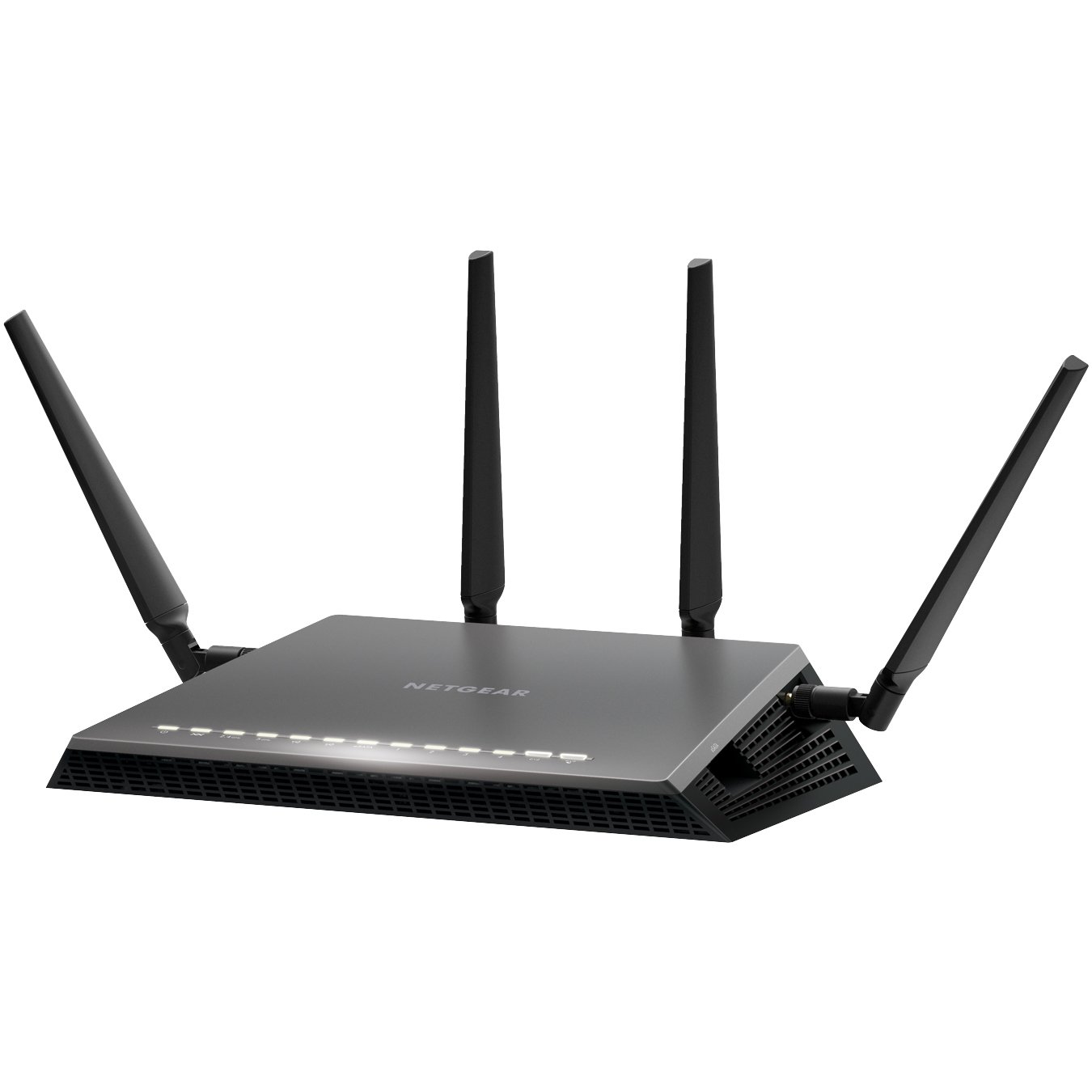
  3. Netgear Nighthawk X4S D7800
  4. Netgear D6400
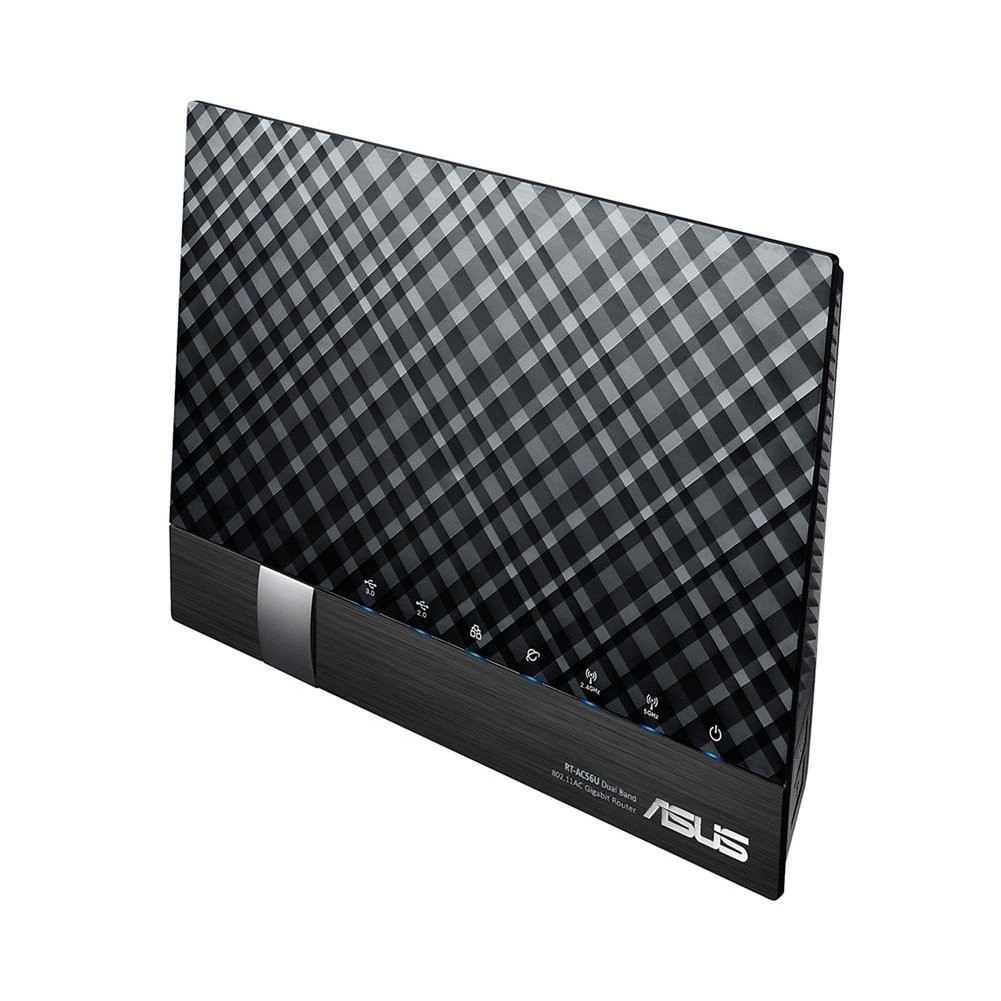
  5. ASUS DSL-AC56U
  6. ASUS DSL-AC68U
  7. D Link DSL-2877AL
  8. D Link DSL-2885A
  9. Draytek 2860n/n+/Vn/ac/Vac
  10. Draytek 2760
  11. Netcomm NF4V
  12. Netcomm NF17ACV
  13. Asus ROG GT-AX 11000
  • TP Link TD-VG5612
  • TP-Link Archer VR2800
  • Netgear Nighthawk X4S D7800
  • Netgear D6400
  • ASUS DSL-AC56U
  • ASUS DSL-AC68U
  • D Link DSL-2885A
  • Draytek Vigor 2862 Vac
  • Netcomm NF17ACV
  • Asus ROG GT-AX11000

tp link modem router

TP-Link TD-VG5612 Wireless router – 4-port switch

Brand: TP-Link
Connectivity: Wireless
Wireless standard: Wireless-N, Wireless-G
Encryption type: WEP, WPA, WPA2
Modem type: DSL Modem
Aerial: Internal
 
Features
  • Firewall protection
  • DMZ port + NAT support
  • Auto-negotiation, IGMP snooping, traffic shaping
  • Print server, MAC address filtering, VPN passthrough
  • URL filtering, parental control, IP address filtering
  • File sharing, Access Control List (ACL) support, Quality of Service (QoS)
  • Virtual server support, Wi-Fi Protected Setup (WPS), IPSec pass through
  • Samba support, FTP server, port forwarding, UPnP Media Server
  • Bandwidth control, DHCP relay, Stateful Packet Inspection Firewall (SPIF)
  • DNS relay, static routing, Multicast filtering function

Software / System Requirements

Software Included Drivers & Utilities
OS Required Apple Mac OS, Linux, Microsoft Windows Vista / XP / 7 / 8
 
Included Accessories
ADSL splitter
Cables Included 1 x modem cable 1 x network cable

TP-Link Archer VR2800 Wireless router – 4-port switch The Archer VR2800 DSL modem router supports super fast VDSL or ADSL broadband of up to 100 Mbps and other connections.

Additional features

  • Cable Modem or Fiber Modem compatible
  • Two USB 3.0 ports supporting 3G/4G dongle connections
  • Dedicated processor for each band to manage Wi-Fi traffic
  • 1GHz dual-core CPU.

The Netgear’s Nighthawk X4S boasts a dual-core 1.4GHz processor to handle the activity passing through it and a chipset capable of working in the 802.11ac network technology, which is also backwards compatible with the 802.11a/b/g/n networks.

Additional features

  • Quad Stream AC2600 WiFi for speeds up to 2.53Gbps (800+1733Mbps)
  • Next generation Wave2 WiFi
  • Dual Core 1.4GHz processor boosts performance for gaming and streaming
  • Built in high speed modem compatible with VDSL, VDSL2, ADSL, ADSL2, ADSL2+
  • Gigabit Ethernet WAN port for universal Internet service compatibility

Price range: From $315 to $350

The Netgear AC1600 DSL modem router provides a fast VDSL modem for fibre broadband and also works with ADSL connections.

It is a integrated modem and router as most models and you won’t need separate hardware from your service provider. It can handle homes with up to 10 devices.

Additional Features

  • It supports transfer speeds of up to 1300 Mbps.
  • It uses Beamforming technology to provide a large, reliable wireless range.
  • There are 2 USB 2.0 ports built-in to this router so you can connect a printer or a portable hard drive then access it wirelessly across your network.
  • You can use the Netgear Genie app to control and maintain your network.
  • This router supports parental controls so you can set up restrictions to your web access.

Price Range: From $197 to $243

https://www.youtube.com/watch?v=7jtYN9RP0SQ

The ASUS DSL-AC56U supports  as slew of features and technologies making this versatile modem router future proof. it supports  high speeds and  a detailed graphical interface to adjust  all your settings to your needs.

Additional Features

  • Concurrent Dual Band: 867Mbps on 5GHz and 300Mbps on 2.4GHz
  • Two WAN ports for DSL and Ethernet
  • Gigabit Ethernet ports 
  • Dual multi-purpose USB ports support file sharing, printer sharing, media streaming and 3G/4G support
  • VDSL/ADSL WAN multi service for IPTV support
  • PPTP VPN server and VPN client support
  • Download Master and enhanced media server let you download and stream anywhere
  • Enhanced signal range and stability with ASUS AiRadar using ASUS RF fine-tuning giving you extended coverage, dynamic data speed increases, and enhanced stability.
  • Ability for DSL, Ethernet or 3G/4G LTE Internet connections
  • Gigabit Internet browsing with hardware NAT
  • Ability to add external storage, printers, and other devices directly to your network
  • DSL ASUSWRT allows you to setup, monitor, and control network applications all in one intuitive area. 
  • Online multitasking at up to 300,000 sessions,gives you 20 times the capacity of mainstream routers. More data sessions translate into quicker and buffer-less HD streaming plus lag-free online gaming.
  • VPN server and VPN client support

Price Range: From $165 to $269


The ASUS DSL-AC68U is fast with combined dual-band data rates of up to 1900 Mbps. It is compatible with ADSL2/2+, ADSL, VDSL2, fiber and cable services. The easy-to-use ASUSWRT graphical user interface unlocks the power of the DSL-AC68U giving robust control to optimize your network for you. 30-second set-up and easy traffic management means even network newbies can enjoy its sophisticated features, while power users will love its IPv6 support, multiple wireless SSIDs and secure VPN access.

Additional Features

  • Compatible with ADSL2/2+, ADSL, VDSL2, fiber and cable services
  • 150% wider Wi-Fi coverage* Three external high-gain antennas 
  • Intuitive ASUS Router app -Manage your network anywhere
  • Enterprise-grade security for your home network -ASUS AiProtection with Trend Micro™ 
  • VPN server and client support
  • Dual WAN ports
  • Multi-purpose USB 3.0 port

Price Range: From $225 to $269

D-Link DSL-2885A Wireless Modem Router – 4-port switch
Dlink DSL-2885A Dual Band AC1200 Wireless Modem Router
 
The Dual Band Wireless AC1200 Gigabit ADSL2+/VDSL2 Modem Router helps with multiple connection options for sharing your high speed internet connection with a multitude of both wireless and wired devices. Dual band, NBN compatible, and capable of speeds up to 1200Mbps makes it a internet ready device for your home.
 
Details
Brand: D-Link
Connectivity: Wireless
Wireless standard: Wireless-AC, Wireless-N, Wireless-G
Feature: Dual Band, Gigabit Ethernet
Encryption type: WPA, WPA2
Modem type: DSL Modem
 
Additional Features:
  • Dual Band Wireless AC1200 Technology
  • Integrated ADSL2+ / VDSL2 Modem
  • NBN/UFB Ready (Dedicated Gigabit WAN port)
  • 4 x Gigabit Ethernet LAN Ports
  • Two USB 2.0 Ports for Storage, File Sharing or 4G USB modem
  • Supports AutoZoning technology

Price range: From $149 to $175

Visit official website

Draytek has a  range of xDSL routers series which include VDSL2, ADSL2/2+ and G.SHDSL models to meet different infrastructure. WAN failover/load-balancing Bandwidth Management/Firewall/VPN features are available in most models to ensure a secure & reliable network.

They have discontinued quite a few models, list available below.

Draytek Vigor 2862 Vac

Vigor2862 Series features comprehensive firewall and content security management (CSM) to secure the local network. Vigor2862 Series is a VDSL2/ADSL2+ Security Firewall router which is compatible with variants of ADSL and VDSL. All the models have an RJ-11 DSL port, and a Gigabit Ethernet WAN port which can be used with a cable-modem to connect to a second line for load balancing or failover, there are also two USB ports which can work with 3G/4G/LTE USB modems to add wireless connectivity.

Additional Features

VDSL2 or ADSL2/2+  
Gigabit WAN  
3G / 4G LTE USB
Gigabit LAN 4
VPN Tunnels 32
WLAN (AC2000) 11ac
Concurrent Dual Band  
VoIP (2xFXS, 1xPSTN)


Current Selling models in the Vigor 2862 Series are

  • Vigor 2862
  • Vigor 2862n
  • Vigor 2862 AC
  • Vigor 2862 VAC

There are also four models in the Vigor 2762 Series and one in Vigor 2832 Series and one in Vigor 2710 e Series.

Discontinued Draytek Vigor model numbers

  • Vigor2860n
  • Vigor 2860 Ln
  • Vigor 2860 L
  • Vigor 2860 Vac (AC1600)
  • Vigor 2860 ac (AC1600)
  • Vigor2860Vn-Plus
  • Vigor2860

Netcomm NF17 ACV VDSL/ADSL Dual Band Router

NF17ACV Side Angle

If you end up signing with Aussie Broadband for a NBN connection and paying for a modem,  this can  be the Modem Router you get. It looks pretty similar in design to the  TP Link model  TPG bundles free with their NBN connection.

Aussie Broadband Set up guide for this model –> Setup Guide

The NF17ACV is a smart residential VDSL2/ADSL2+ gateway designed to connect to VDSL and ADSL networks as well as nbn and UFB fibre services to deliver the fastest available broadband speeds and performance at home. You can connect up to 2 USB devices, access, and share even more A/V media files and content in real time.

Product details
Connectivity: Wireless
Wireless standard: Wireless-AC, Wireless-N, Wireless-G
Feature: Dual Band, Gigabit Ethernet
Modem type: DSL Modem
 
 
Additional Features
  • Fully featured VDSL2 / ADSL2+ gateway
  • 4 x Gigabit Ethernet 10/100/1000 LAN ports
  • nbn and UFB ready ultra-fast connection to nbn and UFB fibre network
  • 1 x 10/100/1000 Gigabit Ethernet WAN port
  • VoIP feature for HD quality voice calls – connect up to 2 telephones
  • Next generation WiFi 802.11 AC1600, dual band
  • 2x WPS push buttons for 2.4GHz and 5GHz bands
  • Access and share media and file content across the wireless home network
  • Device performance monitoring and management through TR-069
 
Price Range: From $90 to $199

Its a Modem router built for gaming.

rog rapture

Its the first 10 Gigabit Wi-Fi router with a quad-core processor and 2.5G gaming port

AX routers are the emerging technology in modem routers. The Asus ROG Rapture GT-AX 11000 ($450) is the first of the new Wi-Fi 6 class of router. The ROG Rapture GT-AX11000 brings in the new 802.11 ax routers in style and speed.

It is built and designed with gamers in mind. The range and speeds are what this is good for and the throughput rises with the distance, making it the ideal modem router to fill a large house with Wi-Fi.

Product details
Brand: ASUS
Connectivity: Wireless
Feature: Dual Band, Gigabit Ethernet

Additional Features

  • Next-Gen WiFi Standard – 802.11ax WiFi standard for better efficiency, throughput and range.
  • Ultrafast WiFi Speed – 11000Mbps WiFi speed to handle even the busiest network with ease.
  • Triple-level Game Acceleration – Accelerate game traffic every step of the way – from device to game server.
  • Battle-ready-hardware – 1.8GHz quad-core CPU and 2.5GBase -T port for ultimate performance.
  • Front-line Network Security – Neutralize internet threats before they hit your network.

Price Range: From $701 to $804

https://www.asus.com/au/Networking/ROG-Rapture-GT-AX11000/

Price ranges for modems
Generally a good nbn compatible modem can start from $60 onwards, but expect to get a decent one anywhere between $120 to $1000+. The $400+ price range modems are normally top of the range ones in looks and speeds too. Most of them are modem + routers.

How do I know if I need a New Modem for my NBN connection?

If you have had your modem for more than 3 years its likely that you will have to get a new modem for your NBN connection.

Check online or on the Modem box/paperwork if they mention that your modem is VDSL and VDSL2 compatible. If it is then there is a good chance your modem will work with your new NBN connection.

It is best to check with your new provider if your current modem will work with their internet connection before signing up with them.



What is the difference between modem and router?

A modem is the device that takes your telephone/internet line and makes it ready to use for internet purposes.

The router is the device that takes the telephone line converted to internet and enables it to be distributed via wires and wifi all over the house/designated area to different devices.

Works with Google Home /Alexa

While most modems and routers will connect to your google home and Alexa this router allows you to control your networking commands as well.

If you want a Wifi router that works with google Home and alexa to control your home using voice commands for home networking then the NIGHTHAWK SMART WIFI ROUTER-   R7000 model is your router of choice. Its not a modem.

https://www.netgear.com.au/home/products/networking/wifi-routers/R7000.aspx



Do I need both a modem and router?

Today many companies just provide a combined modem + router so you have them both in one device.

The higher priced modem routers enable higher speeds for wired as well as wifi between multiple devices and have better coverage area.

To give you an idea of how people started using modems/routers. Initially when people started using modems/internet, they just had one small modem hooked up to one pc in the house. Most people used that one pc to browse the internet.

Then people started hooking up that modem to a separate device called router, so that they could distribute that internet to multiple computers in the home. Then soon the internet was also distributed via wifi through routers to different devices in your home.

Today you can get a modem + router bundled in one device, doing all these jobs and still called a modem 😉



ADSL VS VDSL ?

With nbn already here you need a modem router that will do your NBN speeds justice and a VDSL (Very-high-bit-rate digital subscriber line ) or VDSL2 ready modem does just that.

Most new NBN ready modems cater to all kinds of internet connections  including a VDSL connection or a fibre to the premises box.

In short ADSL (Asymmetric digital subscriber line) gives slower speeds than VDSL and that’s why most nbn connections deliver internet via VDSL.

A VDSL or VDSL2 Modem will cover all kinds of nbn connections if you got fibre to the node or fibre to your home the VDSL modem will distribute that internet with optimum speed in your house.

More Modems 

Some more awesome modems reviewed including new AX  featured modems and mesh systems and nodes. Click to show.

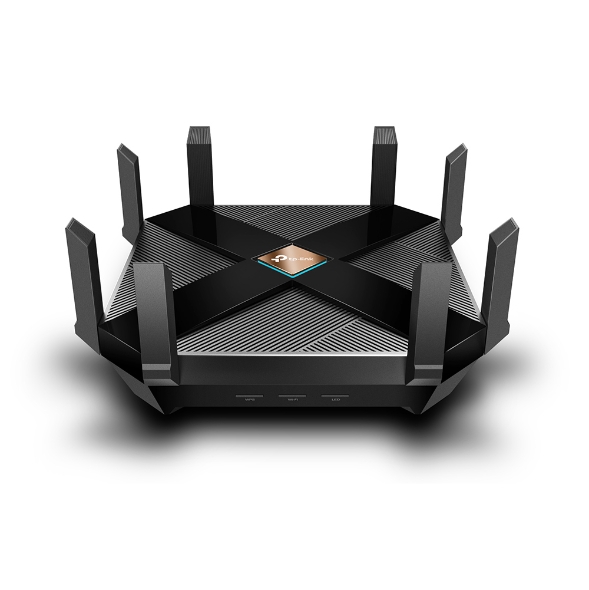
14. TP-Link Archer AX6000 review

TP-Link Archer AX6000


What is 802.11ax Wi-Fi

Fast. High Efficiency.

Gaming, 4K/8K streaming, smart home devices, and AR/VR all compete for network resources, creating lag and crowding your network. To solve this problem,

802.11ax (also known as Wi-Fi 6), a next-genhigh-efficiency Wi-Fi standard, was created. Now, you can simultaneously connect more devices and enjoy the optimum speed for each of them.

AX Wi-Fi  aims to enhance wireless network performance by boosting speed and responsiveness better than MU-MIMO . The key improvement is called orthogonal frequency division multiple access (OFDMA) which increases connection capability in a single 20MHz channel from 52 (AC wireless) to 234 and also uses band steering to automatically ensure that less-crowded bands are used. The new Samsung Galaxy S10 smartphones are currently fully compatible to use this service. 

This system gives good speeds while playing online PC games and watching YouTube on two old Android tablets, however its expected that performance will drop off with Mesh systems and Wi-Fi extenders.  TP-Link’s Archer AX6000 achieves good speeds and will surely compete with mesh networks modem setups.

Its got a  1.8GHz quad-core processor on-board for its serious computing needs. The AX6000 has eight Gigabit Ethernet ports. and the WAN port supports 2.4 Gbps connections. It supports  two USB 3.0 ports: Type-A and Type-C. 

It also features built-in Trend Micro Security features, which offer antivirus and family filtering options including the ability to set usage limits and bed times for different users across multiple devices.

At $499 it’s not cheap, but it’s got all the important features, looks good and performs so well that you likely won’t need to buy other networking equipment for a long time to come.

Price Range: $499 | WWW.TP-LINK.COM/AU/


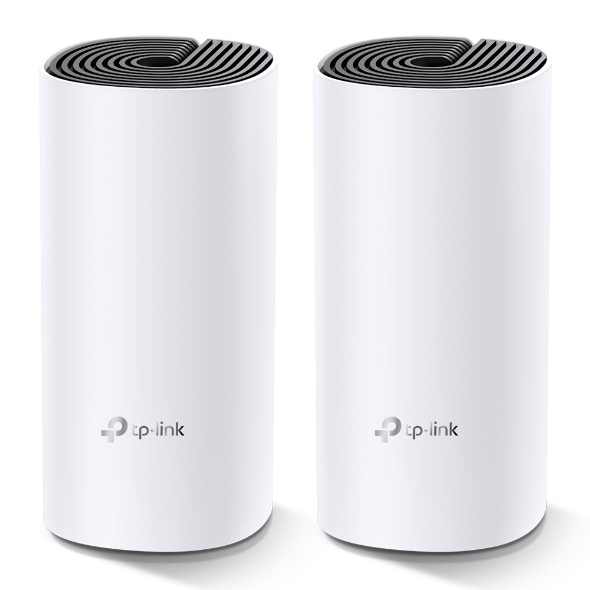
15. TP-Link Deco M4 mesh

TP-Link Deco M4 mesh (Double Kit)

Deco uses a system of units to achieve seamless whole-home Wi-Fi coverage — eliminate weak signal areas once and for all. TP-Link has launched the new mesh WiFi system, called Deco M4 or Deco M4R. Devices automatically switch between Decos as you move through your home for the fastest possible speeds

Additional Features:

Setting up is simple via the Deco app for this mesh system, it walks your through setting up the network, setting the password, updating the firmware and adding the second node. The app is slick, responsive and intuitive to use. 

  • A Deco M4 two-pack delivers Wi-Fi to an area of up to 260 square metres. 
  • Deco M4 provides fast and stable connections with speeds of up to 1167 Mbps and works with the major internet service provider (ISP) and modem.
  • Deco can handle traffic from even the busiest of networks, providing lag-free connections for up to 100 devices.
  • Parental Controls limits online time and block inappropriate websites according to unique profiles created for each family member.

This can be handy, you can switch the LED lights off and turn nodes into access points.  It’s also has Amazon Alexa and IFTTT smart device compatibility which is a bit future proof. 

The AC1200 Wi-Fi moniker refers to the maximum theoretical throughput of 867Mbps on the 5GHz band plus 300Mbps on 2.4GHz. TP-Link says it can manage 100 different devices but not at the same time. 

Cons for this mesh system 

  • It does not offer a web-based interface for administration
  • It has fewer features than other Deco systems, to make up for the price difference
  • It is not able to fully utilize 1 Gbps internet connections

In summary, this is about as good as an AC mesh system gets. The advanced features will definitely  attract some but the price can be a deterrent. At $230 for a double-pack it’s the cheapest mesh on the market. 

Price Range: $230 | WWW.TP-LINK.COM/AU/

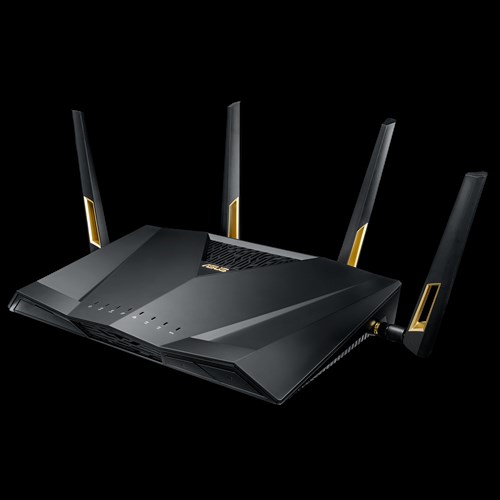
16. ASUS RT-AX88U

ASUS RT-AX88U

Asus’ new RTAX88U design makes it look like a racer car just about to kick into gear and leave the rest behind and that is not far from the truth with its specs and features we will look at below. Its got a angular black chassis, four large antennae and gold detailing that makes its presence known.

RT-AX88U

This device has got a impressive feature list with eight gigabit Ethernet plus two USB 3.1 ports and integrated malware and family protection tools that are provided by Trend Micro. 

Additional Features:

  • Next-Gen WiFi Standard – 802.11ax WiFi standard for better efficiency and throughput.
  • Ultrafast WiFi Speed – 6000Mbps WiFi speed to handle even the busiest network with ease.
  • Wider Usage and More Convenience – 4 antennas + 8 LAN ports to support more clients at the same time.
  • Commercial-grade Security – AiProtection Pro, powered by Trend Micro™, blocks internet security threats for all your connected smart devices.
  • Better Partner with Mesh System – Compatible with ASUS AiMesh WiFi system for seamless whole-home coverage.

Gamers should be happy with this one. Its got detailed QoS settings which allow you to set the priority of different types of apps (gaming, VoIP, streaming etc). It also boasts more-specific ‘Game Boost’ QoS integrations including WTFast for maximising MMO game stability and LAN Boost which (also) promises to prioritise game traffic performance. 

Future proofing includes web savvy features like VPNs, Alexa plus IFTTT integration with other smart devices.

 At $569 it’s not cheap and at the higher end of price spectrum for  what it provides.

Price Range: From $569 | WWW.ASUS.COM/AU

Speed of your internet and WIFI

The speed of your internet to your house connection and within your house will depend on a few different factors as given below.


Your internet connection

Is your connection directly fibre to your house or does it convert to copper line before it reaches your house? Is your internet delivered via cable wires? There are different types of connections FTTN, FTTB, FTTP, FTTC and HFC. Generally, if you have fibre right up to your home or via cable you will get good fast speeds.

Copper line connection

If you have the last bit of your internet connection to your home via copper lines, then where is the nearest Fibre box located where it converts to copper and where is the nearest telephone exchange will also determine your internet speeds.

Your modem/router Wi-Fi speeds

Once the internet reaches your house you should also have a good modem router to distribute the internet via good Wi-Fi speeds. If you got a good speed plan your modem should have good Wi-Fi distribution speeds for around the house. Typically, most modems can distribute Wi-Fi on older 2.4 ghz and 5.0 ghz (faster) channels. Check the speeds 300 Mbps will do for your house as starting speeds.

Normally most providers offer a 8 Mbps, 25 Mbps, 50 Mbps and 100 Mbps plans. I would suggest stick with the 50 Mbps plan for decent speeds. If you got fibre connection right to your house and the nearest exchange is near to your house, you will benefit from a 100 Mbps plan.

Coverage of your Wi-Fi signal

Coverage if the Wi-Fi signal used to be a problems with most traditional old modems. The signal got patchy around the front yard or backyard. The new modems do a good job of getting that WIFI signal out there.

Wifi & Speed - 2.4 ghz vs 5 ghz

Most modem routers or routers have two different channels through which they distribute your Wi-Fi across the house. The 2.4 GHZ channel and the 5GHZ channel, typically the 2.4 GHZ can deliver slower speeds than the 5 GHZ channel.

Australian standards

Make sure you get a modem made by a local known company and you should be right. It will cover all Australian standards. Some well-known local brands are Netgear, Netcomm, Billion, Tplink.

Speed measuring tools

Those crafty little buggers advertise speeds like they are taking you on a free trip to the moon, but do they deliver?

Well you can surely find out. These speed measuring tools below will measure how fast your internet is.

  1.   ooklahttps://www.speedtest.net/ – Speedtest by Ookla is one of the popular speed testing websites  whihc has been around for a while now. Just click the button and it will test your speed. You can also change the server locations to test speeds from different locations.
  2. oz broadbandhttps://www.ozspeedtest.com/ – This website  does  what its intended to do and tests both download speed and upload speed of your Internet connection, whether it be NBN, ADSL, ADSL2, ADSL2+, Cable, 3G, 4G, Wireless or Satellite.
  3. telstrahttps://speedtest.telstra.com/ – This was built for measuring  your telstra internet speed, but can measure pretty much any internet connection for speed.


Its worth noting with speeds for internet ,  The Netflix ISP Speed Index is a measure of prime time Netflix performance on particular ISPs (internet service providers) around the globe, and not a measure of overall performance for other services/data that may travel across the specific ISP network.

This  Asia-pacific Australia netflix  page here shows some of the fastest internet speeds for Australia according to netflix servers and for March 2019, it ranks Telstra , Optus and Iinet  on no#1 , 2 and 3 positions for best speeds.

Gadgets For 

Below are gadgets that can extend your wifi within your home or distribute your internet via existing electrical power-points so that  you can used a wired connection rather than wifi.

Wifi extender

Then Wi-Fi or internet coverage within your house is important. Most new modems have good coverage and will mention this on the box if they can cover a multi storied house. If your existing modem router does not sufficient coverage then you can add a WIFI extender. A Wi-Fi extender can also enable  you to get coverage to your front yard and backyard  so that you can connect to an outdoor tv or Wi-Fi music streaming

The Wi-Fi extender which will pick up your router’s Wi-Fi signal, amplify it, and rebroadcast it. They come in both desktop and plug-in variations, and are relatively easy to install. It is recommended to get a extender of the same company brand of your modem or router to get a better seamless experience.

Power line inverter
We all agree that Wi-Fi coverage is getting better with new technology, but you still cant beat a wired connection stability. If you don’t know about powerline inverters, then this is a good way to get wired internet to your tv or Foxtel box/internet device via a ethernet cable. You don’t need any extra wiring.

How powerline inverter works?

You will get two powerline plugs. You plug one ethernet cable from your modem to your powerline adapter plugged into a power point. What this does is distribute your internet into all the power sockets in your home. You just need to plug in the second powerline adapter into any other power socket in your home and you can connect to the 8nternet.



How to set up your router

The NBN Co states that your router can be one of the most important factors that can make or break your NBN plan, saying a decent router can “transform your experience into something spectacular”.

  • iiNet advises that routers should be equipped with at least 802.11n or 802.11ac Wi-Fi for an NBN service.
  • Devices manufactured before 2009 – potentially only featuring the older 802.11g or b signals – are incapable of supporting the NBN speed capability.


  • Optus: Optus has stated in its Critical Information Summary that it will provide a Wi-Fi modem at no extra cost, while a fee of $40 will apply if you upgrade to an AC modem – one that’s likely capable of gigabit speeds.
  • Telstra: Telstra includes a Gateway modem on 24 month plans. The Gateway modem comes with 4G connectivity, which can be used as a backup in case your NBN connection falters or for instant internet connectivity.
  • iiNet: An iiNet-branded WiFi modem is included on 24 month contracts, while you will need to pay extra for one if opting for a month-to-month contract.

Getting Technical

Below are some Questions and answers (Q &A)  regarding modem, NBN and connection related questions



HFC connection modem

For a HFC connection you can use the Arris cable modem to connect to your internet. Other modems that you can get are TP-Link C3150, Asus RT-AC68U , $229 or the Netgear Nighthawk R7000 for $220.

If you got a FTTP connection all you will need is a router, don’t need a modem. Above routers for HFC should work for FTTP connection too.



FTTC vs FTTN for Modems

If you got a FTTC connection or a FTTN connection the modem can be the same as they both use your existing copper wire and phone point. You will need a vdsl modem for both these connections.

However, a FTTC connection will have a NTD box directly outside of your place by the kerb instead of having a node down the street somewhere.



Cant connect to Samsung or LG tv over 5GHz

Well you got a brand-new modem boasting 5GHz transfer, but find out that your Samsung or LG Tv or device can’t receive your 5GHZ signal.

It’s Quite common!

Your TV and smart devices came with only 2.4GHz band built in compatibility so it won’t be able to connect over 5GHz band in spite of updating your tv to the latest firmware update. The good thing is the 2.4GHZ will work as good as a 5GHZ band.



How to set up 5GHZ in your house?

You need to set up 5GHZ in your modem or router. Your modem device will need to be 5GHZ capable to set it up.  You will need your modem or router login/pass to go to the modem admin settings and turn 5GHZ on.

Refer to your modem brand website or provided setup instructions in box to login to your modem admin settings. Once you set it up properly, if your tv or smart device is 5GHZ capable then you should be able to connect via 5GHZ Wi-Fi SSID. Tip: name the 5GHZ SSID connection starting with letters 5G to find it on your Wi-Fi list.

The old 802 b/g/n vs 802.11ac VS the new 802.11/a/c/n – What’s the difference between the Wi-Fi standards?

The WIFI distribution bands and frequencies b, g, n, ac… wireless standards haven’t had the most logical of alphabetical progressions

Amon the newer announcements first 802.11n was launched then the Wi-Fi Alliance certified the ‘802.11ac’ standard, paving the way for the mass roll-out of ‘wireless ac’ devices. Like past Wi-Fi standards – 802.11ac is backwards compatible with 802.11b, g and n.

As time passes this standard will be built into routers, laptops, tablets, smartphones, televisions and much more.



What is the range of the Wifi in 5Ghz and 2.4GHZc channels?

To differentiate between these two frequencies, you will need to take the range (coverage) and bandwidth (speed) that both bands provide.

The 2.4 GHz band provides a longer-range coverage(20–30Ft) but transmits data (WIFI) at slower speeds. The 5 GHz band provides less range coverage but transmits data at faster speeds.

The range is lower in the 5 GHz band (10–15 ft) because higher frequencies cannot penetrate solid objects, such as walls and floors. However, higher frequencies allow data to be transmitted faster than lower frequencies, so the 5 GHz band allows you to upload and download files faster.



Is 5GHZ band better for distributing Video via WIFI than the 2.4GHZ?

With streaming via wifi, the size of the file doesn’t matter, only the data rate matters as you are not trying to transfer the whole thing as fast as possible, you are only to keeping up with the demand.

In the above statement makes senses, if you got a 4KTV it would make more sense for your TV to have 5GHZ band compatibility. The 5GHz spectrum is normally used with the 802.11ac standard on your router modem.

802.11ac Speed & Range

Learn more below  about Wifi speeds, ranges and  internet distribution technology

WIFI SPEED

SPEED: 1.3 gigabits per second (Gbps) is the speed most commonly reported with the 802.11ac standard. This translates to 166 megabytes per second and it is much quicker than the 450Mbit per second (0.45Gbps) speeds quoted on the highest performing 802.11n when it was rolled out.

Modem Router Range

RANGE: The 802.11ac standard lives entirely in the 5GHz spectrum. They are some rare modem/routers that broadcast 802.11n in 5GHz as well as 2.4GHz.

The 5GHz signals do not actually broadcast as far as 2.4GHz signals. The 5GHz is also good to support the faster speeds of wireless ac.

Distribution Standard

Beamforming: The other factor is that the 802.11ac makes ‘beamforming’ a core part of its spec. Rather than throw out wireless signal equally in all directions like standard frequencies do, WIFI with beamforming detects where devices are and intensifies the signal in their direction(s) which can be good for WIFI distribution.

Mesh technology for Modems

Mesh: Wirelessmesh networks often consist of mesh clients, mesh routers and gateways. Mesh networking is a type of network in which a device (node) transmits its own data as well as serves as a relay for other nodes. Mesh WiFi or Whole Home WiFi systems consists of a main router that connects directly to your modem, and a series of satellite modules, or nodes, placed around your house for full WiFi coverage. They are all part of a single wireless network and share the same SSID and password, unlike traditional WiFi routers

Acronyms

    1. NBN – National Broadband Network
    2. VDSL – Very High Bitrate Digital Subscriber Line
    3. ADSL – Asymmetric Digital Subscriber line
    4. Mbps – Megabits per second (1,000 kilobits of data per second)
    5. LAN – Local Area Network
    6. WAN – Wide Area Network
    7. Gbps – Gigabits per second
    8. HFC – Hybrid Fibre Co-ax
    9. SSID – Service Set identifier
    10. Beamforming – Signal processing Technique
    11. 4k – Ultra HD covers 4K (also called 2160p)
    12. MIMO – Multiple Input Multiple Output
    13. NAS – Network Attached Storage
    14. WPS –  Wi-Fi Protected Setup

"Ref

Australian standards NBN – https://www.legislation.gov.au/Details/F2018L00814

NBN co Builder guidelines – https://www.nbnco.com.au/develop-or-plan-with-the-nbn/new-developments/design-build-install/cabling

Post originally published in April 2019

Filed Under: Australia, Gadgets, Internet, Review Tagged With: Broadband, Electronics, ISP

3 tricks to reset your forgotten windows password

April 23, 2019 by admin 5 Comments

It happens to everybody at some part of the time. You lose your laptop or a computer password, and now you are locked out of it. This can become quite frustrating as you are unable to gain access back into your windows computer which has important files on it.

Fortunately, there are many options to get back into your desktop computer or laptop with custom paid software and also some free options available. Most of the available software normally works on all versions of windows from windows 10 to windows XP.

Majority of the operating systems on PCs in the world run some form of Windows, and we’re assuming you’ve got a Microsoft-based computer.  Unfortunately, Microsoft won’t help you if you have lost your password – it’s their security policy. There are tricks and methods to unlock your pc.

Below we list some of the options available to you if you find yourself in such a situation and need to unlock your computer again

[ninja_tables id="6390"]

3 NEW UNLOCKING SOFTWARE  BELOW (UPDATED 2020)

  1.  

the zapper australia

Get  the zapper software >> here on Amazon

2.


CD disk for recovery of password

Get the recovery disk >> here on Amazon

3.


win recovery USB

Get The WIN recovery USB >> over here on Amazon

Use Your Windows 10 Password Reset Disk


USB stickUnfortunately for this to work, you should have done this before losing your password, and if you were proactive and done it before, then you can easily use this Windows 10 password reset disk that you created to unlock your PC.

The Windows 7 or 10 password reset disk is a disk you can create for free using your existing Windows computer. This acts as a backup forgotten password disk for password recovery when you lose your password on your computer either.

If you don’t already have it, I suggest once you get back access using one of our other methods below – make one immediately. Instructions here.

Reset Your Win 10 With This Free Trick


reset itEverybody likes free. And there is a way to reset your Windows 7 or 10 passwords with nothing but the tools and some skills you will need to learn as we go. This is an easy trick that anyone can pull off with a little bit of understanding and perseverance for the not, so tech minded.

It involves having to boot from a windows disc or flash drive and use your PC’s Command Prompt a few times.

See our – How to Reset a Windows 10 Password for a complete tutorial.

Given the fact that you have forgotten to make a password reset disk or an administrator account without password on your computer, this free option will be the best solution if you are on a budget and need a solution.

There are some other similar free options which need some technical skills as well like using the Emergency Boot CD – The EBCD (Emergency Boot CD) (fix unbootable computers and recover data from them) or the Offline NT Password & Registry Editor (a utility that enables users to overwrite their Windows SAM file). These two utilities will also require using some command line codes.

Our picks of top 3 recommended password recovery software

"Go

Reset Password Pro

(Recommended)5 stars

We recommend this software because it supports all password recovery for windows versions up to windows 10 and..

  • Its easy to use
  • Supports Windows 32 bit as well as 64 bit
  • Accepts credit card and paypal payments
  • Covered by Clickbank Guarantee
"Go
"Ophcrack"

Ophcrack supports Windows 8, Windows 7, Windows Vista, and Windows XP. Not so much with with Windows 10 passwords.

Offline NT Password & Registry Editor

Offline NT Password & Registry Editor works on 64-bit & 32-bit versions of Windows 10, Windows 8, Windows 7, Windows Vista, and Windows XP PCs, and it reset the passwords immediately without a problem.

Reset Windows 10 Password -FREE

Guide – to reset administrator password of Windows 10 without any software.( <– Video + tutorial)

  1. Boot from the Windows 10 DVD. Make sure that your PC setup is configured to boot from a DVD and that UEFI and Secure Boot are disabled.
  2. Press SHIFT + F10 to open a command prompt.
  3. Check in which drive your windows is installed as in the  video (diskpart command)
  4. Replace the file utilman.exe with cmd.exe as shown in video. Before you do this, you should make a copy of utilman.exe so that you can restore it later.
  5. After you have replaced utilman.exe successfully, you can remove the DVD and restart your Windows 10 install.
  6. On the Windows 10 sign-in page, click the Utility Manager icon
  7. As we replaced the Utility Manager with the cmd.exe, a command prompt should open now. Don’t worry about the error message.
  8. Used command line as in video to reset administrator password and close command prompt, now you can login
"Go

Password Resetter

The website is not as up-to date as the software, but the software does the password recovery for windows  computers.

Quick features

  • It supports Windows Vista, XP, NT, 2000, 7 and also the latest version, Windows 8.
  • Rated as safe to download by both Norton and McAfee
  • Two versions available corporate and personal edition

Why do you forget your password? ( +Solutions)

We forget passwords because we are human. While most people tend to remember their passwords, there are occasion’s when you can forget them.  You can forget your password for many reasons – some of the reasons are listed below

  • You keep changing their passwords on a regular basis for security and forgot the last one
  • You have not used their laptop for a while and lost the password
  • You did not write down your password (not recommended anyway)
  • You made a complicated long-winded password and now can’t remember it

If you forgot your Microsoft account password, follow these steps.

Solutions:

Write it down

Write it down only if you have to, and if you do make sure it’s kept in a safe place – that you can remember.

Codeword your password

Save your password somewhere, but write it down in code that you can decipher easily looking at the word you have written down Eg if your password  is hpotter32#  and you like harry potter –  you could write down wizard32# in your diary  if that would jog your memory to the actual password hpotter32. While these are risky and not recommended methods as solutions, it is for people with not so good memory and who tend to lose it much more than others.

Lock it in your bank

If you have paid for a sake locker in your bank, write it down on a piece of paper and keep it there with your family jewels J

* The Windows® logo, Windows NT, the Windows NT logo, Windows 2000, the Windows 2000 logo, Windows XP, the Windows XP logo, Windows Vista, the Windows Vista Logo, Windows 7, the Windows® 7 logo, Windows 8 and the Windows 8 logo are all registered trademarks of Microsoft Corporation in the United States and other countries. This site and the products and services offered on this site are not associated, affiliated, endorsed, or sponsored by Microsoft Corporation., nor have they been reviewed, tested or certified by Microsoft Corporation.

Not an endorsement

Please note, by listing the above methods and software tools we’re certainly not advocating hacking in any sense. These tools are recommended to be used only if you lost your password to your own laptop or pc and at your own risk.

In fact, we strongly suggest if you don’t have the required skills you should rather take your computer to the local IT guy or hire someone to come do it for you.

Hope one of the methods above help you get back access into your computer. If you did run into any problems trying the recovery methods  do send the software provider an email  via contact page or then leave a comment here and I can help  you if i can.  Hope you don’t  fall into this situation again,  but just in case I would bookmark this page 🙂

Underwater Drones for Recording Video and Taking Pictures

by admin | Jun 5, 2022 | 2022, Australia, Gadgets

The best underwater drones in 2022. These underwater drones (or rovs) are submersible, waterproof machines that capture the wonders of the ocean sea and rivers.

« Older Entries

Underwater Drones for Recording Video and Taking Pictures

by admin | Jun 5, 2022 | 2022, Australia, Gadgets

The best underwater drones in 2022. These underwater drones (or rovs) are submersible, waterproof machines that capture the wonders of the ocean sea and rivers.

« Older Entries

Underwater Drones for Recording Video and Taking Pictures

by admin | Jun 5, 2022 | 2022, Australia, Gadgets

The best underwater drones in 2022. These underwater drones (or rovs) are submersible, waterproof machines that capture the wonders of the ocean sea and rivers.

« Older Entries

Daymm !! Domains Cheap as chips

by admin | Oct 30, 2018 | 2013, Affiliate, Australia, Australian Bloggers, Blogger Tools, Domains, Done Deals, Hosting, Marketing, web hosting, wordpress

The World’s #1 Domain Registrar. Get Your Australian Domain Today with discounts and our special coupon codes. Snag a discount while watching how I used some coupon codes to get some great discounts on domain names when I planned to start a new website. These promo codes will have to be used at the end of your purchase process in your cart.

« Older Entries

Filed Under: 2018, Asus, Australia, Review, Software Tagged With: Internet, Technology, Windows 8

Top 5 antivirus solutions with prices for smartphones and computer cover

January 31, 2019 by admin 6 Comments

Securing you data, be it your smartphone tablet or computer is very important in today’s day and age. With hacking and social engineering getting more rampant having  good security for your personal data and information is becoming more important.

We compared top internet security programs looking at features, prices and cover for multiple devices. We also considered whether the program slows down your system and evaluated the number and quality of advanced security tools.

Having a good antivirus or security software for your device (smartphone, tablet, IOT or laptops) is vital. Getting hacked, tricked by email into giving out personal information or just being infected by a dodgy app from a play store is something that can create a lot of problems for you.

Thankfully software companies are quite pro-active and have kept up with trends, releasing all in one security product packages that cover your smart devices including laptop or pc and other smart devices all in one package.

Different vendors have different computer security packages that cover from 2 to 5 devices and more based on what you need.

Below is a list of multi-device packages prices and also one device internet security solutions for you.

FEB 2018 Kaspersky Deal – Australia / New Zealand: 
Get up to 30% Off. Kaspersky Internet Security / Total Security / Anti Virus

Coupon “FEB30” 30% Off Home Security AVAILABLE from 11 Feb to 18 Feb.
Coupon “FAB20″ 20% Off ALL B2c & B2b products Available from 22 Feb to 28 Feb.

[ninja_tables id="6351"]

Smartphone Security

In today’s world the smartphone holds as much of your personal information as a computer or laptop would – sometimes even more. Today your smartphone is just like a small computer and stores most of your email logins and passwords, and bank login details and so security for devices have to be more secure than before as your personal data is spread over multiple devices.

Securing it becomes even more important because of this. The first things you should do is activate remote delete on your phone in case it gets lost or stolen.

You can do this for free by using your Google Gmail account or your Samsung account. For apple or IOS devices there is the inbuilt tracker on their devices too attached to your apple id. They are also special free and paid apps that you can download from the app store to do this same thing.

The second and more important layer of security you need is a smartphone antivirus software or app. This product will protect your smartphone the same way software protects your pc/computer against viruses, hackers, malware and dodgy apps.

It will scan and alert you about any insecure apps, software, files on your phone and block them. This software now has ability to secure your device in real time as well.

Below are some top security software providers that have multi device internet security plans and also single device plans that can get your device secured.

We follow four labs that regularly release detailed reports: SE Labs, AV-Test Institute, MRG-Effitas, and AV-Comparatives. We also note whether vendors have contracted with ICSA Labs and West Coast labs for certification.

Norton Security Premium for Five Devices

The best protection, plus PC backup and family safety features, for you and the people you care about

Benefits for you and your family:

  • Protects up to 5 PCs, Macs, Androids and iOS devices with a single subscription.
  • Helps provide real-time protection against existing and emerging malware including ransomware and viruses.
  • Advanced security helps protect your private and financial information when you go online.
  • Protects better and faster than the competition.1
  • Provides tools to help your kids safely explore the Internet.‡
  • Offers 25 GB of secure PC cloud backup, providing additional protection against ransomware.
  • Alerts you about risky Android apps before you download them, with our award-winning technology.

Includes our 100% money-back guarantee: From the moment you subscribe, a Norton expert is available to help keep your device virus-free or give you a refund!

"Go

About Norton Security

Peter Norton Computing, Inc., was a software company founded by Peter Norton. Norton and his company developed various DOS utilities including the Norton Utilities, which did not include antivirus features. In 1990, the company was acquired by Symantec and renamed Peter Norton Consulting Group. Symantec’s consumer antivirus and data management utilities are still marketed under the Norton name.

By early 1991, Symantec’s Norton Group launched Norton AntiVirus 1.0 for PC and compatible computers. Since then, the company has updated and diversified its product line until combining its offerings into one seamless product, Norton Security

Norton, also known as Norton by Symantec, is a division of Symantec, and is based out of Mountain View, California. Since being acquired by the Symantec Corporation in 1990, Norton has offered a variety of products and services related to digital security In 2014, it was announced that Norton’s parent company Symantec would split its business into two units – one focused on security, and one focused on information management, with Norton being placed in the unit focused on security.

Thanks to 63 million attack sensors in over 157 countries and 15 global security centres, Norton blocked three billion attacks in 2016 and protected 63 million customers and four million small businesses in the process.

Symantec’s Norton suite is trusted by organisations around the globe to provide integrated solutions that defend against the most sophisticated attacks. Its comprehensive protection footprint and extensive intelligence network is constantly gathering insights into the latest threats to keep you and your devices safe when you are online.

McAfee® Total Protection

For 10 Devices

Get the premium protection you need

Get 1 device , 5 devices and 10 devices protection

With every one of the McAfee® Total Protection products, you get the premium antivirus, identity and privacy protection you need for your PCs, Macs, smartphones, and tablets* —now backed by our 100% guarantee*: a McAfee expert will remove a virus, or your money back!

FREE Support

Get free customer support via phone,

Go to Mcafee

About McAfee® Security

McAfee is the device-to-cloud cybersecurity company. McAfee – a long-trusted name in protection against hackers, malware, phishing and other online threats.

The company was founded in 1987 as McAfee Associates, named for its founder John McAfee, who resigned from the company in 1994. McAfee was incorporated in the state of Delaware in 1992. Network Associates was formed in 1997 as a merger of McAfee Associates, Network General, PGP Corporation and Helix Software.

McAfee, LLC (/ˈmækəfiː/ formerly known as McAfee Associates, Inc. from 1987–2014 and Intel Security Group from 2014–2017) is an American global computer security software company headquartered in Santa Clara, California and claims to be the world’s largest dedicated security technology company.

The company was purchased by Intel in February 2011 and became part of the Intel Security division. McAfee® customers range from government agencies to millions of home users. Businesses range from the smallest startups to the largest enterprises. McAfee mobile security solutions safeguard devices such as smartphones, tablets, and corporate networks.

Home users buy McAfee technology online and from retail stores around the world, or they get protection
through cell phone carriers, Internet service providers (ISPs), their device maker, or other McAfee partners.

AVG ULTIMATE PROTECTION

A$ 139.99/year

Unlimited devices. As the plan says this one is ultimate protection that can be used  for all your devices  you own for personal use.  It’s a All-in-one antivirus and tuneup for all your family’s devices

  • Webcam Protection
  • Ransomware Protection
  • enhanced firewall
  • AI-based real-time threat detection and removal
  • Tune up – cleans up junk data
  • Payments Protection
  • Shop and bank online freely and securely

A single subscription covers every PC in your family, so you can install AVG Internet Security on every computer in your household.  You also get antivirus for all your Android devices.

Install Help – AVG also has a Express Install service for A$ 24.99  where they help you install, set up, and optimise your AVG security products for you. Check it out here

"Go

About AVG Security

AVG AntiVirus (previously known as AVG, abbreviation of Anti-Virus Guard) is a family of antivirus software developed by AVG Technologies, a subsidiary of Avast. It is available for Windows, macOS and Android.

The AVG goal is a world in which people can enjoy their lives online without worries. AVG is now part of the Avast family of world leading digital security products, dedicated to keeping people around the world safe.

AVG features most of the common functions available in modern antivirus and Internet security programs, including periodic scans, scans of sent and received emails (including adding footers to the emails indicating this), the ability to repair some virus-infected files, and a quarantine area (virus vault) in which infected files are held.

According to AVG Technologies, the company has more than 200 million active users worldwide, including more than 100 million who use their products and services on mobile devices.

On 7 July 2016, Avast announced an agreement to acquire AVG for $1.3 billion.

How Internet Security Software Works – How to install?

Computer/Laptop or PC

For computers and laptops, you just download the software and click on it  to install and the rest is done by the program/software and it is up and running. You will be required to run a scan on your first install and then regular scans can be scheduled by you at a preset time automatically or then done manually by you on a regular basis.

Smartphone/Tablet

Just go the play store  or apple  app store and download the app and install. If you have purchased  a multi-device  license, you can then input the license key in the app to activate the software on your smartphone or tablet.

What Security Software covers ?

Where before you would normally get just one device protection and had to purchase more software for more devices, now you can get a variety of cover for your devices. They are multi-device family plans for devices covering 1 device, 3 devices, 5 devices, 10 devices and also unlimited devices. So everybody can get covered with just one software purchase.

Password manager

password software

The software also comes with lots of free add-ons like Password Manager, where you can manage and secure all your passwords for different websites on your computer securely.

Kid’s safe website security blockers

Most Software allows you to block websites that are not kid safe and   also block websites manually  so that your kids can’t access certain websites

Free trials

Free trails are quite popular with most security software companies, where you can try the software for a certain limited time before you decide to buy. Some providers provide the full version of the software for trial, while some of them provide limited feature version for trial.

Mcafee vs Norton 2018

McAfee and Norton (also called Symantec) are both familiar names in the antivirus realm, but how do they compare to each other in a head-to-head battle for dominance?

Prices differ as prices keep changing with promo deals being released. However, right now as a comparison between 1 device vs. 5 devices cover, you can see that MacAfee has a lower price than Norton.

Norton’s suite is more extensive, including features such as safe reboot, email support, social media protection, and chat and instant messaging protection. McAfee scores well regarding usability, but Norton is more reliable in protecting against new and existing threats.

The feature set for both cover the basic features as well as some add-ons, so this is where it would be a decider for you if it is not the price.

[ninja_tables id="6357"]

Bitdefender COMPLETE PROTECTION

A$ 59.99/year

Bitdefender has  1 device , 3 device and 5 device security solutions.  They have the basic windows protection, advanced windows protection and  the complete protection solution in the price range from $35 to $59.99.

With the above $59.99 – Total Security 2019 package you get protection for up to 5 devices / 1 YEAR and Complete protection for Windows, macOS, iOS and Android

  • Complete anti-malware protection: Windows, macOS, Android and iOS
  • Multi-layer ransomware protection with ransomware remediation NEW
  • Network Threat Prevention: stops attacks before they even begin NEW
  • Parental Control IMPROVED
  • Optimized speed and cross-platform performance
  • Comprehensive Support 24/7

They also have the family pack that covers more devices than the normal plans.


Go to Bitdefender Website

About Bitdefender

Bitfdefender is a Romanian cyber security and anti-virus software company which was founded in 2001. It was founded in 2001 by Florin Talpeş who is currently the CEO. Bitdefender develops and sells anti-virus software, internet security software, endpoint security software, and other cyber security products and services

Bitdefender has the largest security delivery infrastructure on the globe With a worldwide network of 500 million machines. They have Technology alliances with Citrix, VMware, Nutanix, Linux Foundation, Microsoft.

Bitdefender’s Internet of things device protection solution is called Bitdefender BOX. The box is a router designed to protect smart home products and Internet of Things devices by blocking malicious internet traffic.

Bitdefender offers a cloud-based security solution with anti-malware and anti-theft capabilities for Android and iOS users that is called Bitdefender Mobile Security.

Trend Micro Maximum Security Protection

A$ 99.95/year

Trend micro has unique solutions named maximum security and premium security plans for computer and smart device protection. They have 1 device, 6 device and separate windows, mac and smart device solutions as well.

The maximum security is one of the best suited midsize plan priced at $99.95 142.95 and is a multi device cover covering 6 devices with comprehensive security for your PC, Mac and mobile devices.

  • Complete protection: Windows, macOS, Android and iOS
  • Bank online more safely with Trend Micro™ Pay Guard to ensure the legitimacy of financial sites
  • Defend against ransomware and other online dangers.
  • Block dangerous websites that can steal personal data.
  • Allow children to explore the web safely with both time and content limits.
  • Fix common computer problems and get everything running at top speed

They also have the Home network security plan that can protect all smart devices in your network.


Go to Trend Micro Website

About Trend Micro

The company was founded in 1988 in Los Angeles by Steve Chang (張明正, Chang Ming-cheng), his wife, Jenny Chang, and her sister, Eva Chen (陳怡樺)

Trend Micro Inc. is a Japanese multinational cyber security and defense company founded in Los Angeles, California with global headquarters in Tokyo, Japan, a R&D center in Taipei, Taiwan, and regional headquarters in Asia, Europe and the Americas.

SYSTEM REQUIREMENTS FOR ANTI-VIRUS AND SECURITY SOFTWARE

Operating system 

  • Microsoft Windows 10, 8.1, 8, and 7 (32- and 64-bit)
  • Mac OS X 10.12 or later
  • Google Android smartphones and tablets 4.1 or higher
  • Apple iOS 10 or later

Hardware

  • 2 GB RAM for Windows 7 and above
  • 500 MB free drive space
  • 1 GHz Processor

Supported Browsers

  • Internet Explorer 10.0 or later
  • Firefox
  • Google Chrome
  • Safari (Mac and iOS OS Only)
  • Microsoft Edge

Android Operating Systems

  • Android 4.0.3 or later. Must have Google Play app installed.
  • Android 4 or later required for Norton Family Premier Android app (Norton Security Premier Only)
  • iOS Operating Systems
  • iOS 8 or later

Harden Your PC Security  – (Add-On Products)

Free Microsoft antivirus for windows 7, 8 and 10 :

Free windows antivirus

Microsoft Security Essentials provides protection to people who might not otherwise install antivirus software, and it gives them a good basic level of protection

Microsoft Security Essentials is a antivirus program that provides real-time security. The protects your computer against existing malware, viruses, and spyware. Microsoft Security Essentials can detect malicious software that is trying to infiltrate your data and also block them by activating or increasing the firewall mode (while connected to the internet). The software is programmable to run scans at set intervals, including monthly and annually.

Microsoft Security Essentials is a free* download from Microsoft that is simple to install, easy to use, and always kept up-to-date so you can be assured your PC is protected by the latest technology.

Download link

https://www.microsoft.com/en-au/download/details.aspx?id=5201

Hacker Protection

You can never be fully 100% secure.

Firewalls are a good addition to have with antivirus and malware protection. Good free firewall software’s are Kerio (free version- NA) and Zone Alarm (free version).

A firewall can be a hardware or software device. A hardware firewall is a unit that is connected between the network and the device for connecting to the Internet. A software firewall is a program that is installed on the computer with the Internet connection.

software firewall free

ZoneAlarm is an internet security software company that provides consumer antivirus and firewall products. ZoneAlarm was developed by Zone Labs, which was acquired in March 2004 by Check Point. Current deals here.

Norton WiFi Privacy

norton australia

Adds bank-grade encryption to help protect you on public Wi-Fi hotspots

A$129.99  A$79.99

A$50 OFF*

Chat or online for the life of your subscription.

AVG Camera Trap

avg net security download

See who’s got your phone or tablet if its lost or stolen.

Now you’ll know if an annoying brother—or master thief—tries snooping on your phone or tablet. When anyone fails 3 times to unlock your device, Camera Trap will take a secret photo of them and then email that photo to you with the time and location of the incident.

Go to our AVG website link above to check out more features for this.

AVG Secure VPN :

AVG Secure VPN is an application which enables you to connect to the internet via secure VPN servers using an encrypted tunnel to protect your online activity from eavesdropping.

Browse any website anonymously

A$ 79.99 A$ 39.99

20%off now -Deal

What is a VPN?

A Virtual Private Network (VPN) protects the data you upload and download from the internet, provides security for any data you send from your device, and anonymizes that internet activity.

AVG AntiVirus for Android (FREE)

free and trial version
Mobile security for your photos, messages, & memories

AVG antivirus app on Google Play has had 100 million downloads, and is used today to secure phones and tablets across the globe.Once installed, it protects you from the latest viruses, malware, spyware, unsafe apps and settings, unwanted callers, and other nasty threats.

Go to our AVG website link above to get the free version.

Malware Scan Software’s

Malware and spyware can be a nasty problem to get rid of, and they can sometimes enter your computer, even if you have internet security either through websites or human error. Below are some Free software’s that can help you remove malware or spyware from your computer.

scan for malware on pc

Malware bytes free offer the best protection that will work with your existing antivirus. Your best bet is to install the free protection and then do a manual scan at least every two weeks with the malware bytes program. They also have ADWCleaner program.

adware cleaner

Other Free programs choices are – SpywareBlaster, Spybot – Search and Destroy, Ewido, adaware ad block, CCcleaner or Microsoft AntiSpyware.

SpyBot Search & Destroy

spyware scanner

An anti-malware and anti-spyware stalwart that’s ideal for diagnosing existing infections. This is more of a system repair tool than a system protection tool. The free software does a decent job of finding and fixing adware, malware and spyware.

Filed Under: 2019, Anti Virus, Australia, Compare, Review, Software Tagged With: Android, Antivirus software, IOS, Security, Stop hackers software

Make you own app with App inventor

November 1, 2018 by admin 2 Comments

Free Mobile and Android app maker

create a mobile smart app

Mobile is taking over the desktop usage and time spent on mobile or smartphones are seeing constant and rapid  growth.

Before you decide to build your first mobile app, your first most important task is to define or know the reason you want to create an app to begin with. Once you do this and write this down or know it,  the rest of the process becomes easier.

There are many app builders available today, some of them paid and some of them free. Today we are having a look at the app builder given below.


Yes you thought it was closed down but its back again. the popular google app inventor is back  thanks to Mit.edu  who have brought the “appinventor” back to the people to enable them to make apps without having to dip into their pockets for cash.

There are other online mobile app makers like widgetbox , but they charge  anyway from $25 per month/per app to $100 per month /per app which can be a bit too pricey  for a average user. i have done a demo app building on their interface and its pretty easy to make a mobile app at widgetbox

The app inventor from Mit.edu is free to use, though it does not have the advanced interface like widgetbox

mit edu app inventor google Make free apps

There is another online app builder  called http://ibuildapp.com/ as well but i have not checked it out.

Make Mobile apps for free with MIT app inventor

The “Android apps creation tool” is no longer being managed by Google — MIT has taken over the source and worked up its own version. Now you,  can go and log into the MIT App Inventor, so long as you have a valid Google ID and start creating your own apps.

The App Inventor, first launched by Google in mid-2010 before being discontinued and open-sourced last year

Check out More: MIT App Inventor

OTHER OPTIONS –  Building your own Mobile / tablet app

Other options to find yourself a cheap app builder  is to have a look on odesk.com  , freelancer.com for a app builder, or get in touch with me  and i will get you in touch with a app builder that built one for me  at a good price  some time ago.


Other App Builder Options:

There are special app development software – mobile platforms to create apps on your own.

You can also build a Android app using the Android Studio development environment. Android Studio is free development environment to learn on. It’s best if one has a working knowledge of the Java programming language for this tutorial because it is the language used by Android.

Go to http://developer.android.com/sdk/index.html to download Android Studio. More details here

Appmakr Studio

Website: https://www.appmakr.com/

You can make an iPhone app or Android app, with no programming skills. Appmakr created a DIY mobile app making platform that lets you build your own mobile app quickly through a simple drag-and-drop interface.

Kalipso Studio

Website: https://www.sysdevkalipso.com/

Kalipso Studio is a mobile application generator that enables users to program their own apps without having to deal with complex coding.

GoodBarber

Website: https://www.goodbarber.com/

This app development software platform works for native (iOS/Android) apps, HTML5, but the prime focus remains on progressive web apps (PWA).

Appery

Website: https://appery.io

A mobile app maker capable of producing native apps (Android, iOS, Windows Phone), responsive web apps and hybrid apps (across all devices).

Bizness Apps

Website: https://www.biznessapps.com/

A bit more advanced platform compared to other app builders aimed at small and mid-market level companies.

AppMachine

Website: http://www.appmachine.com/

For those who have a website and want to turn it into a nice mobile app version, this app maker is the way to go


PS: you might also want to check  this post from “sarah-perez” from ReadWritEweb on tools for building your own iphone app

Filed Under: 2012, Apps, Google, Review, Software Tagged With: Android, app inventor, apps, OpenSource, OpenSourced

  • Page 1
  • Page 2
  • Page 3
  • Interim pages omitted …
  • Page 8
  • Go to Next Page »

Primary Sidebar

Recent Posts

  • Underwater Drones for Recording Video and Taking Pictures
  • Why I chose hostgator for blog hosting
  • Top 10 Software Programs For Your Windows PC
  • What you should know before investing in Cryptocurrency and bitcoin
  • The Best Social Media Platforms for Marketing a Gaming App

Recent Comments

  1. Patrick McCormick on How to secure your desktop and laptop with antivirus software
  2. JJ on 20 Top brands with affilate programs to make you money in 2019
  3. JJ on This WPengine Genesis Pro Deal Will Give You 35 Studiopress themes
  4. Lisa Gomes on 16 Ways to Make Money Online Working From Home
  5. KatVine on This WPengine Genesis Pro Deal Will Give You 35 Studiopress themes

Archives

  • June 2022
  • February 2022
  • July 2021
  • May 2021
  • April 2021
  • March 2021
  • November 2020
  • September 2020
  • August 2020
  • July 2020
  • June 2020
  • May 2020
  • April 2020
  • March 2020
  • February 2020
  • January 2020
  • December 2019
  • September 2019
  • August 2019
  • July 2019
  • June 2019
  • April 2019
  • March 2019
  • February 2019
  • January 2019
  • December 2018
  • November 2018
  • October 2018
  • September 2018
  • July 2018
  • June 2018
  • April 2018
  • February 2018
  • January 2018
  • December 2017
  • October 2017
  • September 2017
  • July 2017
  • June 2017
  • May 2017
  • April 2017
  • March 2017
  • February 2017
  • January 2017
  • December 2016
  • November 2016
  • October 2016
  • September 2016
  • August 2016
  • July 2016
  • May 2016
  • April 2016
  • March 2016
  • February 2016
  • January 2016
  • December 2015
  • November 2015
  • October 2015
  • September 2015
  • August 2015
  • July 2015
  • June 2015
  • May 2015
  • March 2015
  • February 2015
  • January 2015
  • December 2014
  • November 2014
  • October 2014
  • September 2014
  • August 2014
  • July 2014
  • June 2014
  • May 2014
  • April 2014
  • March 2014
  • February 2014
  • January 2014
  • November 2013
  • October 2013
  • September 2013
  • August 2013
  • July 2013
  • June 2013
  • May 2013
  • April 2013
  • March 2013
  • February 2013
  • January 2013
  • December 2012
  • November 2012
  • October 2012
  • September 2012
  • August 2012
  • July 2012
  • June 2012
  • May 2012
  • April 2012
  • March 2012
  • February 2012
  • January 2012
  • December 2011
  • November 2011
  • September 2011
  • August 2011
  • July 2011
  • June 2011
  • May 2011
  • April 2011
  • March 2011
  • February 2011
  • January 2011
  • December 2010
  • November 2010
  • October 2010
  • September 2010
  • August 2010
  • July 2010
  • June 2010
  • May 2010

Categories

  • $heldon $ingh
  • 2010
  • 2011
  • 2012
  • 2013
  • 2015
  • 2017
  • 2018
  • 2019
  • 2020
  • 2021
  • 2022
  • Accounting
  • Adsense
  • Affiliate
  • Amazon
  • Anti Virus
  • Apple
  • Apps
  • Asus
  • Aussie
  • Australia
  • Australian
  • Australian Bloggers
  • Australian wordpress hosting
  • Banks
  • Blog-Hosting
  • Blogger
  • Blogger Tool
  • Blogger Tools
  • BloggerTools
  • BuddyPress
  • CARS
  • CDN
  • Celebrity
  • Clickbank
  • Compare
  • Computer
  • Domains
  • Done Deals
  • Ebook
  • Email
  • Facebook
  • Featured
  • Finance
  • Free
  • Gadgets
  • Google
  • Gpost
  • Guide
  • Hackers
  • Hosting
  • India
  • Internet
  • Ipad
  • Kindle
  • Laptop
  • Make money blogging
  • Makemoney online
  • Marketing
  • Melbourne Cup
  • Movies
  • Netbook
  • Network
  • News
  • Online betting account
  • PC
  • Review
  • Search
  • SEO
  • sheldon singh
  • Software
  • Solution
  • Sports
  • Subscribers
  • Taxes
  • Technology News
  • Themes
  • Top 10
  • Tutorial
  • Video
  • Wacky
  • web hosting
  • Website Review
  • Wierd
  • Windows
  • wordpress
  • Wordpress 3.0
  • Wordpress 3.1
  • wordpress themes
  • World cup
  • Wp Answers
  • WP Turbo
  • WPMU

Footer

Design

With an emphasis on typography, white space, and mobile-optimized design, your website will look absolutely breathtaking.

Learn more about design.

Content

Our team will teach you the art of writing audience-focused content that will help you achieve the success you truly deserve.

Learn more about content.

Strategy

We help creative entrepreneurs build their digital business by focusing on three key elements of a successful online platform.

Learn more about strategy.

Copyright © 2026 · Genesis Sample on Genesis Framework · WordPress · Log in