• Skip to primary navigation
  • Skip to main content
  • Skip to primary sidebar
  • Skip to footer
tech blog au

Digital Grog — Australia’s Tech, Gadgets & Digital Life Unfiltered

Digital Grog is Australia’s go‑to tech blog for sharp reviews, digital trends, AI tools, gadgets, cybersecurity updates, and practical how‑tos covering the latest in Aussie technology

  • About Us
  • Contact Us
  • Block Examples
  • Landing Page

smartphone app

Top Video and Audio Conferencing Software for Business in 2020

September 21, 2020 by admin 1 Comment

"best

Covid has brought upon us the work from home generation and this culture is likely here to stay or get absorbed into the new working culture. With these current “do everything from home” circumstances, has come the rise of the new business productivity apps. If you are looking for the top video conferencing app for your business needs, our list and comparison below will point you in the right direction.

Zoom the web conferencing app has had a big exposure due to the current circumstances where a lot more people are using the internet to chat or meet online for personal or business reasons. It has not only multiples its user base in a very short span of time, but allowed itself to grow multifold in its market value due to the current circumstances.

WebEx and Microsoft teams are other such players in this field. Webex has been there for a while, but Microsoft teams is a new and fresh contender which his also gaining popularity for its ease of use in the business world. Below we have some software for business needs and also some for personal use like video chatting with family.

Let’s have a look at some of this apps/software and how they work

Top 5 Business Productivity Apps

ZOOM

zoom to video chat

https://zoom.us/whatsnew

Zoom is best-known for being the go-to choice for businesses that need access to quick and convenient video for internal and external audio or video conferencing.

  • Offers high-quality HD video and audio.
  • Simple and easy to use platform
  • Offers  collaboration facilities such as text chat and screen sharing
  • You do not sign up for the app to join a Zoom meeting (hopefully this doesn’t change)
  • To host a video conference, you need to create an account
  • Can sign up using existing Facebook and Google accounts
  • Works with Windows, macOS, Android, and iOS
  • Desktop users can also begin a local recording
  • There is extra functionality with plugins like integration with outlook , google chrome, Firefox to make using the app from within these software easier

Zoom app is offered in both free and paid versions. The paid version has some additional features like you can add up to 1000 participants, record calls, and much more.


WEBEX by cisco

webex australia

https://www.webex.com/pricing/index.html

WebEx is a flexible conferencing solution designed for businesses of any sizes you can think. Cisco owns the WebEx brand and has been around for a while with a high degree of reliability.

  • High quality web and HD video meeting software
  • It has Integrated application/file sharing(screen sharing)
  • Integrated with Outlook – add WebEx to a meeting in my calendar and all invitees will have the information
  • Cross platform – works with Windows, Mac, iPad and support mobile meetings for iPhones, Blackberries, Androids.
  • With WebEx meetings you can also chat using your phone or home line and watching the video/ video conference or meeting using your internet connection.
  • Supports immediate playback of multi-media content like flash and windows media player
  • Great customer service

Webex makes a good reliable software/app for  video and audio conferencing  for business needs and integrates well with their  most browsers and  their other products like jabber.


Microsoft Teams by Microsoft

teams by microsoft

https://www.microsoft.com/en-au/microsoft-365/microsoft-teams/

Microsoft Teams is a new player in the market that has rapidly taken over market share from webex and zoom.

With the competition heating up for video conferencing platforms like Google Meet and many other free video conferencing platforms, Microsoft has made it free to collaborate with your colleagues with some limitations.


  • Multi-Platform support -You can use Microsoft Teams on most platforms including Android, iOS, Windows, Linux, and macOS.
  • Schedule video/audio meetings with one person or a team or make a call directly to your teammates.
  • Features includes screen sharing and call recording, background blur and chat.
  • Just share a link with your team to join the call or a meeting.
  • Easy to use – The interface is clean and simple to understand. You can initiate an online meeting or can schedule one as per your requirement.
  • Host a webinar or meeting with up to 10,000 participants.
  • App is integrated with Microsoft 365
  • If the other person is unable to answer, you can leave a voicemail-like message.
  • With Microsoft Teams integrations with Outlook, you can schedule a video call in advance and you get an alert before it begins.
  • The free account offers 10 GB of team file storage and 2 GB of personal file storage per person
  • It supports most Microsoft software. Teams let you collaborate in real-time with MS Office including Word, Excel, PowerPoint, and OneNote. Let your teammates access, share, and edit Word docs, PowerPoint, and Excel files in real-time
  • You can communicate and collaborate with teams up to 500K users
  • Microsoft keeps your data secure by using Secure Real-time Transport Protocol (SRTP) technology for video and audio data encryption.


How to set up Microsoft Teams:

You can download the app directly from the app store or Microsoft website and use your email account to log in. It can also be accessed via a web browser.

If you remember skype owned by Microsoft and still use it, MT has been built using some features “Skype for Business” that has been rolled into Teams. Teams support VoIP calling features where you can call anyone with a phone using Microsoft’s cloud-based PBX.

Microsoft Teams is ideal for businesses who already use or are familiar with Microsoft products and for others it could be an expensive option. It is however a perfect solution to collaborate with your team with plenty of features and third-party app integration options, which is not available with competitors.


How to use and set up Zoom Meeting:

First, you need to get the Zoom app on your device.

You will need the code and password for the meeting you wish to join.

At the time of the meeting, enter your Zoom app and type in the meeting code. After a short while, you will be prompted to put in the password. Type it on the password line. You will get a message telling you to wait to be invited into the meeting by the host.

Once you get the invitation, you will see the host (or some meeting participants) on your screen. If you want them to be able to see and hear you during the meeting, tap the video and audio icons at the bottom of the screen to join the meeting with visual and audio.

You can also press “mute” any time you want to remain silent to the host or other participants. Just remember to press “unmute” if you want to be heard again. [ These zoom instructions can be quite similar to use for most other video conferencing apps too ]


Most of these apps work by creating a meeting id or a URL that you can share with people to join your meeting or video chat.

Companies or organisations will have to take into account – companies licensing agreements, hardware, budget, communication needs before signing up with such providers.

Historically with these apps none has been truly web-based, as they require a download, only work on certain devices, and don’t always work on all browsers. But this has changed now with most of these being able to be used with web browsers using plugins as alternatives and some even in stand- alone browsers.

Zoom vs WebEx

Zoom is the hot new web conferencing toy in the industry, but is proving itself to be well received in the workplace due to its ease of use and nice video interface. Cisco is a bit pricier when compared to others, but Zoom costs can add on with charges for add-on charges for extra features.


Other Business Video conferencing & Productivity APPS

Below are some apps that have been used for business as well as popular with personal use for video chat and audio calling features


GoToMeeting (popular with business use)

go to meeting business app

Go TO Meeting has been popular as a video conferencing app prior to the launch of these new popular apps who have grabbed user share. With GoToMeeting, you can schedule conferences for any time or place you choose. Additionally, attendees can join from a computer, laptop, tablet or smartphone.


Google Meet (popular with personal use)

video by google meet

If you have heard of google hangouts, this had evolved into google meet.  You can plan a video meeting in the Google calendar, Gmail, or Meet by signing in to the G Suite account.  Enter https://meet.google.com in a web browser

It has features like real-time captions and support for up to 250 participants and 100,000 live stream viewers


Facebook Messenger & What’s app (popular with personal use)

facebook messengerwhatsapp videochat

Both are owned by Facebook.

WhatsApp is one of the most popular chats on the planet. It counts over 1 billion active users. It offers you voice calls, video calls, and many other features.


Slack (business and personal use)

group chat by slack

Slack is a useful chat or conferencing app where you can create chats with different users, mention users via @ and view all team members files at one place. Slack allows you to make voice and video calls and show your work, you can share your screen just like in Skype.


Viber for Business (popular with personal use)

viber of business chat

Viber for Business completes the Skype for Business alternatives when looking for a collaboration or team chat environment.

Pricing:

Most providers have different type of plans like Pro, Business or Enterprise which are quoted according to your needs.  Pricing can also be calculated on per participant per meeting prices or then flat licensing deals. The typical lowest starting price is from $12/month to $15/ a month , however price can vary according to your  business needs.

Conclusion:

You can’t run a company without meetings and you cant video chat with friends without a video chat app.  Video conferencing services make communicating with your entire team or your group of friends and family easy. Today its possible to video chat or conference with large number of people depending on which platform you are using.

Which video conferencing apps do you use? Let us know in the comments below!

Filed Under: 2020, Apps, Australia, Compare, Internet, Software, Solution, Video Tagged With: apps, Comparison, Internet, Security, smartphone app, Technology education, VIDEO

Smartphone Oddities You Didn’t Know You Needed

August 5, 2020 by admin Leave a Comment

stock market crash with covid and stock picks recovery

Smartphones have been a part of life for a long time, yet there are a few things that might surprise you. The following are a few accessories you can use with your smartphone.

Fun and Useful Cases

Having a case for your phone seems pretty common nowadays. It has probably prevented your phone from breaking when you’re walking on a trail in Australia, but cases can be more if you let them.

Yes, of course, they can still provide the layer of protection that phone cases have always been able to provide, but there are companies out there offering great oddities. For example, there are cases with a pop-up socket you can pop up when you need to stick your phone on certain surfaces to take pictures or record videos.

Portable and Cool Keyboard

Many people are working from all sorts of places, and some folks are using smartphones to complete their work. The problem is it can get a little difficult when the workload increases and all you’ve got is your texting fingers.

The good thing is you can get yourself a portable keyboard that’s compatible with your smartphone. There are many of these out there, and they are reasonably priced. What makes these pretty cool is they aren’t only lightweight but also foldable. They’ll fit in your pocket as easily as your smartphone. All you have to do is make sure you’re getting the keyboard that works with your operating system, be it Android or Apple.

UV Smartphone Sanitizer

The smartphone attracts all sorts of bacteria and viruses. There’s not much you can do about that, and that’s no good. The problem is you can’t just wash your phone with soap and water. You can’t really spray it with antibacterial spray. Thankfully, someone thought about that for you and created a UV sanitizer specifically for smartphones.

No need to worry about damaging your phone with moisture. All you have to do is turn this little device on, and place your phone inside. The UV lights get rid of viruses and bacteria in about a minute. Then, you can safely handle your phone again. The peace of mind this device can give you is priceless, especially since there are many sicknesses out there.

Great Mini Projector

You never know when you might want to watch something with others. You can kinda do it with a smartphone, but it can be uncomfortable, and your screen is small. There’s a solution to this little problem, and it’s a projector. You might be thinking a projector will be too much trouble.

No one would carry around those large devices, but that’s probably because you don’t know about mini projectors. These were made for smartphones and are quite small. You need one connector, and you can share what you are watching with everyone around you. You can watch movies, clips, and you can play games on a larger screen effortlessly, and that’s great.

Professional Stabilizer for Filming

Most people have seen that fluid and flawless way of filming. It’s in movies, shows, and some clips. The filmmaker can shoot all sorts of moving scenes, and the image looks perfect all of the time. One way this is possible is by using a stabilizer.

You might think this tool is only for professional filmmakers, but that’s not the case. There’s a growing number of stabilizers designed specifically for smartphones. This means you can film better videos using nothing but your smartphone. Those who love film or simply want to shoot better videos should consider investing in a stabilizer.

Charging Up Wirelessly

Everyone has to charge their phones, which seems pretty straight forward but not anymore. Those who want to take charging to the next level might want to consider wireless chargers. These are powerful devices that can charge a phone and other smart devices in a short period.

On top of that, these wireless chargers require you to place the device on the mat rather than connect it to cables. Most of the time, a cable gets messed up because of all the pulling, twisting, and bending. You won’t need to worry about any of that with a wireless charger. The prices for these chargers vary, so just find one that works with your budget.

These are just some interesting accessories you can consider, but there’s no telling what else is out there. Be willing to ask questions to find out what is possible with your smartphone.

Filed Under: Australia, Gadgets, Software Tagged With: Phone, smartphone app

EaseUS MobiMover- A One-click Data Transfer Solution for Apple Users

October 25, 2017 by admin Leave a Comment

clip_image003

Have you ever changed phones? You would surely know then that transferring your data on the phone to your new phone is always a concern. Whenever someone buys a new iPhone, the first thought that cross their minds are “how to back-up the data”.

While Samsung galaxy has the smart switch app, how can iphone users transfer their data the easy way. EaseUS MobiMover, as the name suggests is software that can easily transfer and manage your iPhone data. This allows an easy export or import of data from your iPhone without any cost.

It doesn’t matter if your got a brand new iphone7 , iphone8 or x or  plus model, the software should work for data transfers.

Itunes and Icloud could certainly help, but if you want an easy way transfering data , then this software will help you.

It exchanges information between two iOS devices, move content from iPhone/iPad to PC and conversely. Manage files and data within your iOS device.

Features

EaseUS MobiMover provides outstanding transferring and management’s features for iPhone devices.

The main features of this software are:

transfer my data

clip_image001 Transfer Features

  • Import variety of files from PC to iPhone device, without any cost.
  • Contacts, music, videos, books, photos any type of file can be imported.
  • Import and copy data in seconds.
  • Transferred files to iPhone or iPad are directly stored to Apple build in application.
  • Export contents to PC from iPhone for back-up, without any loss.
  • On a single click, transfers a complete content.
  • Save the file exported to PC in any customized location.
  • Automatically scan the files and rapidly export them.
  • Data can be moved by either choosing a file or a folder.

There are 3 iPhone data transfer types:

1. iOS to PC

2. iOS to iOS

3. PC to iOS

clip_image001[1] Management Features

  • iPhone contacts can be added, edited and saved on computer
  • All photos from the photo library can be deleted at once.
  • Notes and Calendars can be easily edited or deleted.
  • Safari bookmarks can be created and edited by management feature of the software.


Technical Specifications & System Requirements

new iphone 8 version from 7

The relative system requirements, device supported and technical specification for the working of EaseUS MobiMover software are:

Supported Apple Devices
iPhone Version 4s,

Ø 5, 5s

Ø 6, 6s, 6 plus, 6s plus

Ø 7, 7 plus

Ø 8, 8 plus, X

iPad Ø iPad mini 2, 3, 4

Ø iPad Air

Ø iPad Air 2

Ø iPad Pro

Supported Windows
Windows Ø 7

Ø 8

Ø 8.1

Ø 10

Supported iOS software
iOS Ø 8

Ø 9

Ø 10.1

Ø 10.2

Ø 10.3

Ø 11

Supported Formats
Music MP3, M4A, M4B, M4P, M4R, RM, WAV, WMA, MDI, AAC
Photos JPG, BMP, ICON, TIFF, PNG, GIF
Videos MP4, MOV, M4V, WMV, RM, MKV, AVI, FLV
Books PDF, EPUB
Safari Bookmarks, Notes and Contacts HTML


Easy to Use

The transfer and management of files between the iOS devices using EaseUS MobiMover software involves 3 easy steps. These steps are connection, selection and transfer of files as elaborated below.

clip_image005

With regards to execution, functionality and usefulness, only few can coordinate the proficiency of apple devices. It was only the absence of Bluetooth that caused little difficult in transferring any data. EaseUS MobiMover, a data transfer and management tool for Apple devices overcame this problem.

This iPhone transfer software, exchange contents on nothing out of pocket. It does not involve any complex operations and is easy to use. Provides you with the easiest and safest way to transfer data from an old iPhone to new one.

Filed Under: Apple, Apps, Gadgets Tagged With: Apple, Ipad, Iphone 5, smartphone app, Software

How secure is your Tablet or smartphone ?

November 15, 2014 by admin Leave a Comment

With the popularity of android mobile phones and apple Iphones and tablets in the last couple of years, hackers and criminals are also shifting the focus from desktops  to smart devices. Victims of malicious software is no more just desktops pcs but also smartphones and tablets with these devices can be exploited to gather their personal information.

security for mobile smartphones and apple

Today’s smartphones are capable of doing so much more than the mobile phones of a few years ago  and this has greatly extended range of capabilities has also seen the introduction of some new security risks.

Signs that your smartphone of tablet is infected

Is your phone bill bigger than normal?

Dropping a lot of calls?

Your Android or apple device may be infected with malware.

Significant changes in your download or upload patterns could be a sign that someone or something has control over your device

City Ranking of  Malware threat in Australia

These cities are most susceptible to malware threats

The 1.Melbourne CBD ranks as the number one

2. Brisbane

3. Perth

4.Sydney

Research by internet security pioneer F-Secure reveals, amongst the suburbs, South Yarra – located just outside of the Melbourne CBD – ranks first, with 10% of all threats identified. Brisbane ranks second amongst the CBD areas in capital cities (14%), with Perth coming in at third (11%), followed by Sydney (9%).

It is said that malware and internet virus threats  are mainly due to  people  having their devices infected with malware due to downloading of  risky apps.

How to prevent malware  from stealing your data

Scan all downloaded apps

Once your smart device is infected ,the virus or malware can  take money from unwitting users who install infected apps.

Set up message barring

One common method is the app sends text messages to a premium rate number

Amongst other suburbs, 9% of malware threats were recorded in Sandgate, north of Brisbane; and 8% were identified in Merrylands, in Sydney’s west. 

Ransomware

This is a nasty virus or malware that can be difficult to get rid off. Ransomware can lock access to a device until the user pays a ransom, usually by sending bitcoins to the attacker. Internationally.

For instance, a report from Trend Micro (PDF) includes a chart that shows a large spike in the amount of total Android malware.

The vast majority of malware detected in Australia is a  type of malware that may be intrusive or inadvertently introduces privacy or security risks. Users typically accept the potential risk associated with the program, and elect to install and use the application.

Top 6 smartphone /tablet  security tips are:

1.     lock your device

2.     set up message barring

3.     use anti-theft protection

4.     scrutinise permission requests

5.     download only from trusted sources

6.     scan downloaded apps

F-Secure’s suite of award-winning security products includes F-Secure SAFE, which protects users from online threats with automatic protection, and secures online banking transactions.

A variety of paid and free security apps are available in the Google Play Android app store or apple store to help prevent apps from doing bad things

Among other popular providers here is a list of some  security software’s for you smart devices  to keep it secure and clean

app scanner for virus

1. Lookout – https://www.lookout.com/

2. AVG Mobile security

3.Trend Micro –http://www.trendmicro.com/

4. McAfee -  WaveSecure –https://www.wavesecure.com/

5.Kapersky Mobile security

6. Norton Mobile Security Lite

remove smartphone virus

*Sources:

 Australian Department of Defence http://www.defence.gov.au/defencenews/stories/2013/jan/0124.htm

 Australian Payments Clearing Association http://apca.com.au/docs/fraud-statistics/Australian-payments-fraud-details-and-data-2014.pdf

Incoming related search terms

  • security for smartphones
  • lookout security and antivirus app
  • mobile security and antivirus app
  • avg tablet antivirus security
  • norton security antivirus app
  • virus protection for smartphones
  • security smart phones

Filed Under: Anti Virus, Software Tagged With: Android, Apple, smartphone app

Why betting on your mobile is becoming popular

June 13, 2014 by admin 1 Comment

Today, we all run our lives using our mobiles. Whether we’re paying the bills, keeping track of our diary or checking out the latest news on Facebook or Twitter, there’s no easier way to stay on top of everything than by using your mobile.

fifa world cup betting soccer

The same goes for entertainment, too, with a huge range of gaming apps available. So it stands to reason that we’ll do our sports betting on the mobile too. With all the bookmakers offering mobile betting apps, it’s never been simpler to get a bet on a sports event, wherever you are.

The real benefit of online and mobile betting is that you can now place in-play bets, so wherever you’re watching a game of tennis, a footie match or the golf, you can place live in-play bets within a couple of taps.

So what makes the best betting app? Of course, the starting point is compatibility with your mobile device – whether you’ve got Android, Blackberry or an iPhone. Pretty much all the betting apps are compatible with all three operating systems, but it’s worth checking out the reviews to see how people rate an app you’re considering using.

The other thing to look out for is whether any security issues are highlighted in the reviews. When you’re using an app to move your cash around, you want to be able to rely on it. Check out the user interface, too. Some of the betting apps are a lot more user-friendly than others. The speed with which you can place a bet is obviously crucial for live in-play betting.

You may want the betting app for putting money on particular sports fixtures but if you can use it for other gaming options it’s a bonus. A lot of the betting apps also give you access to casino games, bingo and the like. See what an app has to offer in terms of variety.

tennis australia competition punts odds

There are lots of incentives available when you sign up to a betting site via your mobile. You’ll get the same deal as you would signing up on online at a pc or laptop. For example, if you join bet365 you’ll qualify for a 100% bonus bet when you first place a bet using your mobile. You don’t have to claim the bet; you’ll be emailed a promo code as soon as you’ve placed that first bet. All the betting sites offer similar kinds of perks for choosing to use their app.

As the industry is so competitive, there are always further offers to cash in on if you use a mobile betting app. That’s probably why many people install more than one betting app on their phones – when the sites are giving away free bets, why wouldn’t we take them up on it? However, if you bet on a regular basis, you may be better off sticking with one particular app – you’ll accrue more loyalty points that way. It’s also easier to keep track of your gambling spends if you only use one mobile betting app.

Filed Under: Australia, Gpost, Sports Tagged With: Mobile Gaming, smartphone app

Tablets fighting back against smartphones

November 9, 2013 by admin Leave a Comment

tablets or smartphonesAt one point in time, there seemed to be a clear distinction between smartphones and tablets: the former was your go-to device for calling, texting, and checking email, while the latter was used for recreational purposes like gaming and video steaming. However, as more tablets begin to offer calling capabilities, the line between the two devices has become somewhat blurred. Let’s take a look at what improved calling capabilities mean for the future of tablets:

Could a Tablet Replace Your Primary Phone?

Whereas users once had to download apps like Skype and Viber to make VoIP and video calls on their tablets, the next generation of tablets is equipped with all the features you need to turn it into your primary phone. The new Nexus tablet comes with the option of 4G LTE connectivity, as does the new Samsung Galaxy Tab and Galaxy Note devices. The new ASUS Fonepad incorporates full 3G-phone functionality so that users have fast, reliable coverage whenever they want to make a call.

For those who think that a tablet is too large to make phone calls with comfortably, consider this: you don’t have to hold the tablet up to your ear to make a call. Instead, you can take advantage of in-line mic headphones or a Bluetooth headset, thereby eliminating concern over the awkward sizing of tablet devices.

Phone, Tablet, or Phablet?

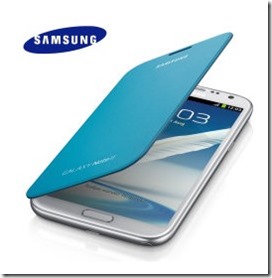
samsung galaxy note 2 flip case vs diary case

In reality, tablets aren’t that much larger than top-of-the-line smartphones. After all, the latest trend in smartphones is to make larger displays that are better for browsing, viewing, and gaming. You need look no further than the HTC One or the Samsung Galaxy S4 handsets for examples of this point. The HTC One measures a whopping 137.4mm (5.41”), while the Samsung Galaxy S4 measures 136.7mm (5.38”). Needless to say, it’s a struggle for the average person to fit either one of these devices in the palm of their hand.

By contrast, tablets are more compact than ever. The Samsung Galaxy Note 3 comes in a 151.2mm (5.9”) model, while the Asus FonePad is offered in a slightly larger size—152.4mm (6”). The Samsung Galaxy Tab, Nexus 7, and Asus FonePad all come in 177.8mm (7”) models as well. In fact, the differences between smartphones and tablets are so indistinguishable these days that some of these smaller tablets with phone capabilities are actually being referred to as phone tablets, or “phablets.”

Smartphones and Tablets Go Head to Head

Whether you decide to invest in one of the new phone tablets or stick with a more traditional mobile device like the BlackBerry Z10 or iPhone 5s, one thing is clear: by offering more functionality, tablets are fighting back against smartphones for control of the global market share. But tablet makers have a lot of catching up to do. According to statistics from Tech Crunch, smartphones accounted for 60.1% of the global market share in 2012, while tablets accounted for just 10.7%. It is worth noting that while tablets control only a small portion of the market, sales of these devices grew 78.4% year-on-year in 2012, and are forecasted to grow a whopping 109.9% through 2017, surpassing both desktop and portable PCs in market share. Test out the next generation of tablets to see what everyone is talking about.

Filed Under: 2013, Australian, Gadgets, Gpost Tagged With: smartphone app, Tablets, Technology

  • Page 1
  • Page 2
  • Go to Next Page »

Primary Sidebar

Recent Posts

  • Underwater Drones for Recording Video and Taking Pictures
  • Why I chose hostgator for blog hosting
  • Top 10 Software Programs For Your Windows PC
  • What you should know before investing in Cryptocurrency and bitcoin
  • The Best Social Media Platforms for Marketing a Gaming App

Recent Comments

  1. Patrick McCormick on How to secure your desktop and laptop with antivirus software
  2. JJ on 20 Top brands with affilate programs to make you money in 2019
  3. JJ on This WPengine Genesis Pro Deal Will Give You 35 Studiopress themes
  4. Lisa Gomes on 16 Ways to Make Money Online Working From Home
  5. KatVine on This WPengine Genesis Pro Deal Will Give You 35 Studiopress themes

Archives

  • June 2022
  • February 2022
  • July 2021
  • May 2021
  • April 2021
  • March 2021
  • November 2020
  • September 2020
  • August 2020
  • July 2020
  • June 2020
  • May 2020
  • April 2020
  • March 2020
  • February 2020
  • January 2020
  • December 2019
  • September 2019
  • August 2019
  • July 2019
  • June 2019
  • April 2019
  • March 2019
  • February 2019
  • January 2019
  • December 2018
  • November 2018
  • October 2018
  • September 2018
  • July 2018
  • June 2018
  • April 2018
  • February 2018
  • January 2018
  • December 2017
  • October 2017
  • September 2017
  • July 2017
  • June 2017
  • May 2017
  • April 2017
  • March 2017
  • February 2017
  • January 2017
  • December 2016
  • November 2016
  • October 2016
  • September 2016
  • August 2016
  • July 2016
  • May 2016
  • April 2016
  • March 2016
  • February 2016
  • January 2016
  • December 2015
  • November 2015
  • October 2015
  • September 2015
  • August 2015
  • July 2015
  • June 2015
  • May 2015
  • March 2015
  • February 2015
  • January 2015
  • December 2014
  • November 2014
  • October 2014
  • September 2014
  • August 2014
  • July 2014
  • June 2014
  • May 2014
  • April 2014
  • March 2014
  • February 2014
  • January 2014
  • November 2013
  • October 2013
  • September 2013
  • August 2013
  • July 2013
  • June 2013
  • May 2013
  • April 2013
  • March 2013
  • February 2013
  • January 2013
  • December 2012
  • November 2012
  • October 2012
  • September 2012
  • August 2012
  • July 2012
  • June 2012
  • May 2012
  • April 2012
  • March 2012
  • February 2012
  • January 2012
  • December 2011
  • November 2011
  • September 2011
  • August 2011
  • July 2011
  • June 2011
  • May 2011
  • April 2011
  • March 2011
  • February 2011
  • January 2011
  • December 2010
  • November 2010
  • October 2010
  • September 2010
  • August 2010
  • July 2010
  • June 2010
  • May 2010

Categories

  • $heldon $ingh
  • 2010
  • 2011
  • 2012
  • 2013
  • 2015
  • 2017
  • 2018
  • 2019
  • 2020
  • 2021
  • 2022
  • Accounting
  • Adsense
  • Affiliate
  • Amazon
  • Anti Virus
  • Apple
  • Apps
  • Asus
  • Aussie
  • Australia
  • Australian
  • Australian Bloggers
  • Australian wordpress hosting
  • Banks
  • Blog-Hosting
  • Blogger
  • Blogger Tool
  • Blogger Tools
  • BloggerTools
  • BuddyPress
  • CARS
  • CDN
  • Celebrity
  • Clickbank
  • Compare
  • Computer
  • Domains
  • Done Deals
  • Ebook
  • Email
  • Facebook
  • Featured
  • Finance
  • Free
  • Gadgets
  • Google
  • Gpost
  • Guide
  • Hackers
  • Hosting
  • India
  • Internet
  • Ipad
  • Kindle
  • Laptop
  • Make money blogging
  • Makemoney online
  • Marketing
  • Melbourne Cup
  • Movies
  • Netbook
  • Network
  • News
  • Online betting account
  • PC
  • Review
  • Search
  • SEO
  • sheldon singh
  • Software
  • Solution
  • Sports
  • Subscribers
  • Taxes
  • Technology News
  • Themes
  • Top 10
  • Tutorial
  • Video
  • Wacky
  • web hosting
  • Website Review
  • Wierd
  • Windows
  • wordpress
  • Wordpress 3.0
  • Wordpress 3.1
  • wordpress themes
  • World cup
  • Wp Answers
  • WP Turbo
  • WPMU

Footer

Design

With an emphasis on typography, white space, and mobile-optimized design, your website will look absolutely breathtaking.

Learn more about design.

Content

Our team will teach you the art of writing audience-focused content that will help you achieve the success you truly deserve.

Learn more about content.

Strategy

We help creative entrepreneurs build their digital business by focusing on three key elements of a successful online platform.

Learn more about strategy.

Copyright © 2026 · Genesis Sample on Genesis Framework · WordPress · Log in